
Introduction: The AI-First IDE That’s Reshaping How We Code
The IDE landscape has remained largely unchanged for decades, with Visual Studio Code, IntelliJ IDEA, and similar tools dominating developer workflows. However, 2026 has brought a fundamental rethinking of what an integrated development environment can be. Cursor has emerged as the leading example of an “AI-first” code editor, designed from the ground up to leverage artificial intelligence as a core component rather than an add-on.
Cursor’s approach represents a philosophical shift in development tools. Rather than adding AI features to existing IDEs, Cursor was built around AI capabilities, designing the entire interface and workflow around intelligent assistance. This foundational difference manifests in everything from cursor positioning to suggestion generation, creating an experience that feels genuinely collaborative rather than assistive.
The results speak for themselves. In 2024, Cursor’s revenue grew by an astonishing 6,400%, and the platform has attracted investment from Sequoia Capital while maintaining its commitment to pushing the boundaries of AI-assisted development. For content creators covering the developer tools space, understanding Cursor provides essential insight into where coding tools are heading. For developers themselves, Cursor offers capabilities that fundamentally change what’s possible in an afternoon of productive work.
This comprehensive review examines Cursor’s architecture, capabilities, and practical applications, providing the information needed to determine whether this AI-first IDE deserves a place in your development toolkit.
Understanding Cursor’s Architecture: Built Different from the Ground Up
Cursor distinguishes itself through its fundamental architecture decisions. The editor is built on the VS Code codebase, inheriting VS Code’s extensive extension ecosystem and familiar interface, but layers AI capabilities throughout the experience in ways that VS Code plugins cannot match. This hybrid approach provides both the extensibility developers expect and the deep AI integration that modern workflows demand.
The AI engine powering Cursor combines multiple models to provide contextually appropriate suggestions. Rather than relying on a single large language model, Cursor intelligently routes requests to models best suited for specific tasks, optimizing for both quality and speed. This routing system allows Cursor to provide instant code completions alongside sophisticated multi-file refactoring with a single consistent interface.
Context management represents a particular strength of Cursor’s architecture. The editor maintains comprehensive awareness of entire projects, understanding file relationships, dependency structures, and architectural patterns. This project-wide awareness enables suggestions that consider broader system design, not just immediate context within the current file.
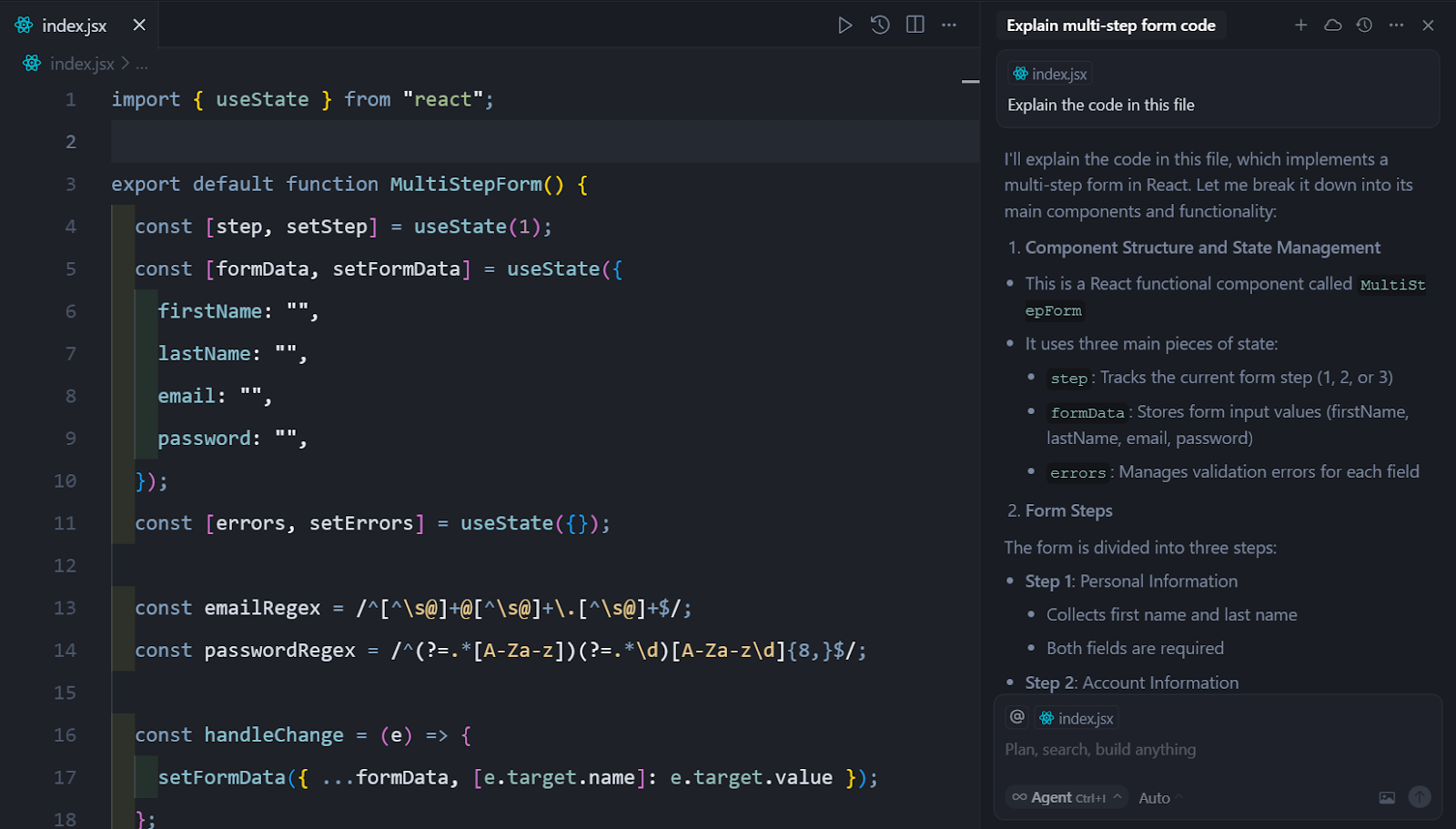
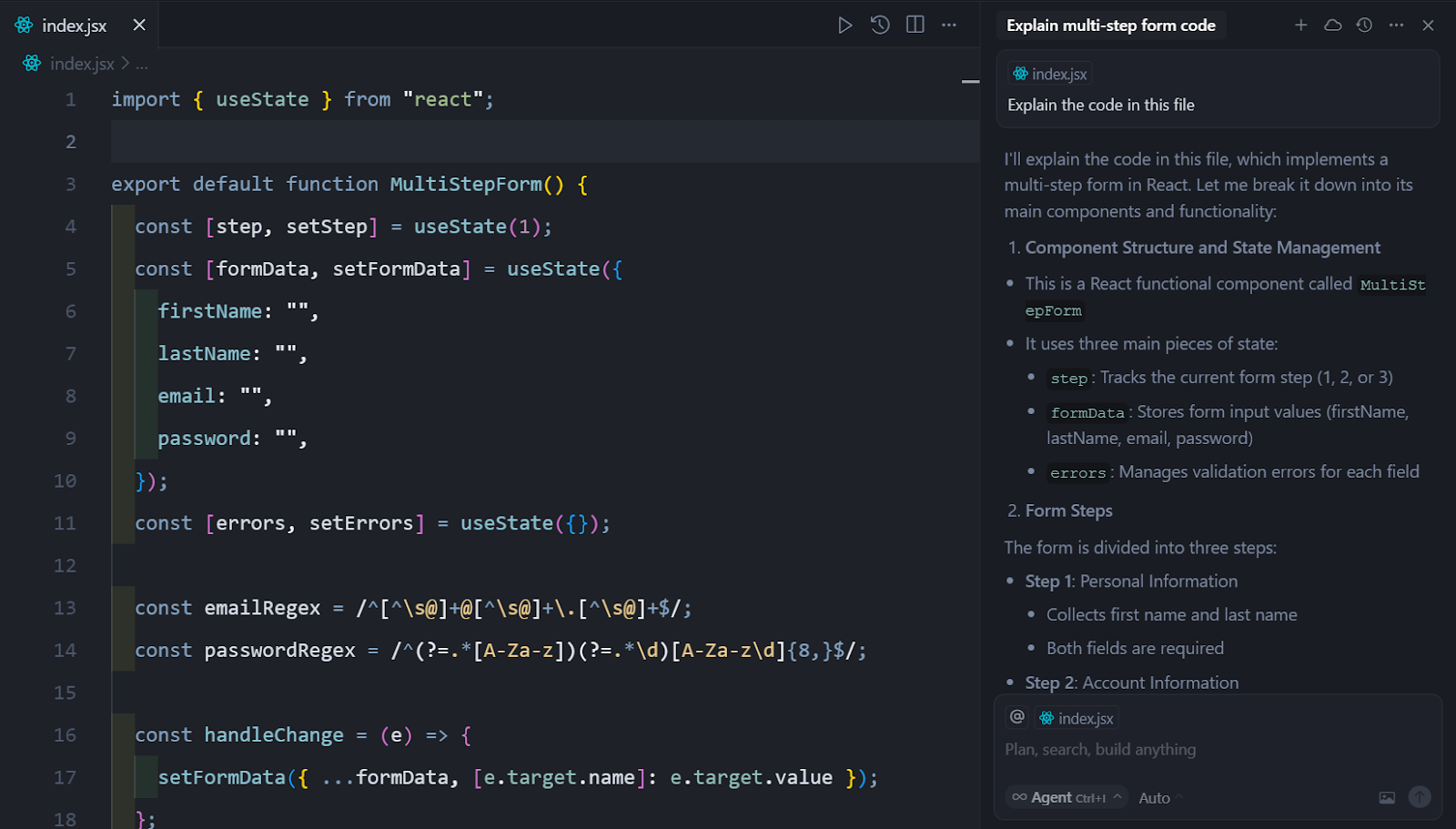
The interface itself has been redesigned around AI interaction. Traditional completions appear alongside chat-based interactions, inline documentation generation, and multi-modal collaboration features. This design philosophy treats AI as a first-class citizen in the development environment, not as an afterthought or optional enhancement.
Core Features Driving Developer Adoption
1. Intelligent Code Completion
Cursor’s code completion system goes far beyond traditional autocomplete. The editor provides inline suggestions that consider entire file context, project structure, and even repository history. These completions range from simple token suggestions to complete function implementations based on function signatures and documentation.
The platform excels at pattern completion, understanding common coding patterns and offering to complete them when appropriate. This capability proves especially valuable when working with unfamiliar frameworks or languages, as Cursor can generate code that follows community conventions without requiring extensive reference documentation.
Multi-cursor editing combined with AI creates powerful possibilities for bulk refactoring. Developers can select multiple instances, describe intended changes in natural language, and watch as Cursor transforms all selected code simultaneously. This capability dramatically accelerates tasks that would traditionally require complex regex replacement or multiple manual edits.
2. The Agent Mode: Autonomous Code Modification
Cursor’s Agent mode represents one of the most advanced autonomous coding capabilities available. Unlike simple suggestion systems, Agent can accept high-level instructions like “add user authentication to this API” and autonomously implement the necessary changes across multiple files. The agent understands project structure, identifies relevant code locations, and generates appropriate modifications.
The autonomous capabilities extend to debugging and problem-solving. When encountering errors, developers can forward stack traces to the Agent, which analyzes the problem and proposes or implements solutions. This debugging support proves particularly valuable for complex issues where traditional debugging tools provide limited insight.
Refactoring support through Agent mode addresses one of the most time-consuming aspects of software development. The system can handle multi-file refactoring tasks that would traditionally require careful manual work, reducing risk while accelerating necessary architectural improvements.
3. Documentation and Comment Generation
Documentation generation in Cursor goes beyond simple docstring creation. The system can analyze complex functions, understand parameter relationships, and generate comprehensive documentation that explains not just what code does but why certain approaches were chosen. This documentation depth proves valuable both for immediate collaboration and long-term maintenance.
Inline comments can be generated for complex code sections, explaining implementation decisions and potential edge cases. For teams working with complex algorithms or intricate business logic, this automated documentation helps ensure critical knowledge is captured even when original developers move on.
Code review automation represents another documentation application. Cursor can analyze proposed changes, identify potential issues, and generate review comments that highlight concerns requiring human attention. This automated review supplements rather than replaces human code review, focusing developer attention on genuinely problematic areas.
Cursor vs Traditional IDEs: A Paradigm Shift
VS Code with AI Extensions
Cursor’s foundation on VS Code raises natural questions about its advantages over VS Code enhanced with AI extensions. While both approaches provide AI-assisted development, the integration depth differs substantially. VS Code extensions operate within the constraints of VS Code’s architecture, providing AI features as additional capabilities rather than core functionality.
Cursor’s AI-first design enables integration impossible in extension-based approaches. The editor’s context management, suggestion generation, and autonomous capabilities all benefit from fundamental design decisions that extensions cannot replicate. These advantages become most apparent in complex, multi-file operations where traditional extensions struggle to maintain coherent context.
Performance represents another differentiator. Cursor’s optimized AI routing and caching systems provide faster response times than combinations of separate AI tools and VS Code extensions. For developers accustomed to waiting for AI responses, Cursor’s responsiveness demonstrates the benefits of purpose-built integration.
Traditional IDEs
Traditional IDEs like IntelliJ IDEA, Visual Studio, and Eclipse occupy different positions in the development landscape. These tools offer deep language support, sophisticated debugging, and extensive tooling, but lack the AI capabilities that modern workflows increasingly expect. Cursor does not replace these tools entirely—it offers a different balance of capabilities suited to different priorities.
Developers prioritizing AI assistance often find Cursor provides better value than premium traditional IDEs, particularly for web development and scripting languages where Cursor’s capabilities most closely match language characteristics. The platform’s VS Code foundation provides adequate traditional IDE features while delivering AI capabilities that traditional IDEs cannot match.
Pricing and Plans: Investment in Productivity
| Plan | Price | Features |
|---|---|---|
| Free | $0 | 200 AI requests, basic completions |
| Pro | $20/month | Unlimited AI, advanced models, priority access |
| Business | $40/user/month | Team features, admin controls, expanded context |
The Free plan provides meaningful AI assistance for casual development and evaluation purposes. The 200-request limit proves constraining for regular use but allows developers to assess platform capabilities before committing. This free tier represents a thoughtful approach to acquisition, allowing quality to drive adoption rather than aggressive marketing.
Pro represents the recommended plan for serious individual developers. Unlimited AI requests and access to advanced models justify the pricing for developers relying heavily on AI assistance. Priority access to new features ensures Pro users benefit from Cursor’s rapid development pace.
Business pricing targets team deployments with features designed for collaborative environments. Admin controls, usage tracking, and team-oriented features address enterprise requirements while maintaining the AI-first approach that makes Cursor distinctive.
Conclusion: Is Cursor Right for You in 2026?
Cursor has established itself as a leading AI-first code editor in 2026, demonstrating that purpose-built AI integration delivers meaningful advantages over extension-based approaches. For developers seeking the most advanced AI coding assistance, particularly for web development and scripting languages, Cursor offers compelling capabilities that justify adoption.
The platform’s rapid evolution suggests continued improvement, with new features and capabilities being added regularly. Investment in Cursor represents investment in the future of AI-assisted development, as the platform’s AI-first philosophy positions it well for coming advances.
For content creators covering the developer tools space, Cursor provides a compelling case study in AI-native product design. For developers themselves, the platform deserves serious evaluation as the primary development environment or as a complement to existing tools.
Rating: 4.6/5



Leave a Reply