CURRENT PLATINUM ENTITLEMENT GUIDE
Helium 10 Platinum includes 100 combined Cerebro and Magnet uses per billing cycle under the entitlement announced in April 2026. The important detail is that a multi-ASIN Cerebro search consumes one use for every ASIN entered.
What changed for Platinum users?
Helium 10 states that Platinum monthly subscribers and new Platinum customers receive 100 monthly uses for Cerebro and Magnet. Existing annual subscribers who were already inside an active billing cycle before the adjustment retain their previous entitlement until renewal, when the updated limit takes effect.
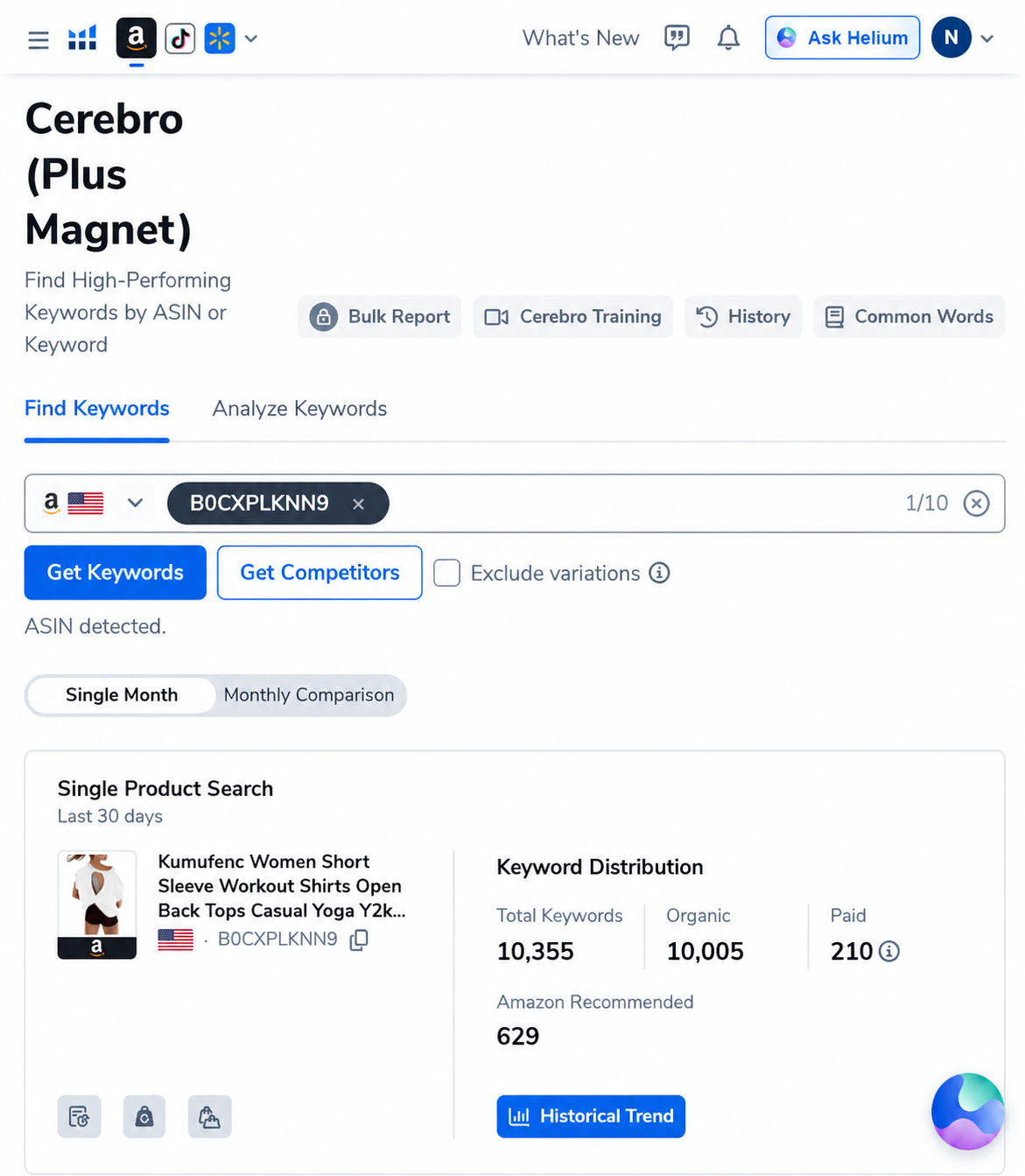
This is a usage entitlement, not a statement about the number of keywords returned. A single reverse-ASIN query can produce thousands of keyword rows, as our paid-account example shows. The practical constraint is how many searches or ASIN inputs you submit, not the size of every result table.
Exactly what counts as a use?
| Action | Usage charged | Practical meaning |
|---|---|---|
| Cerebro search with 1 ASIN | 1 use | Best for validating one close competitor before expanding the set. |
| Cerebro search with 5 ASINs | 5 uses | The query is submitted once, but every ASIN counts separately. |
| Cerebro search with 10 ASINs | 10 uses | Ten large exploratory queries could exhaust the full allowance. |
| Open an earlier result from History | 0 new uses | Use saved history rather than rerunning an unchanged query. |
| Magnet: Find Keywords | 1 use | Magnet draws from the same pool as Cerebro. |
| Analyze up to 200 keywords in Magnet | 1 use | Batch related terms instead of analyzing them individually. |
Why multi-ASIN searches consume the allowance quickly
The temptation in reverse-ASIN research is to paste the maximum number of competitors into every search. That produces breadth, but it can also combine unrelated products and spend the allowance before the useful competitors are identified.
Assume you run four exploratory searches with ten ASINs each. Those four searches consume 40 of the 100 uses. If half the ASINs represent another price tier, bundle size, audience or product format, a meaningful portion of the allowance was spent creating noise.
A search-budget workflow that preserves uses
Start with one highly comparable ASIN
Choose a listing with the same product type, audience, pack count, price band and primary use case. Run it alone. Review the keyword distribution and confirm that the vocabulary describes the market you intend to enter.
Add competitors one at a time
Expand only when the next ASIN adds a useful perspective, such as a different leading feature or a stronger organic competitor. This makes it easier to see which ASIN introduces irrelevant vocabulary.
Filter before exporting
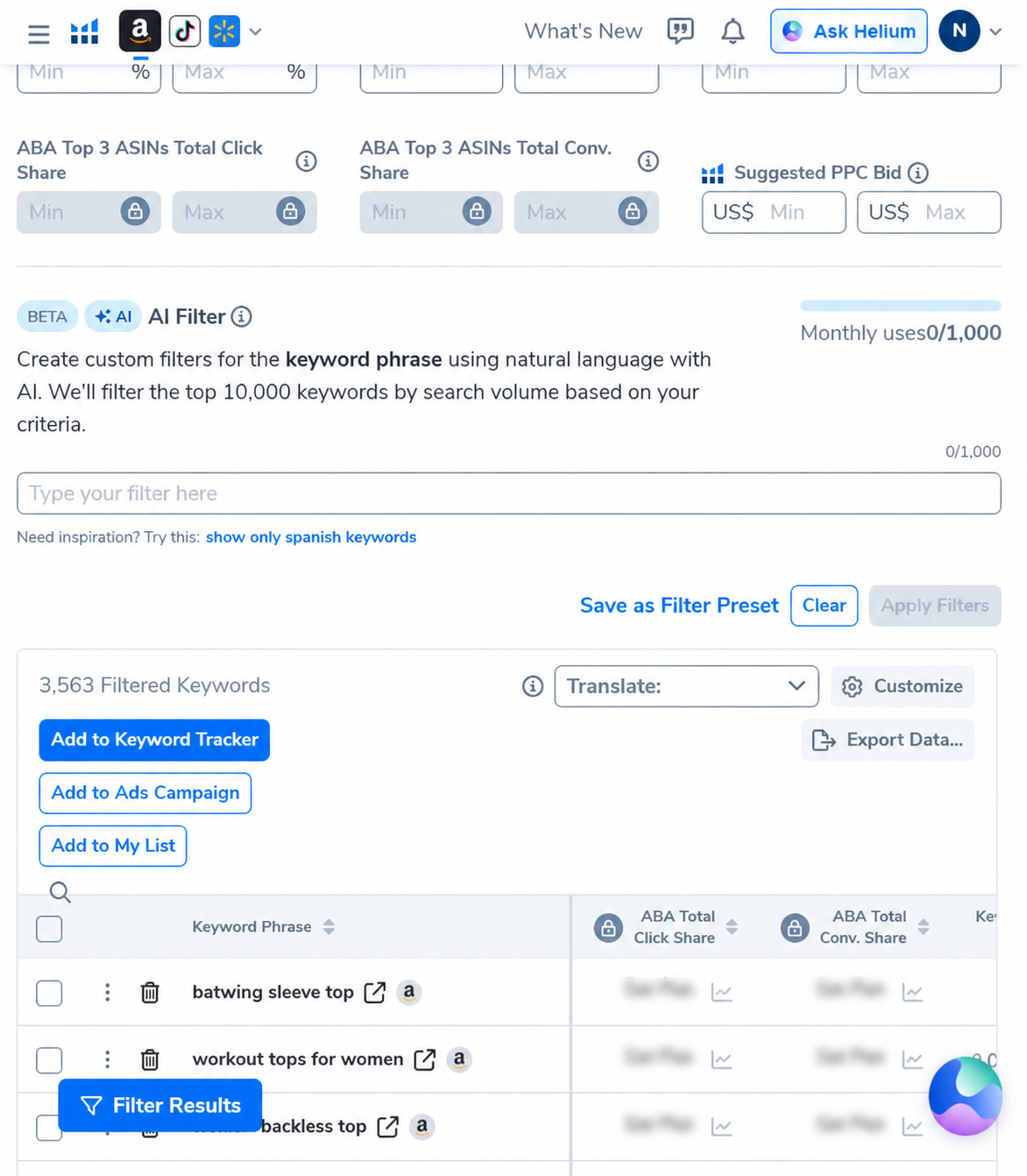
Do not rerun the search merely because the first table is large. Apply relevance, rank, search-volume and phrase-length filters to the existing result. In our documented example, a three-word minimum and a 500 search-volume floor reduced 10,355 records to 3,563 without creating a second reverse-ASIN query.
Use History as the research record
Return to a saved query when you need to change filters, inspect another column or export again. Helium 10 explicitly says reopening a search through History does not consume a new use.
Batch Magnet keyword analysis
Group related seed terms and analyze up to 200 keywords in one action when appropriate. Do not use batching to mix unrelated products; the goal is fewer deliberate searches, not a larger noisy dataset.
Example monthly allocation for a small seller
| Research job | Illustrative allocation | Reason |
|---|---|---|
| Competitor validation | 30 uses | Test individual ASINs before building multi-ASIN sets. |
| Focused multi-ASIN searches | 30 uses | Use only closely matched competitors. |
| Magnet discovery | 20 uses | Batch related seed keywords. |
| Reserved capacity | 20 uses | Keep room for new products, listing changes and follow-up questions. |
This allocation is a planning example, not an official Helium 10 recommendation. A single-product seller may need fewer ASIN searches, while an agency or multi-brand operator may outgrow the Platinum allowance.
What happens after you reach 100 uses?
According to Helium 10, Cerebro and Magnet search functionality becomes temporarily unavailable after the allowance is exceeded. Access resumes at the start of the next billing cycle. The official notice says unused searches do not roll over and currently does not describe an automatic pay-per-search overage.
Does the limit make Platinum a bad plan?
Not necessarily. Platinum can still fit a seller who researches deliberately, reuses History and works on a limited number of products. The limit matters more for agencies, frequent product researchers and teams that routinely compare large ASIN sets. Those buyers should compare their expected monthly ASIN inputs, not just the advertised tool list.
Also check the current checkout and account entitlement before purchasing. Helium 10 changes plan features and limits over time, and an annual account inside an older billing cycle may temporarily show different access.
AI PILOT DAILY EXCLUSIVE CODES
Compare the current plan before subscribing
AIPILOTDAILY20: 20% off the first 6 months of eligible monthly billing.
AIPILOTDAILY10: 10% off eligible monthly billing on an ongoing basis.
Check Helium 10 plans and apply a code
Affiliate disclosure: we may earn a commission if you purchase through this link, at no extra cost to you. Codes, eligibility, plan access and final prices must be confirmed at checkout.
Frequently asked questions
How many Cerebro searches does Helium 10 Platinum include?
Helium 10 states that Platinum includes 100 combined Cerebro and Magnet uses per billing cycle under the entitlement introduced in 2026.
Does a 10-ASIN Cerebro search count as one search?
No. Helium 10 says each ASIN counts as one use, so entering ten ASINs consumes ten uses.
Do Cerebro and Magnet have separate limits?
No. The official entitlement notice describes one combined allowance for Cerebro and Magnet.
Does opening Cerebro History use another search?
No. Reopening an earlier search from History does not count as a new use.
When does the Helium 10 search limit reset?
The counter resets on the subscription billing-cycle date. It does not necessarily reset on the first day of the month.
Sources and methodology
The entitlement rules in this guide were checked against Helium 10’s April 16, 2026 Platinum plan update. The screenshots and result counts come from our paid Helium 10 account captured in September 2026. Helium 10 metrics are third-party estimates and should not be treated as audited Amazon sales, exact demand or guaranteed results.