PAID-ACCOUNT COMPETITOR WORKFLOW
More competitor ASINs can reveal shared keywords, but adding loosely related products expands noise faster than insight. The right number is the smallest set that represents the same buyer, product job and competitive price band.

Why competitor selection matters more than the count
Cerebro is a reverse-ASIN research tool: the products you enter define the evidence pool. If one ASIN serves a different shopper or solves a different problem, its keywords can distort word frequency, shared-rank filters and opportunity analysis. A clean set of three competitors is more useful than a large set assembled from the first search-results page.
| Selection test | Keep the ASIN when… | Exclude or separate when… |
|---|---|---|
| Same product job | The shopper would reasonably compare it with your planned offer. | It solves an adjacent problem or belongs to a different product class. |
| Same audience | Gender, age, skill level or business stage broadly match. | The buyer and search vocabulary materially differ. |
| Similar price band | It competes under comparable expectations and economics. | It is a luxury or bargain outlier that changes intent. |
| Comparable format | Size, pack count, variation structure and use case are similar. | Bundles, refills or accessories dominate different queries. |
| Relevant marketplace | It sells in the marketplace you are researching. | The evidence comes from another country or category context. |
Our real single-ASIN baseline
In September 2026, we entered a women’s open-back workout-top ASIN in a paid Helium 10 account. Cerebro returned 10,355 total keyword records, including 10,005 organic, 210 sponsored and 629 Amazon-recommended signals. These types overlap, so the subcounts should not be added as separate totals.
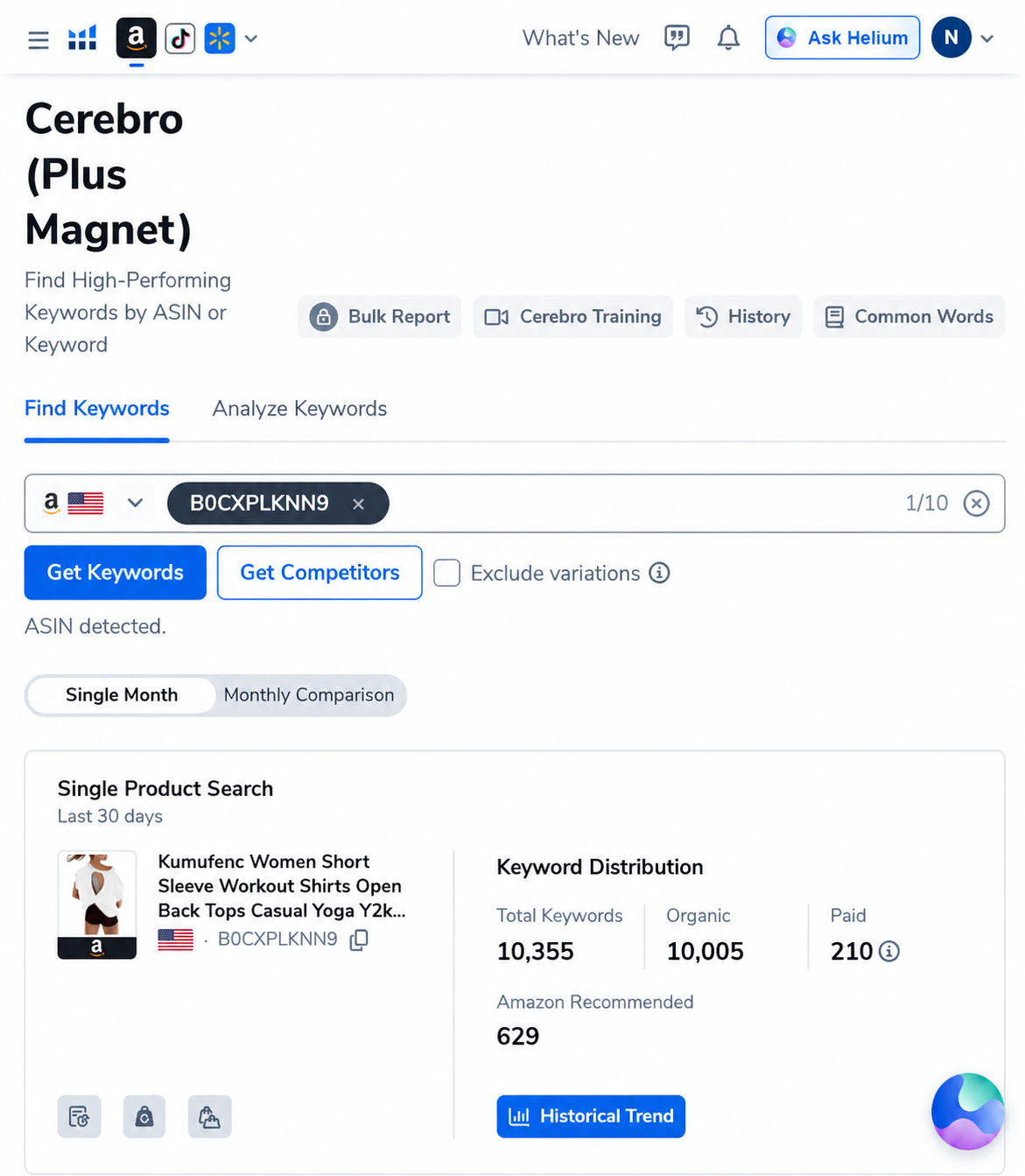
This baseline establishes the product’s broad vocabulary. It does not tell us which terms are category-wide, variation-specific, branded, incidental or commercially useful. Multi-ASIN analysis becomes valuable only after the comparison set is cleaned.
A practical three-stage ASIN framework
Stage 1: one seed ASIN
Use one exact product to learn the interface, record the unfiltered result count and identify obvious vocabulary clusters. Choose the closest representation of the product you plan to sell—not simply the highest-revenue listing.
Stage 2: three to five direct competitors
Add products that pass the same-customer and same-job tests. This range is usually large enough to reveal shared keywords while remaining small enough to inspect each listing manually. It is a workflow recommendation, not a Helium 10 platform limit.
Stage 3: segment expansion
If the market contains meaningful segments—premium versus value, bundle versus single item, or different material families—run separate Cerebro sets. Comparing segments side by side is safer than mixing them into one export and hoping filters repair the confusion.
How irrelevant ASINs create false opportunities
Suppose an open-back workout shirt is compared with sports bras, leggings and men’s compression tops. The combined report may surface high-volume fitness terms, but those phrases do not describe the same product. A high Cerebro IQ Score or strong competitor rank cannot make an inaccurate term appropriate for the listing.
Use word frequency to audit the competitor set
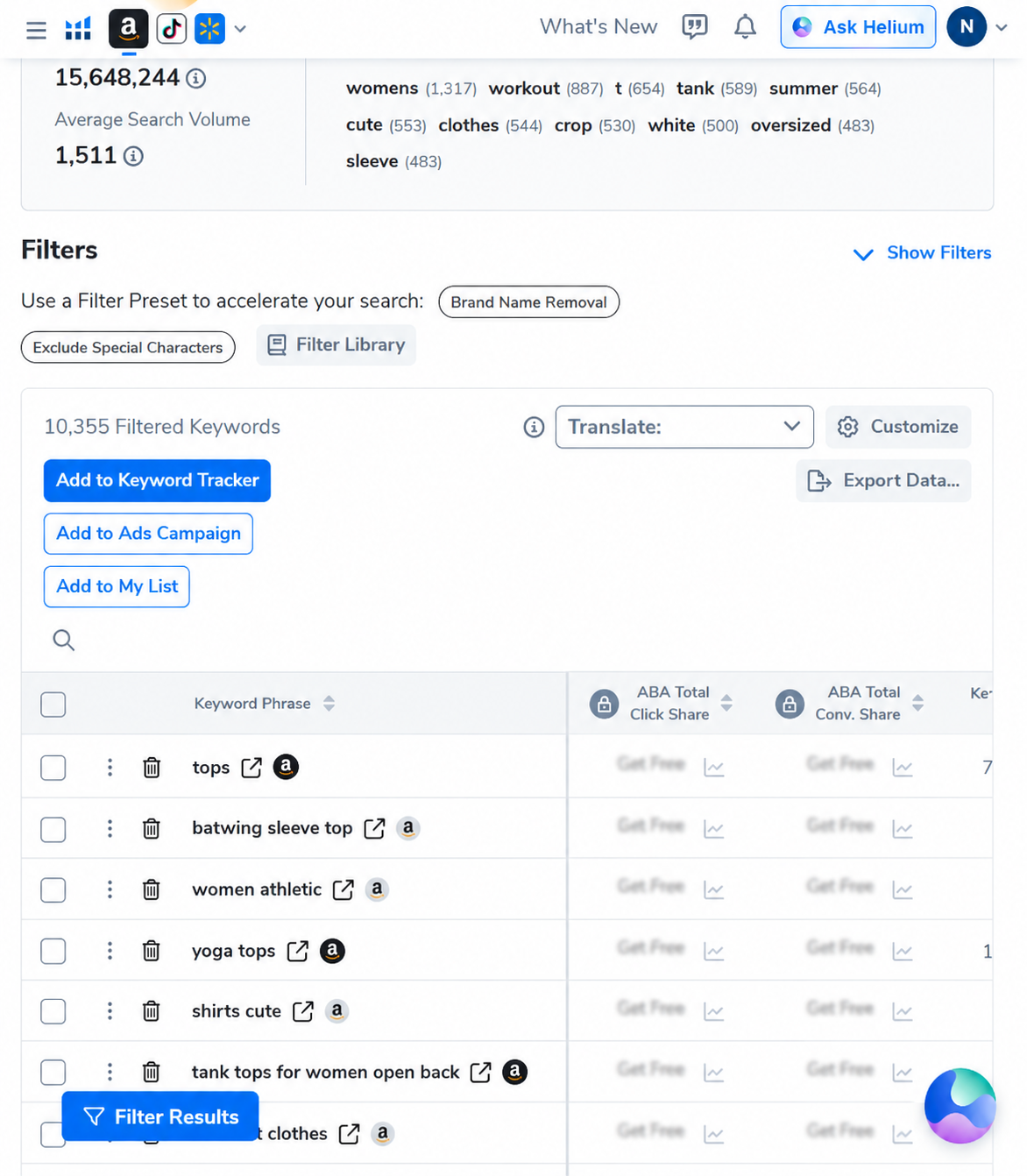
After adding ASINs, inspect recurring words before sorting thousands of rows. A sudden rise in unrelated nouns, audiences or materials can reveal that one competitor does not belong. Word frequency is most useful as a diagnostic tool: it shows how the evidence pool changed when an ASIN was added.
Apply filters after the ASIN set is clean
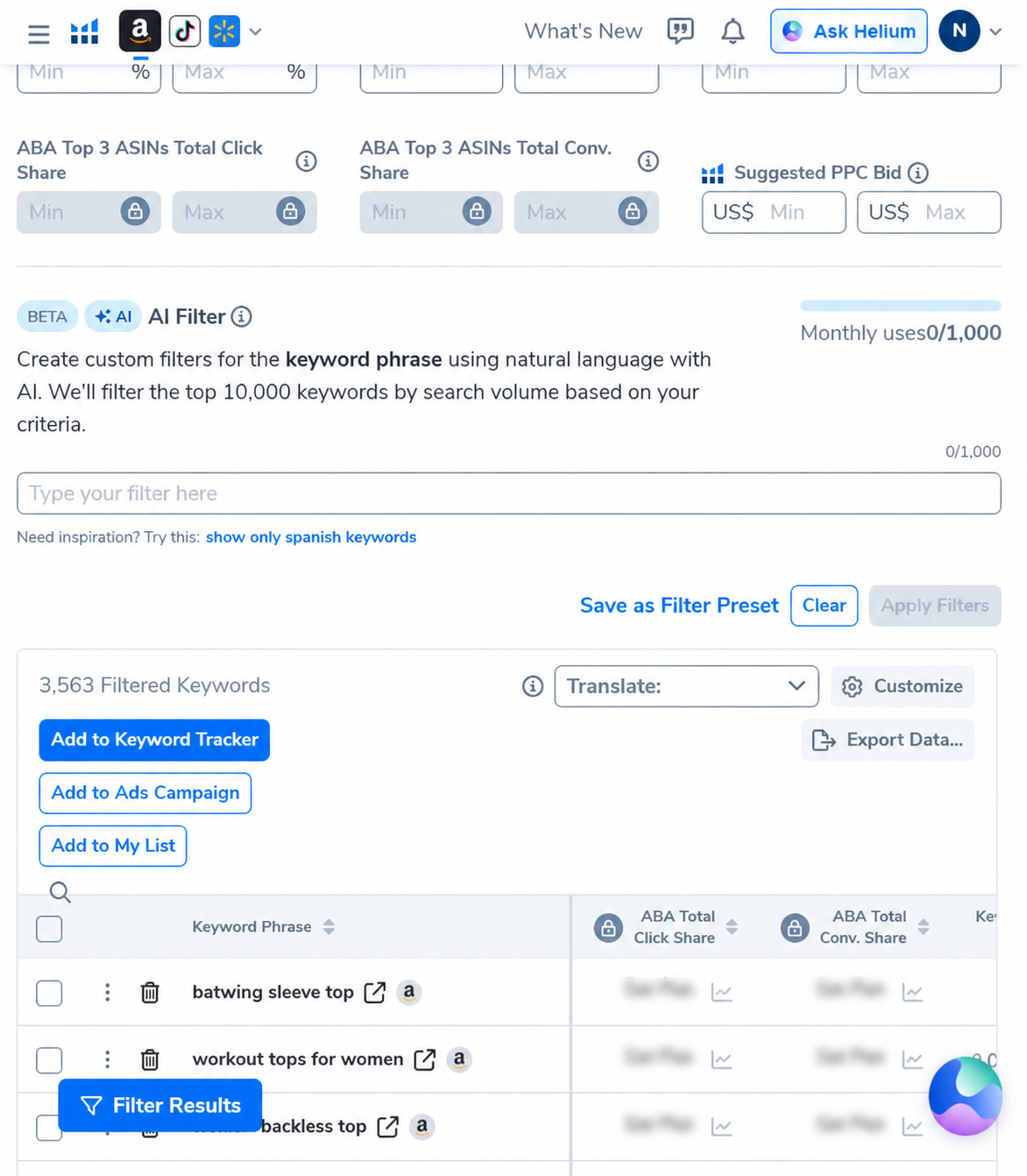
In our case, a three-word minimum and a 500-search-volume floor reduced 10,355 records to 3,563, a 65.6% reduction. That made review easier, but filters did not fix product mismatch. Cleaning competitors must happen before aggressive numerical filtering.
Keep a competitor inclusion log
| Field | What to record | Why it matters |
|---|---|---|
| ASIN and marketplace | Exact identifier, country and research date. | Makes the analysis reproducible. |
| Inclusion reason | Same buyer, job, format and price logic. | Prevents popularity from replacing relevance. |
| Important differences | Material, bundle, audience, brand or variation structure. | Explains keyword outliers. |
| Observed keyword effect | New roots, rank patterns and irrelevant clusters introduced. | Shows whether the ASIN improves the set. |
| Final status | Core competitor, segment comparator or excluded. | Keeps later exports consistent. |
Three searches are often better than one giant search
Run a core set for direct substitutes, a segment set for premium or alternative formats, and an exploratory set for adjacent products. The core set supports listing and primary PPC research. Segment and adjacent sets are better for market mapping, product targeting and future expansion. Keeping these jobs separate protects the main keyword brief from noise.
How to decide whether another ASIN adds value
- Inspect the live listing and its dominant variations.
- Write one sentence explaining why the same shopper would compare it.
- Run or preview the expanded set.
- Check whether new keyword roots are relevant or mostly adjacent.
- Keep the ASIN only if it improves shared evidence or represents a deliberate segment.
Common mistakes
- Choosing competitors only by estimated revenue.
- Including sponsored listings without checking product fit.
- Mixing accessories, refills and main products.
- Combining premium and commodity offers without segment labels.
- Using parent listings without inspecting variation relevance.
- Assuming more keyword rows mean better research.
- Failing to save marketplace and date.
AI PILOT DAILY EXCLUSIVE
Build a cleaner competitor set in Cerebro
AIPILOTDAILY20 20% off the first 6 months of eligible monthly billing.
AIPILOTDAILY10 10% off eligible monthly billing on an ongoing basis.
View Helium 10 plans and apply a code →
Affiliate disclosure: we may earn a commission if you purchase through this link, at no extra cost to you. Confirm eligibility, offer duration and final pricing at checkout.
Frequently asked questions
How many ASINs should I start with in Cerebro?
Start with one seed ASIN, then compare three to five genuinely close competitors. Expand only when another product represents a useful segment or improves shared-keyword evidence.
Should I use the best-selling ASINs?
Only when they are direct competitors. High sales do not make an adjacent product relevant to your listing or PPC research.
Can I mix different price ranges?
You can, but separate premium, value and commodity segments when their buyers, features or search language differ. A single mixed export can hide those distinctions.
Does adding more ASINs make Cerebro more accurate?
Not automatically. More relevant ASINs can improve comparison evidence; irrelevant ASINs increase noise and misleading keyword clusters.
Next step: Apply Cerebro filters in the right order using our paid-account case study.
Keyword clustering: Use Cerebro Word Frequency to organize recurring product language.
Sources and methodology
The screenshots and counts come from a paid Helium 10 account run in September 2026. Workflow behavior was cross-checked against Helium 10’s official Cerebro tutorial, its multi-ASIN competitor workflow, and its Exact ASIN Match explanation. Interface limits and fields can change, so verify the current account screen.