
Last verified: 2026-10-29
Affiliate disclosure: We may earn a commission if you subscribe to Helium 10 through our links. Screenshots and workflow notes come from our own signed-in Helium 10 account (English UI, Elite). Codes: AIPILOTDAILY20 and AIPILOTDAILY10 via https://i.helium10.com/jR0Z10. Offers change, so recheck before paying.
Quick answer
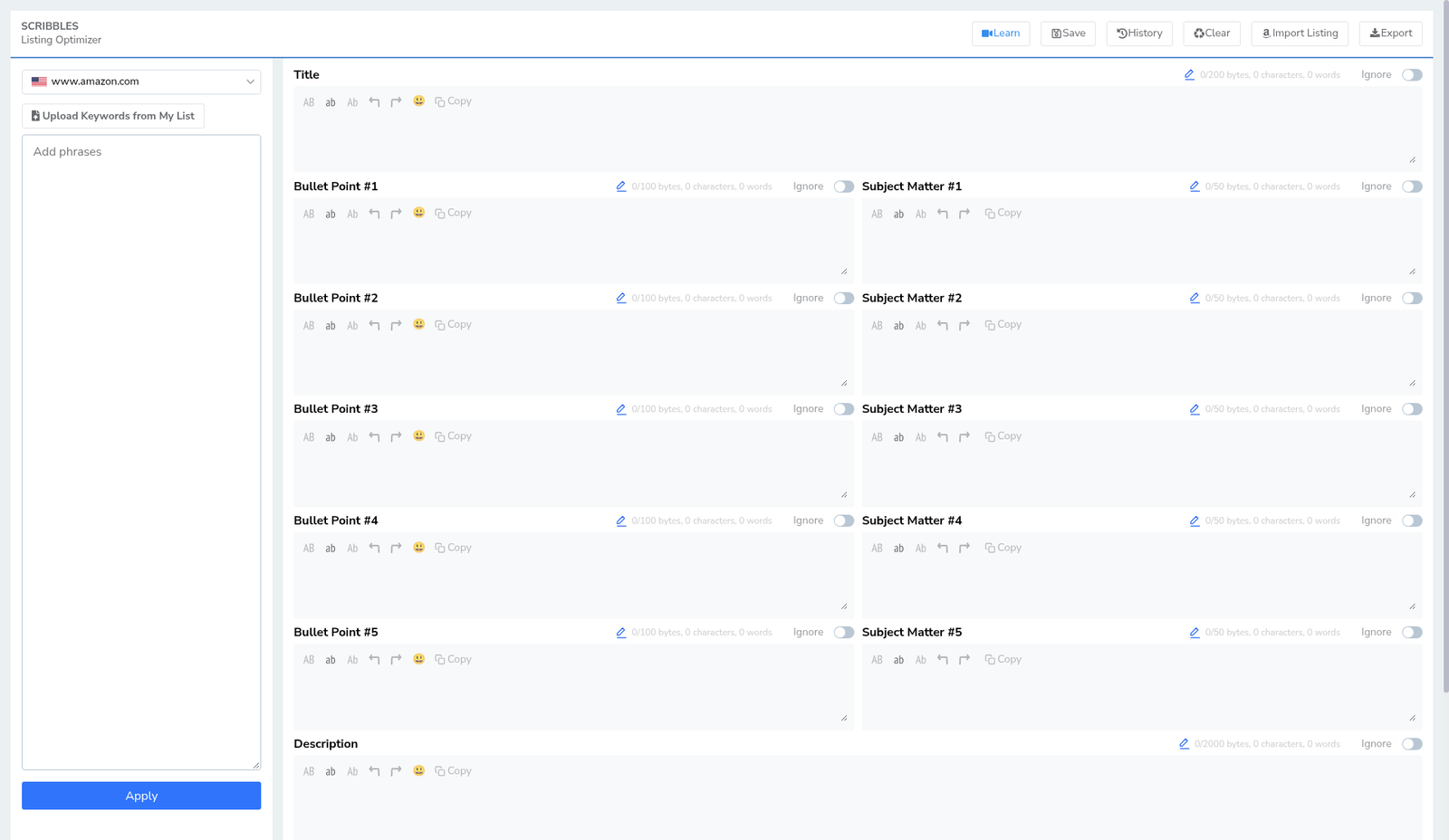
Helium 10 Scribbles (menu subtitle: Listing Optimizer) is the lightweight copy workspace for Amazon listing fields—title, five bullet points, subject matter, description, and search terms—with live byte / character / word counters and a left-rail keyword bank. Use it to draft and bank phrases before you push copy into Seller Central or into the heavier Listing Builder flow.
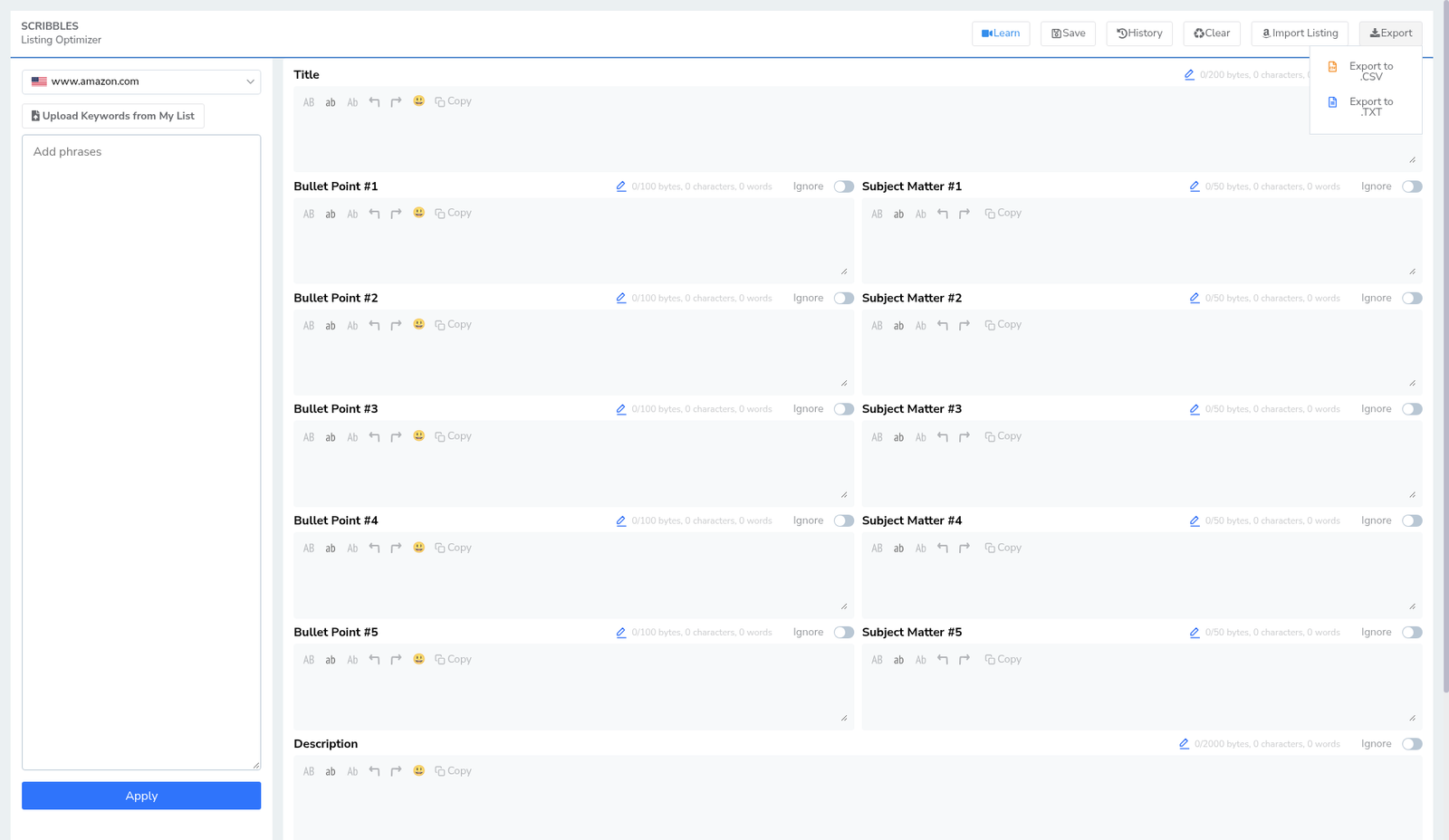
On 2026-10-29 (English UI) we opened Scribbles on Amazon US (www.amazon.com). The editor was empty (all counters at 0). That is intentional UI evidence—we did not publish a listing to Amazon:
| Field | What we saw |
|---|---|
| Tool | SCRIBBLES · Listing Optimizer |
| Marketplace | www.amazon.com (US flag) |
| Top actions | Learn · Save · History · Clear · Import Listing · Export |
| Keyword rail | Upload Keywords from My List · Add phrases · Apply |
| Title meter | 0/200 bytes, 0 characters, 0 words |
| Bullet meters | Bullet Point #1–#5 with per-field byte counters |
| Subject Matter | Subject Matter #1–#5 · 0/50 bytes each |
| Description | 0/2000 bytes |
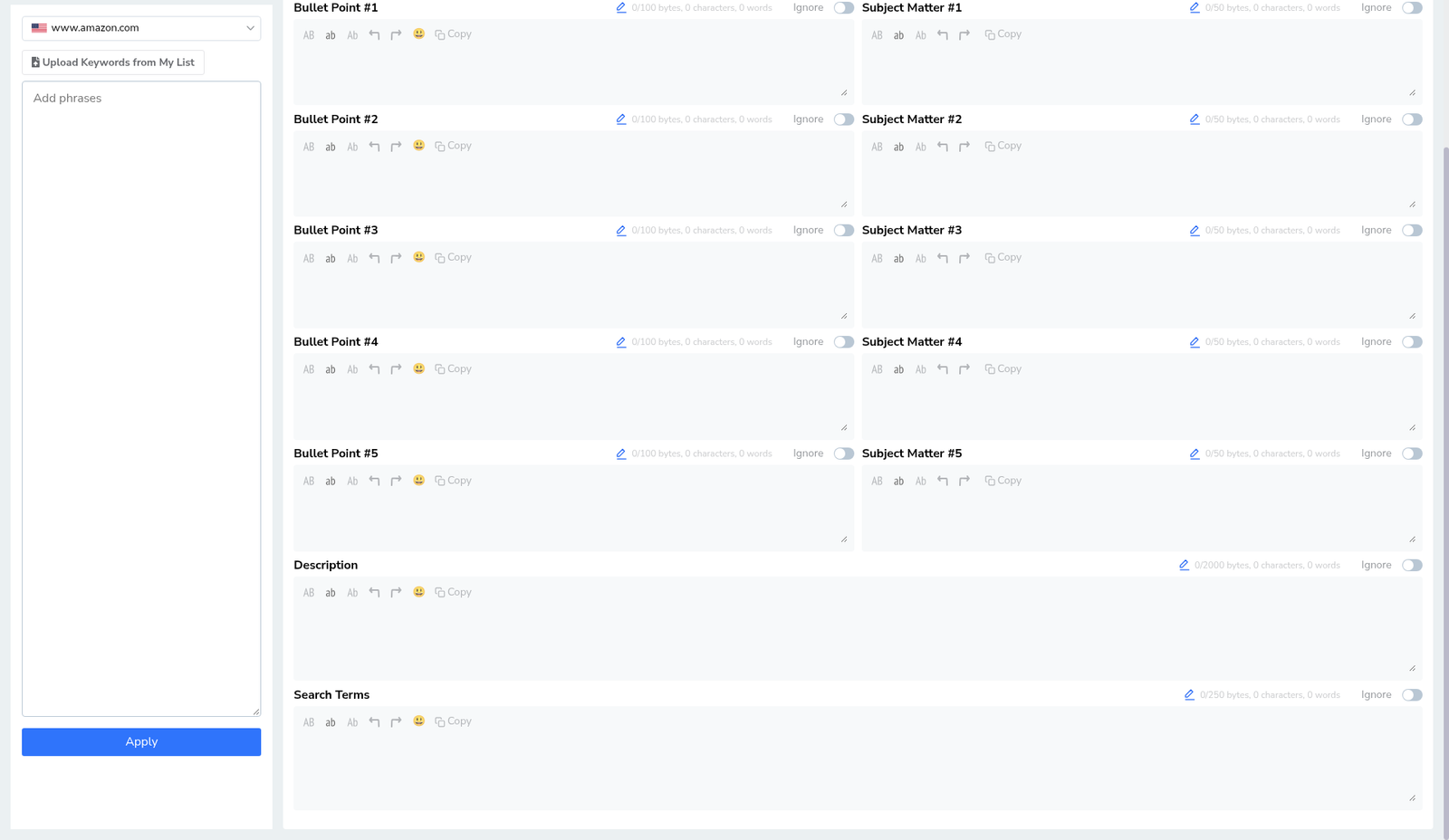
| Search Terms | 0/250 bytes (visible when scrolled) |
| Export menu | Export to .CSV · Export to .TXT |
| Published to Amazon? | No |
Honest takeaway: empty Scribbles is still a valid how-to—the layout, counters, and import/export controls are what you need to learn first. Pair keyword supply from Frankenstein / Keyword Processor with this editor, then graduate to Listing Builder when you want AI listing workflows and quality scores. Coupons: coupon page. Plans: Helium 10 Cost.
Ready to try Helium 10?
New checkout codes we verified 2026-10-29:
Monthly: AIPILOTDAILY20 (20% off for 6 months) · Annual: prefer AIPILOTDAILY10 (≈10% forever on our annual test). Confirm on your own summary.
Prerequisites
- Helium 10 login with Scribbles available (our shots: Elite English UI).
- Marketplace set to the store you sell in — we used www.amazon.com.
- A keyword list (even a short one) from Cerebro, Magnet, or Frankenstein — paste into Add phrases or Upload from My List.
- Account language = English – EN.
- No Seller Central publish required for this tutorial—we stay inside Helium.
Step 1 — Open Scribbles from Amazon Tools
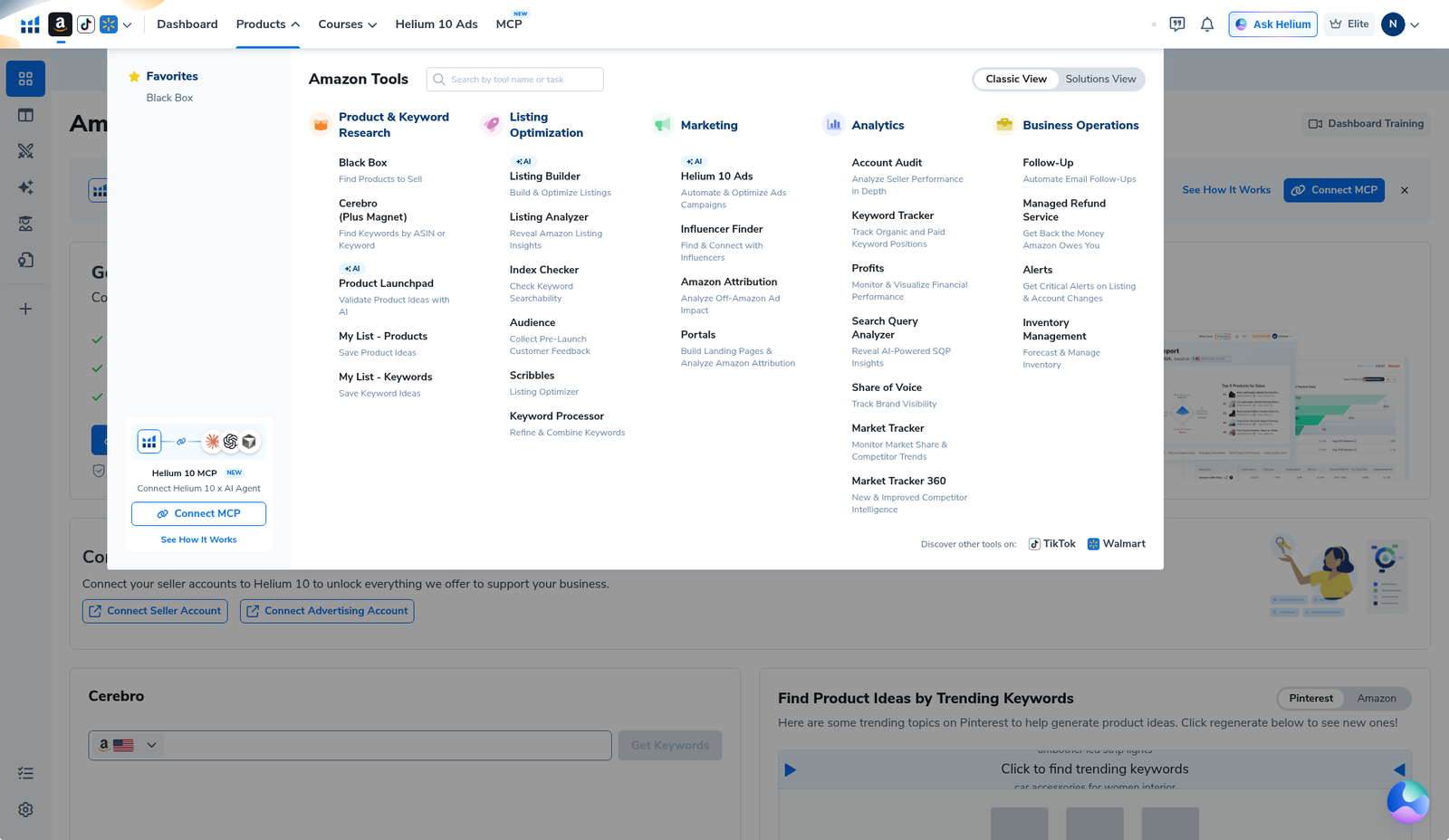
From the Helium 10 dashboard, open the Amazon Tools overlay (Products / tools grid). Under Listing Optimization, click Scribbles (Listing Optimizer). Neighbor tools on that row include Listing Builder, Listing Analyzer, Index Checker, Audience, and Keyword Processor (Frankenstein).
Step 2 — Confirm marketplace US and learn the chrome
Header: SCRIBBLES · Listing Optimizer. Top-right actions: Learn, Save, History, Clear, Import Listing (Amazon mark), Export. Left rail: marketplace dropdown (US flag + www.amazon.com), Upload Keywords from My List, Add phrases box, blue Apply.
Main canvas fields (top → bottom):
- Title — byte / character / word meter (empty: 0/200 bytes)
- Bullet Point #1–#5 — each with its own toolbar + byte meter + optional Ignore toggle
- Subject Matter #1–#5 — tighter byte caps (0/50 bytes empty)
- Description — 0/2000 bytes empty
- Search Terms — backend-style field (0/250 bytes when scrolled into view)
Step 3 — Load keywords into the bank
Two paths:
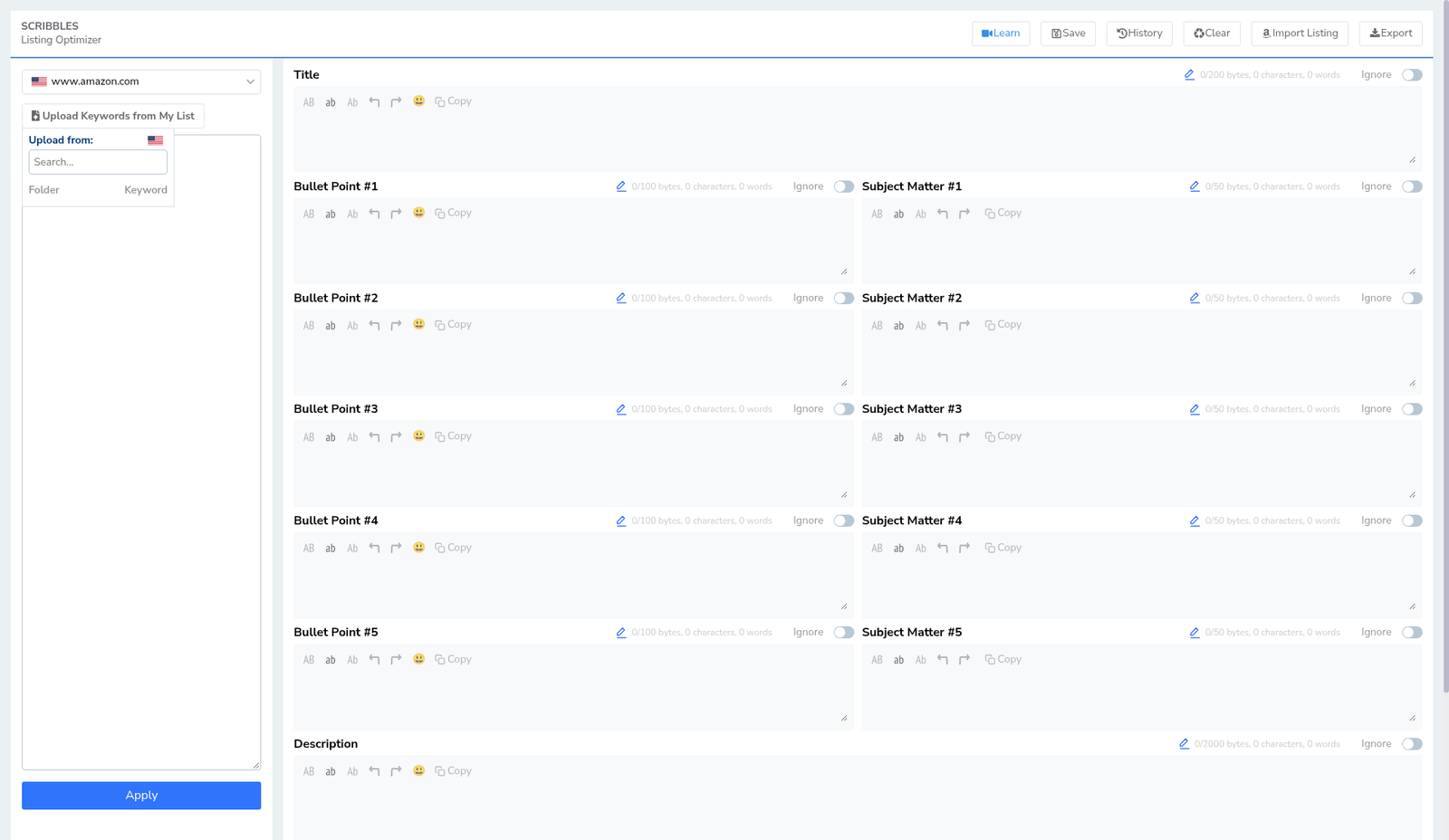
- Paste phrases into Add phrases, then Apply.
- Click Upload Keywords from My List if you already saved a Helium keyword list.
Scribbles is happiest when the bank is filled before you write the title—so you can see which phrases still need a home. We left the bank empty in these screenshots on purpose (UI evidence only).
Step 4 — Fill title, bullets, subject matter, description (watch the bytes)
Practical order we recommend:
- Title — primary phrase + differentiators; watch the 200-byte class meter (Amazon title rules still apply in Seller Central—Scribbles helps you draft, it does not override Amazon).
- Bullet Point #1–#5 — benefit-led lines; use Ignore only if you intentionally skip a slot.
- Subject Matter #1–#5 — short attribute-style phrases; 50-byte caps punish fluff.
- Description — longer story / specs; 2000-byte meter.
- Search Terms — leftover relevant phrases that did not fit title/bullets; stay inside the 250-byte class meter and avoid repeating brand spam Amazon rejects.
Each field has case tools, undo/redo, emoji, and Copy—handy when you paste into Seller Central later.
Step 5 — Save, import, export (still not “published”)
- Save / History / Clear — local Helium draft hygiene.
- Import Listing — pull an existing Amazon listing into the editor when connected/authorized (we did not complete a live import publish cycle here).
- Export → Export to .CSV or Export to .TXT for offline review or handoff.
Exporting a draft is not the same as publishing to Amazon. Our capture ends with an empty editor + export menu open—no live ASIN update.
Scribbles vs Listing Builder (when to use which)
| Need | Prefer |
|---|---|
| Fast field-by-field copy + byte meters + keyword bank | Scribbles |
| AI listing workflow, quality checklist, images, Seller Central optimize path | Listing Builder |
| Smash / split / clean phrase lists before pasting | Frankenstein |
Many sellers draft structure in Scribbles, then move keepers into Listing Builder or Seller Central. Neither tool ranks your ASIN by itself.
What I tested vs what I did not claim
Tested (2026-10-29, English UI):
- Opening Scribbles from Amazon Tools → Listing Optimization
- Empty editor on www.amazon.com with Title / Bullets / Subject Matter / Description / Search Terms meters at 0
- Keyword rail controls (Upload / Add phrases / Apply) visible
- Export menu options .CSV and .TXT
Did not claim / did not do:
- Publishing or syncing a listing to Amazon Seller Central
- That empty-editor screenshots prove a ranking lift
- Running a scored “perfect listing” case study in this article
- Affiliate links other than https://i.helium10.com/jR0Z10
Common mistakes
- Stuffing every Cerebro phrase into the title — bytes vanish; relevance dies.
- Ignoring Subject Matter caps — 50-byte fields are not mini-bullets.
- Skipping Search Terms — leftover relevant phrases belong there, not in spammy title repeats.
- Confusing Export with Publish — CSV/TXT leave Helium; Amazon only changes when you update Seller Central (or a connected optimize flow).
- Starting here with zero keywords — open Frankenstein or Cerebro first.
FAQ
Is Scribbles free on every plan?
Availability depends on your Helium plan. We photographed it on Elite. Confirm in your Tools menu or on Cost.
Do I need Listing Builder if I have Scribbles?
Not always. Scribbles is enough for disciplined manual copy + keyword banking. Use Listing Builder when you want AI generation, richer scoring, or the optimize-from-Seller-Central path—see Listing Builder how-to.
Did you publish the example listing?
No. Screenshots are an empty English UI editor for layout evidence only.
Which coupon for Helium 10?
https://i.helium10.com/jR0Z10 — AIPILOTDAILY20 monthly / AIPILOTDAILY10 annual notes. Details: coupon page.
CTA
Open Scribbles, set Amazon US, paste a short keyword bank, and draft title → bullets → subject matter → description → search terms while watching byte meters. Export CSV/TXT before you touch Seller Central. Next: Listing Builder · Frankenstein · Cost · coupon. Checkout: https://i.helium10.com/jR0Z10 with AIPILOTDAILY20 / AIPILOTDAILY10.

Leave a Reply