
Last verified: 2026-10-29
Affiliate disclosure: We may earn a commission if you subscribe to Helium 10 through our links. Screenshots and workflow notes come from our own signed-in Helium 10 account (English UI, Keyword Tracker). Codes: AIPILOTDAILY20 and AIPILOTDAILY10 via https://i.helium10.com/jR0Z10. Offers change, so recheck before paying.
Quick answer
Helium 10 Keyword Tracker (subtitle: Track various metrics and rankings of keywords for products) watches organic / sponsored positions over time for ASINs you add—so you are not guessing from a one-off search.
On 2026-10-29 (English UI) our Elite account tracked one demo product and one keyword:
| Field | What we saw |
|---|---|
| Product | RAYWOWO Concept UNC UV Filter… 55mm |
| ASIN | B0CCMTZZ18 (US) |
| Keyword | lens filter |
| Search Volume | 1,000 |
| Competing products | >20,000 (on keyword row) |
| Organic rank | >306 |
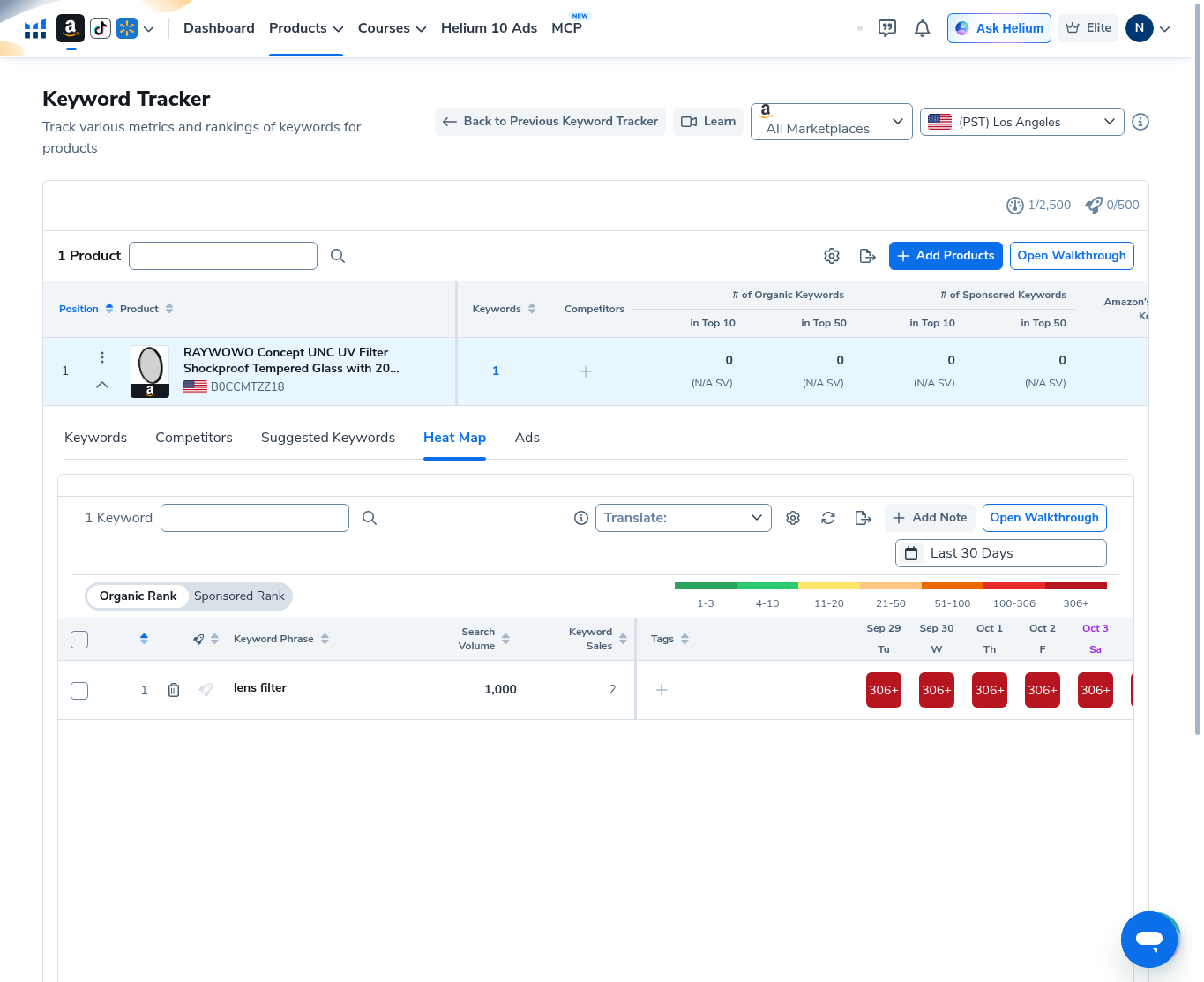
| Heat map cells | 306+ (dark red) across visible days |
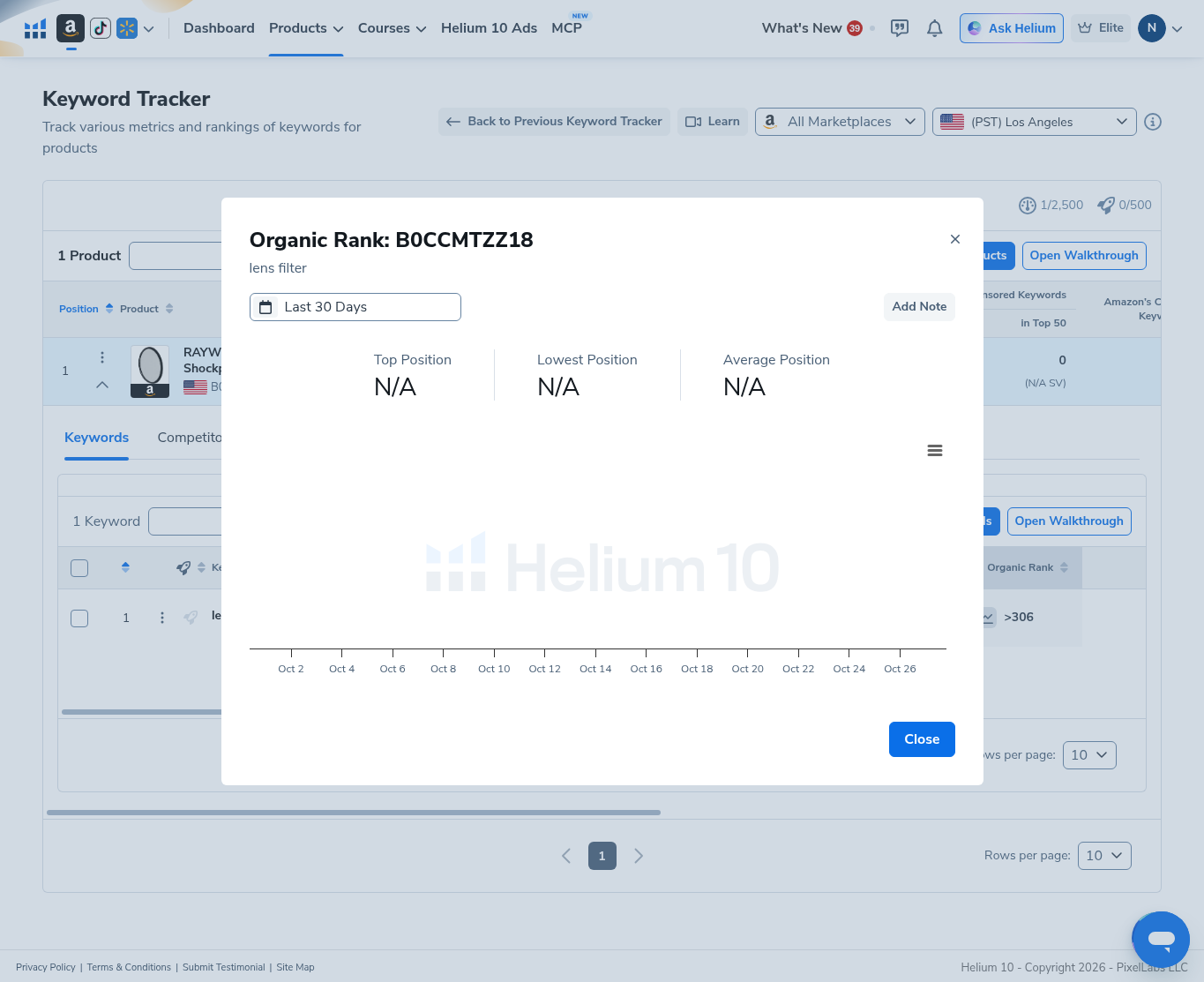
| Organic rank trend modal | Top / Lowest / Average Position all N/A (no plot line) |
| Date range | Last 30 Days = 09/29/2026 – 10/28/2026 |
| Usage | 1 / 2,500 tracked keywords (Edit modal: Total Used Keywords 1/2,500) |
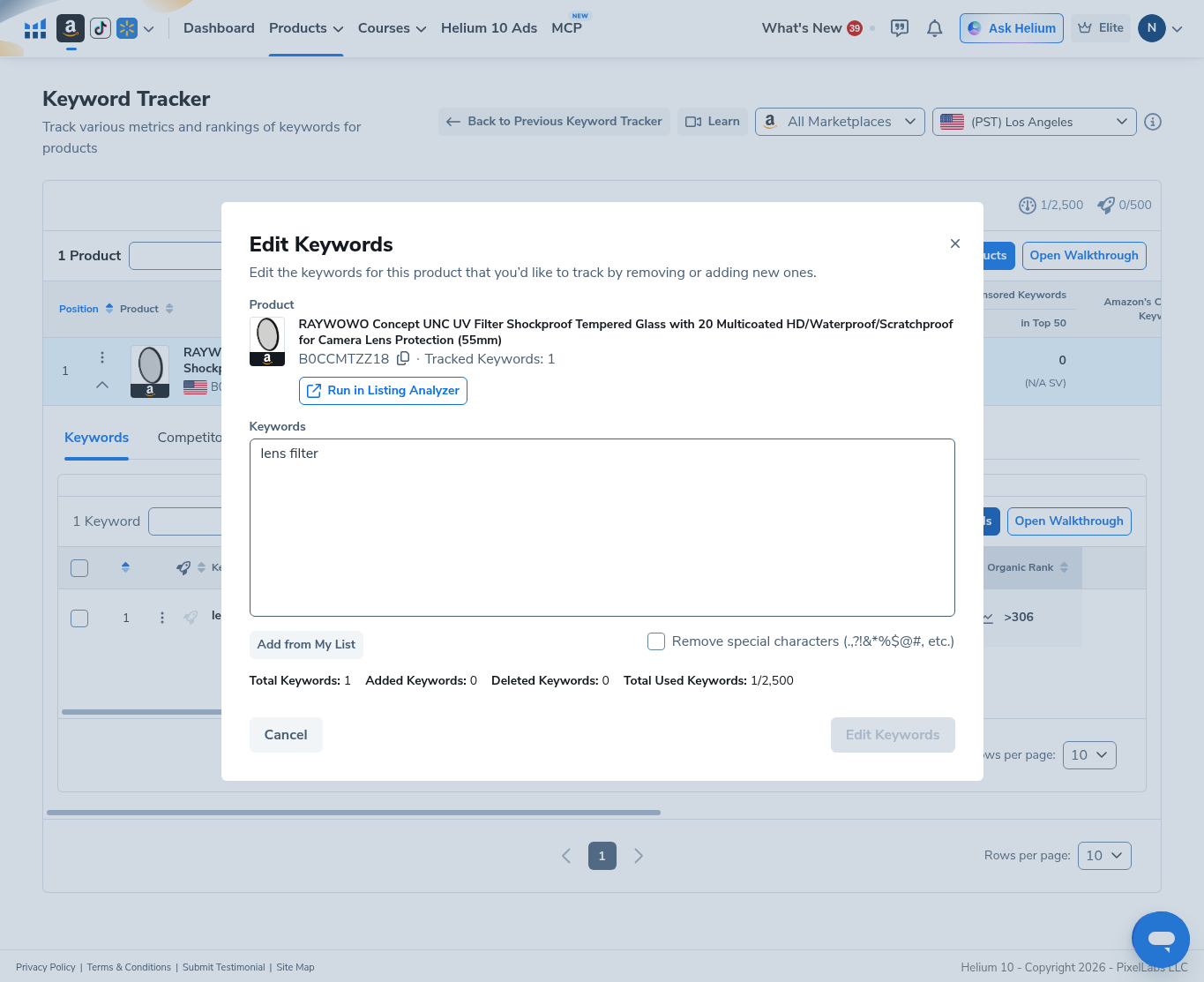
| Edit Keywords modal | Cancelled with Added 0 / Deleted 0 |
| Top 10 / Top 50 organic & sponsored counts | 0 (N/A SV) on the product row |
Honest takeaway: >306 / heat-map 306+ means the ASIN sat outside Helium’s tracked organic depth for lens filter in this window—not “rank #306 exactly,” and not a product recommendation. We cancelled Edit Keywords without changing the list.
Related: Cerebro · Xray · Index Checker · guides · coupons.
Ready to try Helium 10?
New checkout codes we verified 2026-10-28:
Monthly: AIPILOTDAILY20 (20% off for 6 months) · Annual: prefer AIPILOTDAILY10 (≈10% forever on our annual test). Confirm on your own summary.
What I tested vs what I did not claim
Tested (2026-10-29, English UI): opened Keyword Tracker; reviewed the product list row for B0CCMTZZ18; opened the Keywords table for lens filter (SV 1000, organic >306); set Heat Map date range to Last 30 Days (09/29–10/28/2026); read heat-map 306+ cells; opened Organic Rank trend modal (N/A stats); opened Edit Keywords and Cancelled with Added 0 / Deleted 0.
Did not claim: that RAYWOWO / B0CCMTZZ18 is a winner; that lens filter is the only keyword you should track; invented ranks inside the top 306; completed keyword adds that would burn more of the 2,500 quota; annual coupon = 20%. Affiliate only https://i.helium10.com/jR0Z10.
Step 1 — Open Keyword Tracker and read the project list
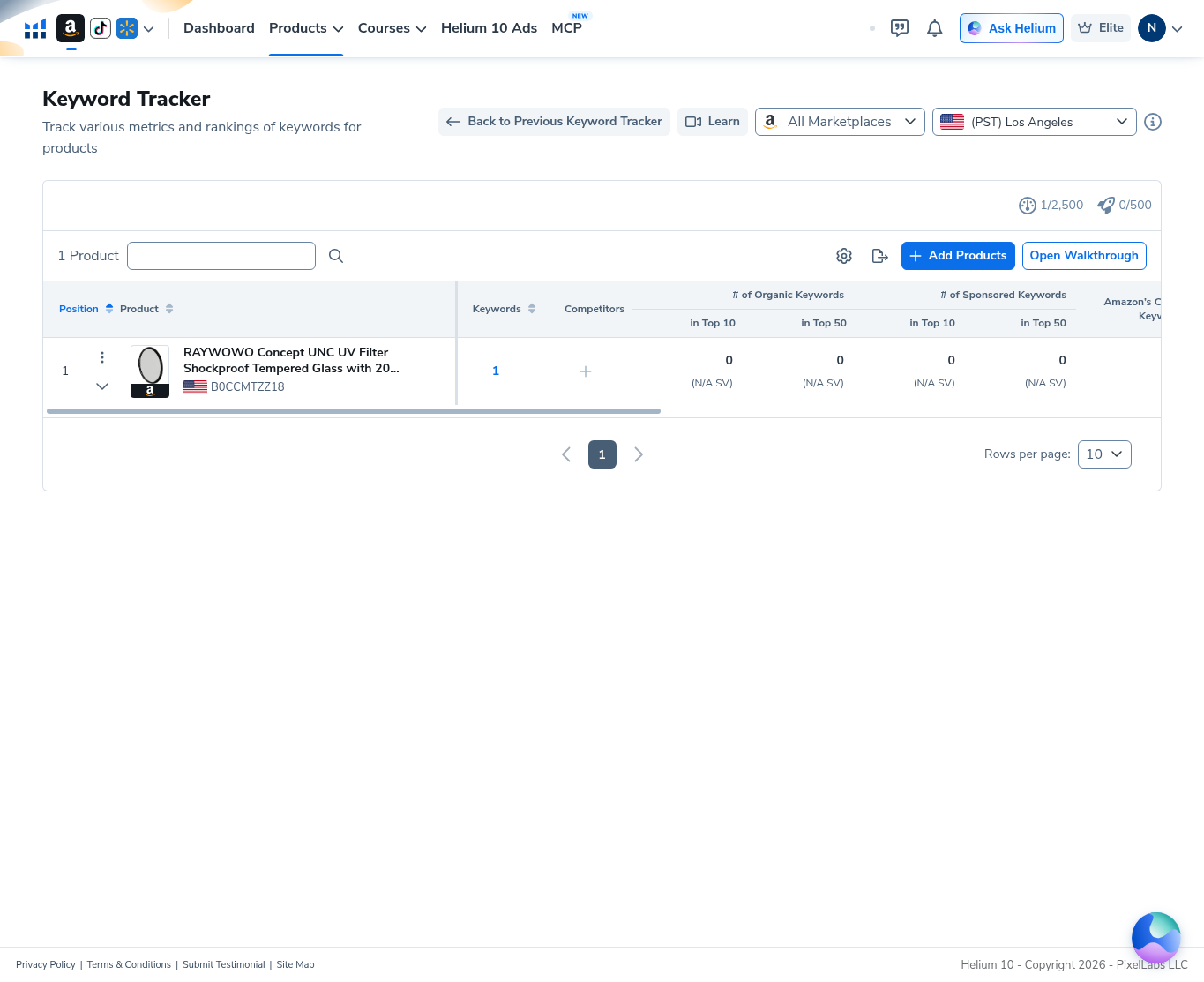
From Products → Analytics → Keyword Tracker (or Site Map → Analytics). Header shows marketplace All Marketplaces, location (PST) Los Angeles, and usage 1/2,500 (plus a separate 0/500 meter in our capture).
Our list showed 1 Product: RAYWOWO… filter, ASIN B0CCMTZZ18, Keywords 1, organic/sponsored Top 10 & Top 50 all 0 (N/A SV).
Step 2 — Open the keyword rank table
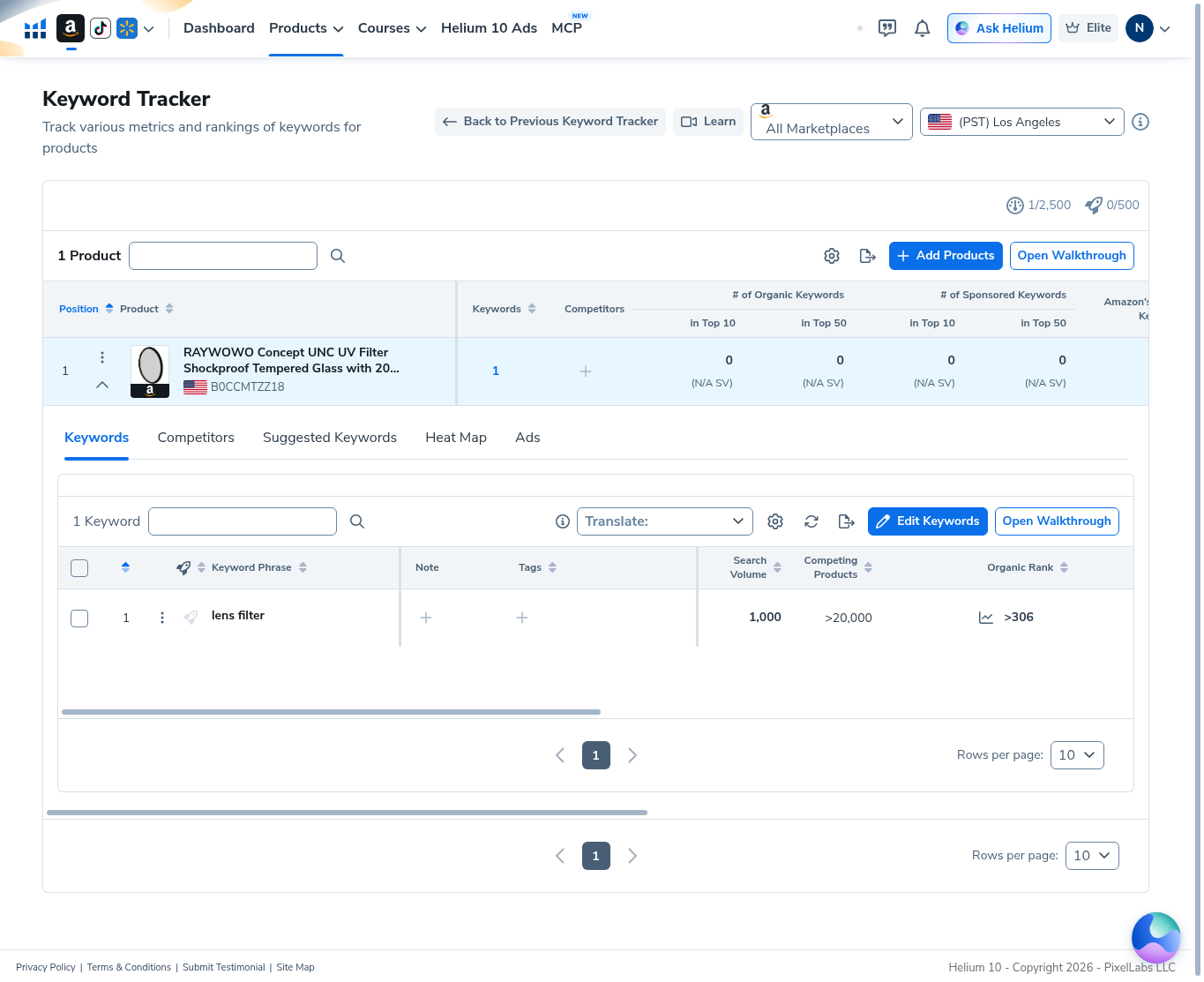
On the product, open the Keywords tab. Our single row:
- Keyword: lens filter
- Search Volume: 1,000
- Competing Products: >20,000
- Organic Rank: >306 (with a sparkline control)
Edit Keywords and walkthrough controls sit above the table. Organic >306 is Helium’s way of saying the ASIN was not observed inside the tracked top band—not a precise rank floor you should quote as “#307.”
Step 3 — Set Last 30 Days on the date filter
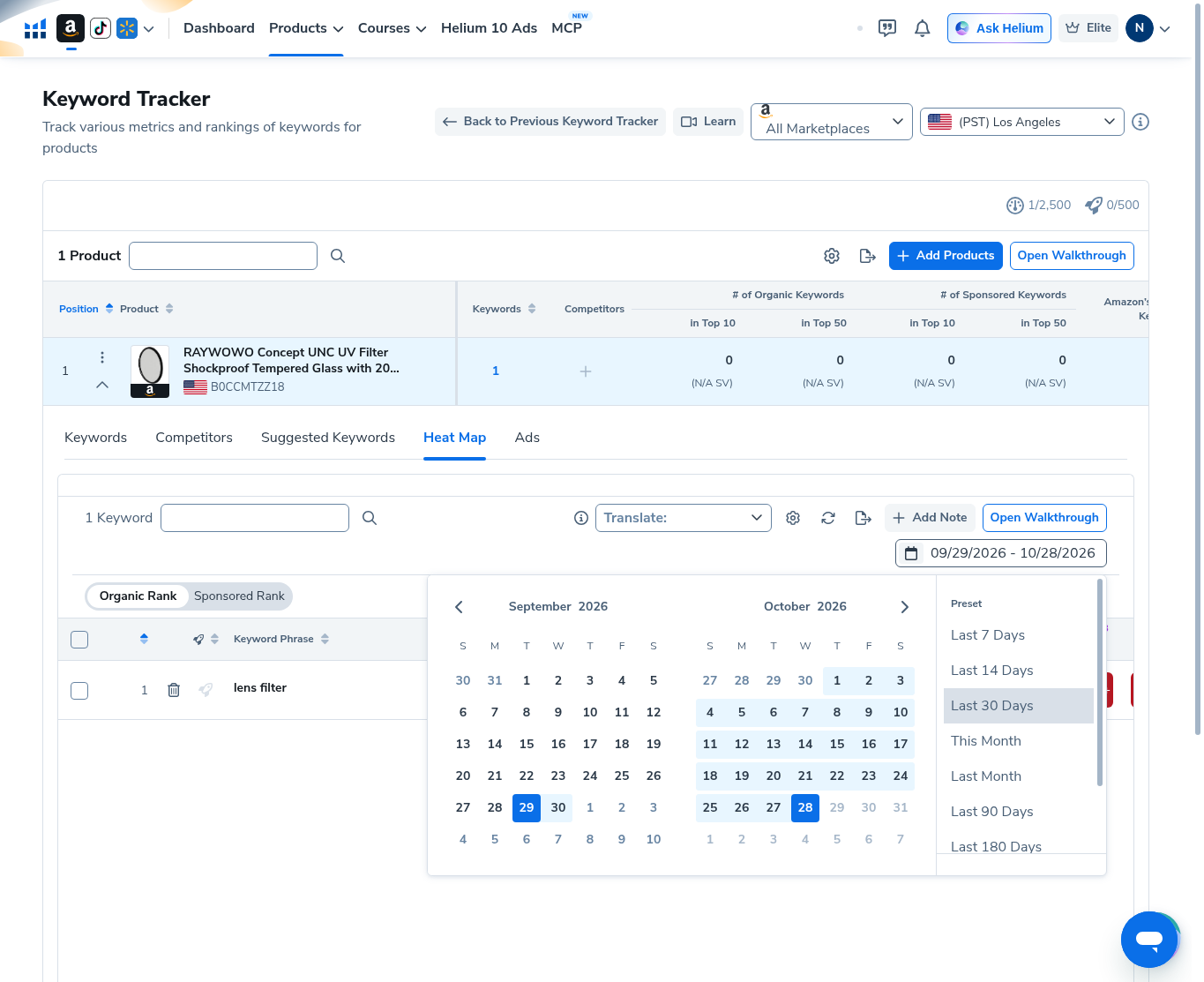
On Heat Map, open the date control. We selected preset Last 30 Days, which highlighted September 29, 2026 through October 28, 2026. Other presets (Last 7 / 14 Days, This Month, etc.) were visible but unused.
Step 4 — Read the organic-rank heat map (306+)
Heat Map legend includes bands through 306+ (dark red). For lens filter, visible day cells showed 306+—matching the table’s >306 organic read. Keyword Sales showed 2 on the heat-map row in our capture; still not a reason to treat this ASIN as a pick.
Step 5 — Organic rank trend modal (N/A)
Opening the organic trend for B0CCMTZZ18 / lens filter with Last 30 Days showed Top Position / Lowest Position / Average Position all N/A and no usable plot line (Helium watermark only). That matches a consistently out-of-range >306 series—there is no in-range rank history to chart.
Step 6 — Edit Keywords usage (cancelled: Added 0 / Deleted 0)
Edit Keywords lists the product title (55mm filter), ASIN B0CCMTZZ18, keyword box with lens filter, and summary:
- Total Keywords: 1
- Added Keywords: 0
- Deleted Keywords: 0
- Total Used Keywords: 1/2,500
We clicked Cancel—no quota change. The primary Edit Keywords submit control stayed inactive without edits.
When to use Keyword Tracker (and when not to)
Use it when you already picked an ASIN and a focused keyword list and need day-by-day organic movement—not a one-search gut check.
Don’t use this article as proof B0CCMTZZ18 should be launched, or that >306 secretly means a strong rank. Spend Cerebro / Xray research before burning Tracker slots.
Common mistakes
- Reading >306 as an exact position. It means outside tracked depth.
- Filling 2,500 slots with junk phrases. Our demo used 1 on purpose.
- Ignoring date range. Always note whether you are on Last 7 vs Last 30 Days.
- Saving Edit Keywords accidentally and bloating the quota—Cancel leaves Added/Deleted at 0.
Ready to try Helium 10?
New checkout codes we verified 2026-10-28:
Monthly: AIPILOTDAILY20 (20% off for 6 months) · Annual: prefer AIPILOTDAILY10 (≈10% forever on our annual test). Confirm on your own summary.
FAQ
Where is Helium 10 Keyword Tracker?
Products → Analytics → Keyword Tracker (Track Organic and Paid Keyword Positions).
What did you track?
ASIN B0CCMTZZ18 (RAYWOWO 55mm UV filter demo) and keyword lens filter (SV 1000). Organic >306 / heat map 306+ for Last 30 Days (09/29–10/28/2026). Demo only.
What does usage 1/2500 mean?
One tracked keyword counted against the account’s Keyword Tracker phrase quota in our Elite capture. Edit modal showed the same 1/2,500 Total Used Keywords.
Did you add or delete keywords in this guide?
No. Edit Keywords was opened and Cancelled with Added 0 and Deleted 0.
Which coupon code should I use?
Monthly: AIPILOTDAILY20. Annual: prefer AIPILOTDAILY10. Details: coupon page; link: https://i.helium10.com/jR0Z10.
Bottom line
Add only ASINs and phrases you truly want to watch, set an explicit date range (we used Last 30 Days), and interpret >306 / 306+ as out-of-range—not a vanity rank. Cancel Edit Keywords when you are only inspecting usage. Research first with Cerebro and Xray. Access: AIPILOTDAILY20 / AIPILOTDAILY10 at https://i.helium10.com/jR0Z10.

Leave a Reply