
Last verified: 2026-10-29
Affiliate disclosure: We may earn a commission if you subscribe to Helium 10 through our links. Screenshots and workflow notes come from our own signed-in Helium 10 account (English UI, Index Checker). Codes: AIPILOTDAILY20 and AIPILOTDAILY10 via https://i.helium10.com/jR0Z10. Offers change, so recheck before paying.
Quick answer
Helium 10 Index Checker (subtitle: Keyword Index Checker) checks whether an ASIN appears indexed for the phrases you enter—across Traditional, Field-ASIN, and Storefront columns—inside the members web app.
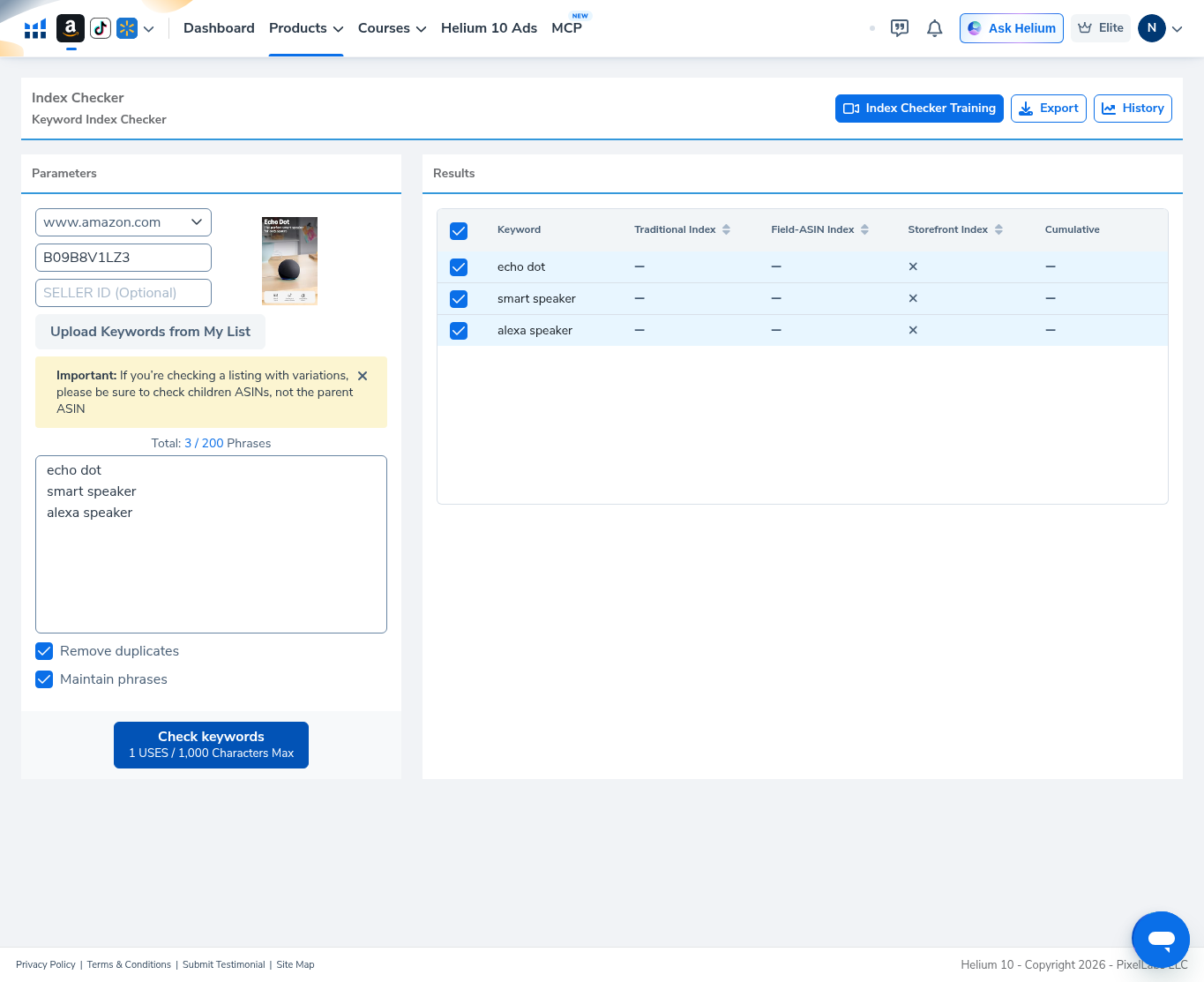
On 2026-10-29 (English UI) we ran Index Checker on Amazon US for demo ASIN B09B8V1LZ3 (Echo Dot thumbnail) with three phrases: echo dot, smart speaker, alexa speaker. The run finished, but results were incomplete—not a clean indexed vs not-indexed grid:
| Field | What we saw |
|---|---|
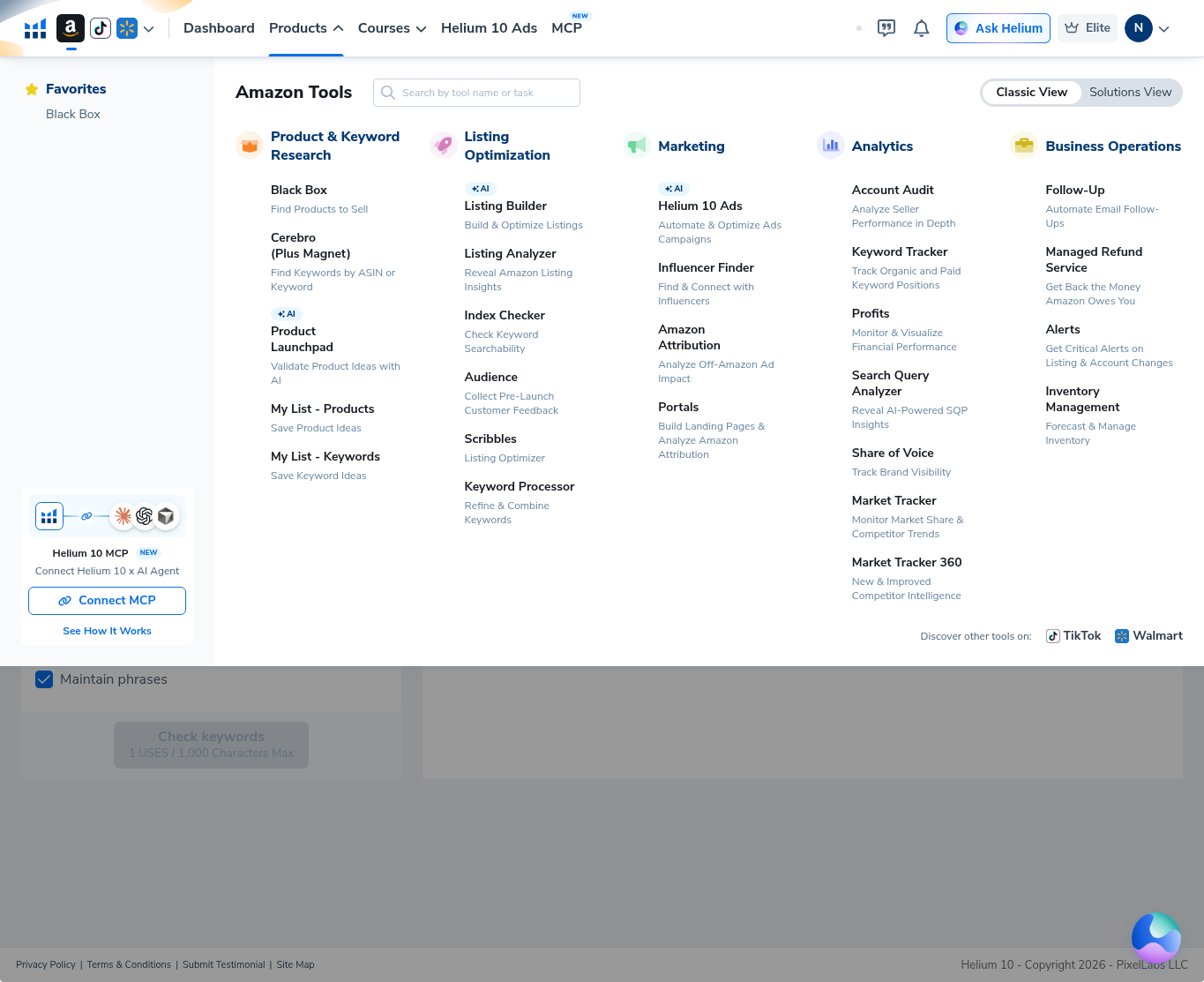
| Where | Products → Listing Optimization → Index Checker |
| Marketplace | www.amazon.com |
| ASIN | B09B8V1LZ3 (Echo Dot; workflow demo only) |
| Phrases | 3 / 200 — echo dot · smart speaker · alexa speaker |
| Options | Remove duplicates ON · Maintain phrases ON |
| Button meter | 1 USES / 1,000 Characters Max |
| Traditional Index | Dash (—) for all three |
| Field-ASIN Index | Dash (—) for all three |
| Storefront Index | Grey X for all three (incomplete / “Check wasn’t complete”) |
| Cumulative | Dash (—) |
| Seller ID | Left blank |
Honest takeaway: this guide shows how to open Index Checker, enter an ASIN + phrases, and read an incomplete result—not a fabricated sheet of green “indexed” ticks. Dashes and storefront X mean we cannot claim these phrases are indexed or not indexed from this run. Demo ASIN is not a product pick.
Related: Listing Builder · Listing Analyzer · Keyword Tracker · guides · coupons.
Ready to try Helium 10?
New checkout codes we verified 2026-10-28:
Monthly: AIPILOTDAILY20 (20% off for 6 months) · Annual: prefer AIPILOTDAILY10 (≈10% forever on our annual test). Confirm on your own summary.
What I tested vs what I did not claim
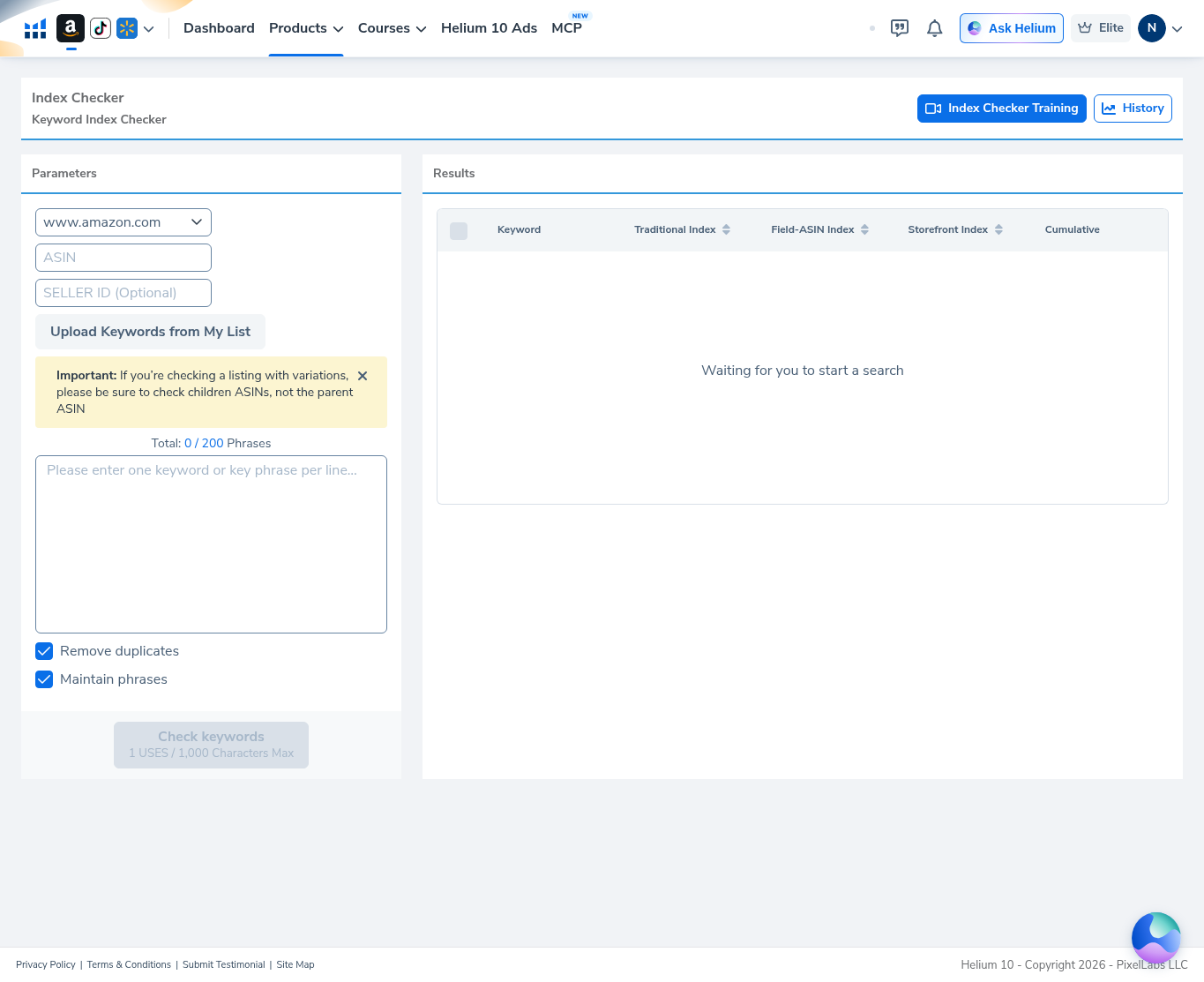
Tested (2026-10-29, English UI): opened Index Checker from the Products mega-menu; confirmed empty Parameters + Results (“Waiting for you to start a search”); set marketplace www.amazon.com; entered ASIN B09B8V1LZ3; pasted three phrases; left Seller ID blank; kept Remove duplicates + Maintain phrases checked; ran Check keywords; read the results table with Traditional / Field-ASIN dashes and Storefront X values.
Did not claim: green “indexed” icons we did not capture; that B09B8V1LZ3 is a winner ASIN; that storefront X always means “not indexed” (our read: check incomplete); Seller ID / variation-child deep dives; export file contents; annual coupon = 20%. Affiliate link only https://i.helium10.com/jR0Z10.
Step 1 — Find Index Checker in Products → Listing Optimization
Hover Products. In the Amazon Tools menu, under Listing Optimization, open Index Checker (“Check Keyword Searchability”). Neighbors include Listing Builder, Listing Analyzer, Audience, Scribbles, and Keyword Processor.
Step 2 — Land on empty Index Checker
The tool header reads Index Checker / Keyword Index Checker, with Index Checker Training and History. Left Parameters start empty (marketplace www.amazon.com, blank ASIN / Seller ID, Total: 0 / 200 Phrases). Check keywords stays inactive until you add input. Right Results shows column headers and Waiting for you to start a search.
Step 3 — Enter ASIN and phrases (before Run)
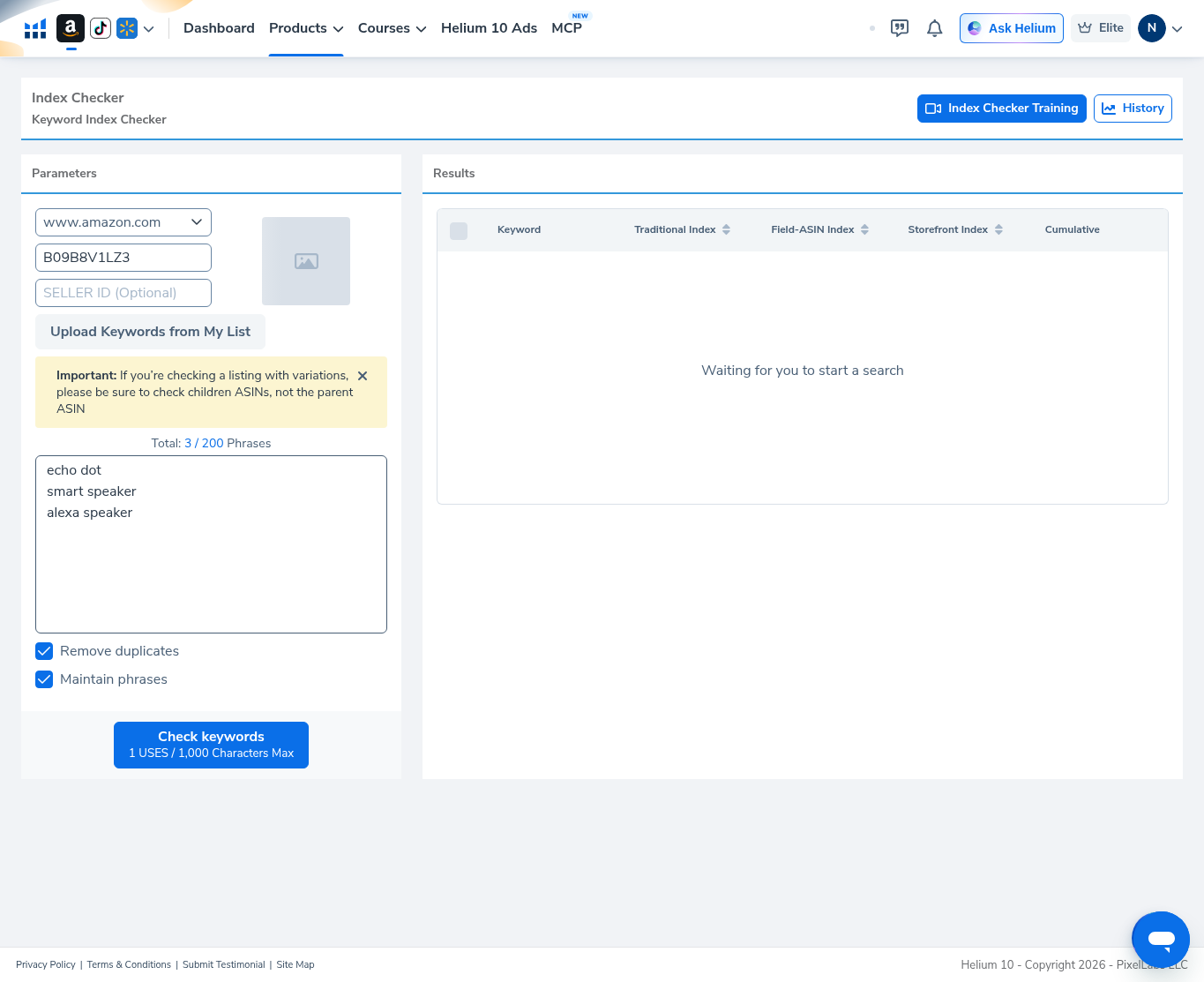
Set:
- Marketplace: www.amazon.com
- ASIN: B09B8V1LZ3 (Echo Dot thumbnail loaded in our session)
- Seller ID: optional — left blank
- Keywords (one per line):
echo dot/smart speaker/alexa speaker→ Total: 3 / 200 Phrases - Options: Remove duplicates and Maintain phrases checked
- Button: Check keywords with note 1 USES / 1,000 Characters Max
Yellow notice on the form: if the listing has variations, check child ASINs, not the parent.
Results still say Waiting for you to start a search until you run.
Step 4 — Run Check keywords and read incomplete results
After Check keywords, the Results table listed all three phrases. For every row we captured:
- Traditional Index: —
- Field-ASIN Index: —
- Storefront Index: grey X
- Cumulative: —
That is not a clean indexed / not-indexed readout. Treat storefront X here as an incomplete check (tooling message along the lines of “Check wasn’t complete”), not as proof the ASIN fails indexing. Do not invent green ticks from this article.
Step 5 — Indexed vs not? Be honest about what we saw
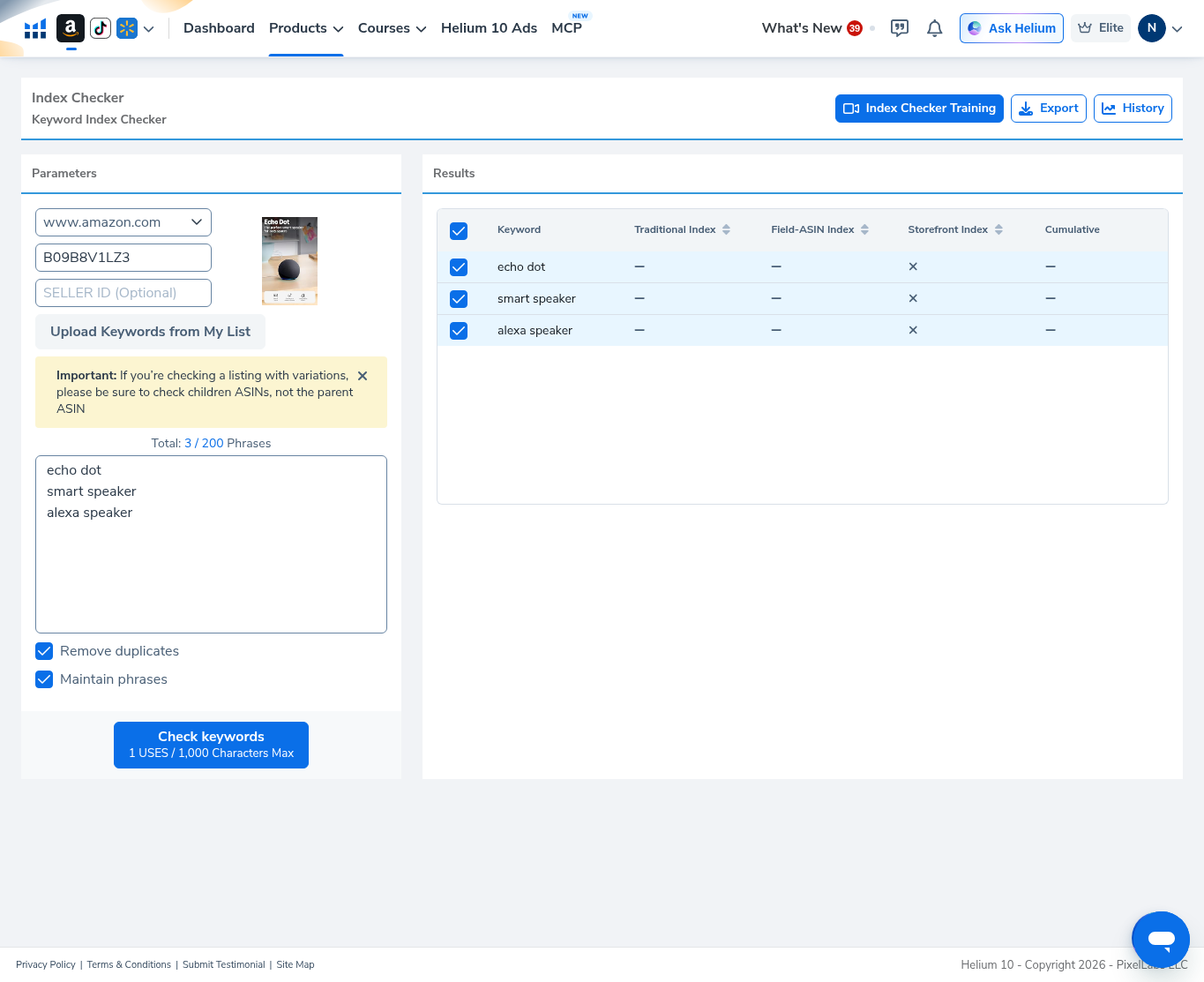
Zooming the same result state: there are no clear green “indexed” marks in our English-UI capture. Dashes + storefront X across echo dot, smart speaker, and alexa speaker mean this run failed to complete a trustworthy index verdict. If your own run returns explicit indexed / not-indexed icons, trust your screenshot—not a guessed outcome from ours.
When to use Index Checker (and when not to)
Use it when you already have an ASIN and a short phrase list and want Helium’s index columns as one more signal after listing edits.
Don’t use this article as evidence that B09B8V1LZ3 ranks for these terms, or that every Storefront X equals “not indexed.” Re-run when the tool returns complete icons, and prefer child ASINs on variation families.
Common mistakes
- Declaring “not indexed” from dashes / X alone when the check did not finish cleanly.
- Checking a parent ASIN on a variation family (the yellow warning exists for a reason).
- Pasting huge phrase dumps into a tool with a 1,000 character run note—start small.
- Skipping marketplace confirmation—stay on the site you actually sell.
Ready to try Helium 10?
New checkout codes we verified 2026-10-28:
Monthly: AIPILOTDAILY20 (20% off for 6 months) · Annual: prefer AIPILOTDAILY10 (≈10% forever on our annual test). Confirm on your own summary.
FAQ
Where is Helium 10 Index Checker?
Products → Listing Optimization → Index Checker (Check Keyword Searchability).
What ASIN and keywords did you test?
Demo ASIN B09B8V1LZ3 on www.amazon.com with echo dot, smart speaker, and alexa speaker. Workflow demo only—not a product recommendation.
Were the keywords indexed?
We cannot say from this run. Traditional and Field-ASIN columns were dashes; Storefront showed X with an incomplete-check reading. No green indexed icons were captured.
What does the 3 / 200 Phrases meter mean?
Phrase quota on the form for one check batch. We used 3 of 200. The button also notes 1 USES / 1,000 Characters Max on our Elite English UI capture.
Which coupon code should I use?
Monthly: AIPILOTDAILY20. Annual: prefer AIPILOTDAILY10. Details: coupon page; link: https://i.helium10.com/jR0Z10.
Bottom line
Open Index Checker, confirm www.amazon.com (or your market), enter a real child ASIN when needed, paste a short phrase list, run Check keywords, and only trust complete indexed / not-indexed icons. Our 2026-10-29 English-UI run on B09B8V1LZ3 stayed on dashes + Storefront X—so we report incompleteness instead of inventing greens. Pair with Listing Builder after copy changes. Access: AIPILOTDAILY20 / AIPILOTDAILY10 at https://i.helium10.com/jR0Z10.

Leave a Reply