
Last verified: 2026-10-29
Affiliate disclosure: We may earn a commission if you subscribe to Helium 10 through our links. Screenshots and workflow notes come from our own signed-in Helium 10 account (English UI, Cerebro / reverse ASIN on a Diamond-tier account). Codes: AIPILOTDAILY20 and AIPILOTDAILY10 via https://i.helium10.com/jR0Z10. Offers change, so recheck before paying.
Quick answer
Helium 10 Cerebro is the keyword / reverse-ASIN tool beginners should learn first after picking a product idea. You paste a competitor ASIN (or a seed keyword), click Get Keywords, then filter the table by search volume and relevance so you know what shoppers type—not what you hope they type.
On 2026-10-29 (English UI, Diamond) we walked the beginner path on ASIN B0HF4FK2QS (Gruper Yoga Mat): home → ASIN entered → history prompt → volume summary + filters → keyword table. Results: 2,014 keywords, total Amazon search volume 1,946,458, average SV 966. That is a real pull from our account—not a stock demo.
| Field | Beginner takeaway |
|---|---|
| Tool | Cerebro (Plus Magnet) → Find Keywords |
| First move | One competitor ASIN (not ten) |
| Demo ASIN | B0HF4FK2QS |
| Keywords returned | 2,014 (Organic 1,683 · Paid 1,346 · Amazon Rec. 82) |
| Search volume | Total 1,946,458 · Average 966 |
| Account for shots | Diamond (higher search allowance) |
| Platinum honesty | You may hit Cerebro search limits sooner—export and reuse history |
Honest takeaway: Cerebro shows the keyword universe around an ASIN. It does not write your title, guarantee page-one rank, or unlock every ABA share column on every plan. Blurred cells stay undisclosed. For plan math see Helium 10 Cost; for coupons see coupon page.
Related: Reverse ASIN deep dive · Helium 10 Review · Black Box · guides hub.
Ready to try Helium 10?
New checkout codes we verified 2026-10-29:
Monthly: AIPILOTDAILY20 (20% off for 6 months) · Annual: prefer AIPILOTDAILY10 (≈10% forever on our annual test). Confirm on your own summary.
Prerequisites (do this before your first search)
- Helium 10 account with Cerebro access — Starter/Free may not give useful reverse-ASIN volume. Platinum can run Cerebro but burns search quota faster than Diamond. Our screenshots are from Diamond.
- Account language = English – EN — so menus match this tutorial (and so you do not screenshot a Chinese UI by accident).
- One competitor ASIN — copy from Amazon (10-character code starting with B0…). Beginners: reverse one strong competitor, not a pile of ten.
- A place to save exports — CSV / sheet. Do not re-run the same ASIN every day just to “look again.”
- Optional: Chrome + Helium 10 extension later for Xray; not required for this Cerebro beginner path.
If you are still deciding whether to pay, read Helium 10 Review and Cost first, then come back with a shortlist ASIN.
What beginners should do first (and what to skip)
Do first
- Open Cerebro → Find Keywords (not Analyze Keywords).
- Paste one ASIN → Get Keywords.
- Read the summary card (keyword count + total search volume).
- Open Filters, set a sensible Search Volume floor, remove obvious brand names.
- Export keepers; add only the best phrases to Keyword Tracker later.
Skip on day one
- Multi-ASIN dumps (burns quota, confuses priorities).
- Dumping all 2,000+ phrases into your title.
- Treating Cerebro IQ Score as a magic “buy” button.
- Inventing values for blurred ABA click/conversion share cells.
Step 1 — Open Cerebro (Plus Magnet)
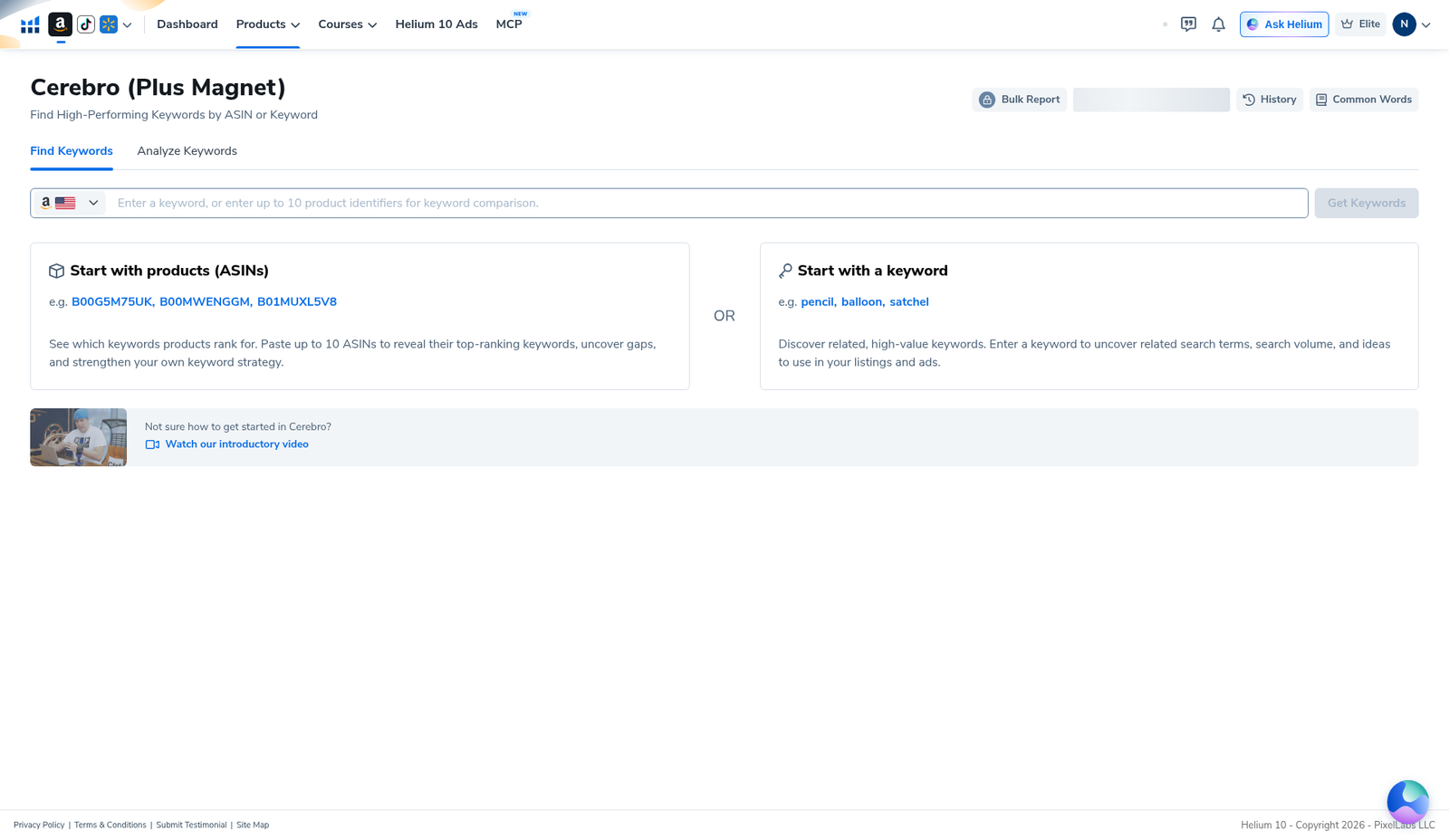
In Helium 10, open Cerebro (Plus Magnet). Stay on the Find Keywords tab. The empty landing explains you can start from ASINs (up to 10) or a seed keyword. Marketplace flag should match the Amazon store you sell in (we used US).
Step 2 — Enter one reverse ASIN
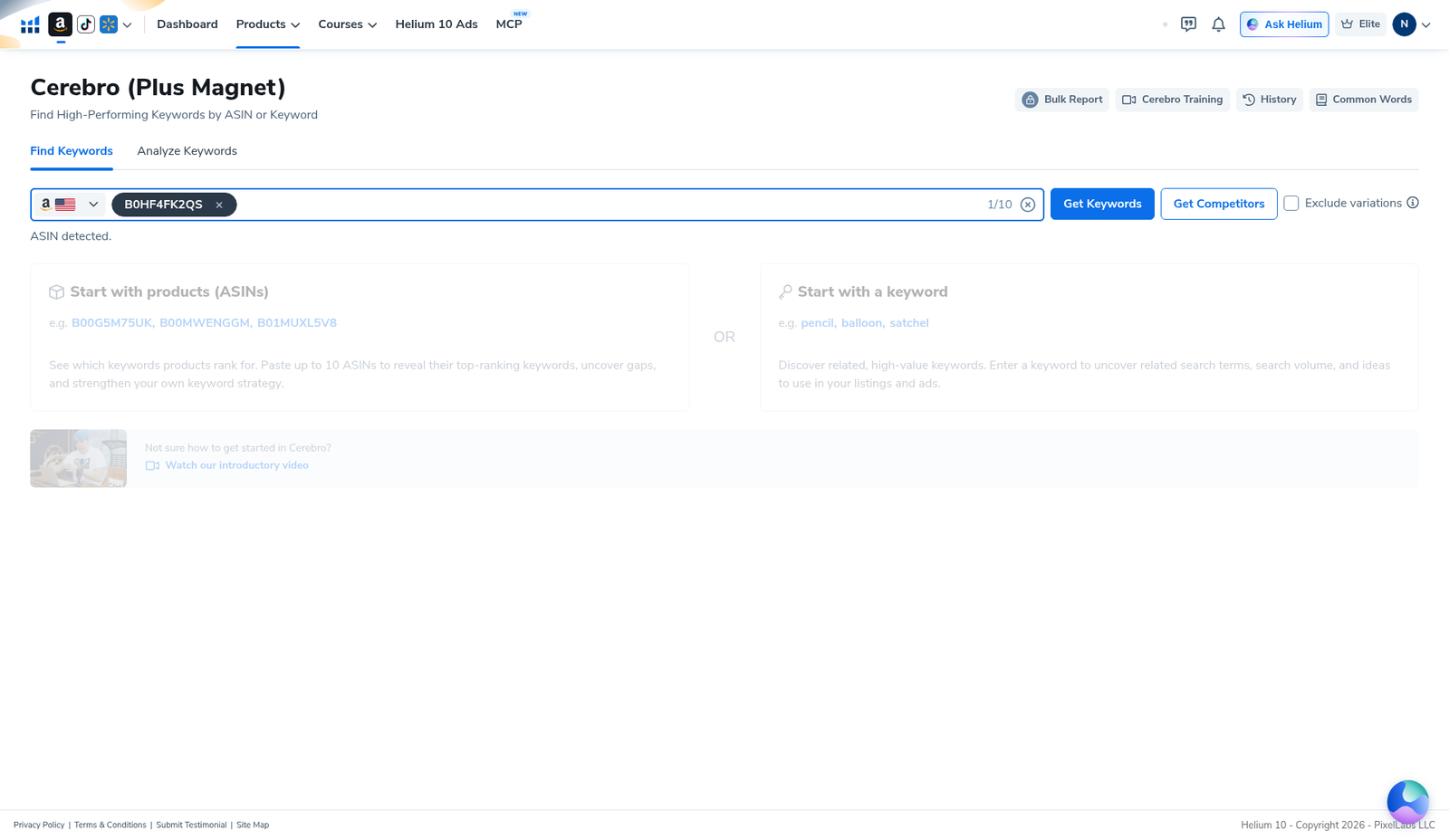
Paste B0HF4FK2QS (or your competitor). The UI should show ASIN detected and a counter like 1/10. You get a blue Get Keywords button, a white Get Competitors option, and Exclude variations. Beginners: click Get Keywords—competitors can wait.
Step 3 — History prompt: save your Platinum quota
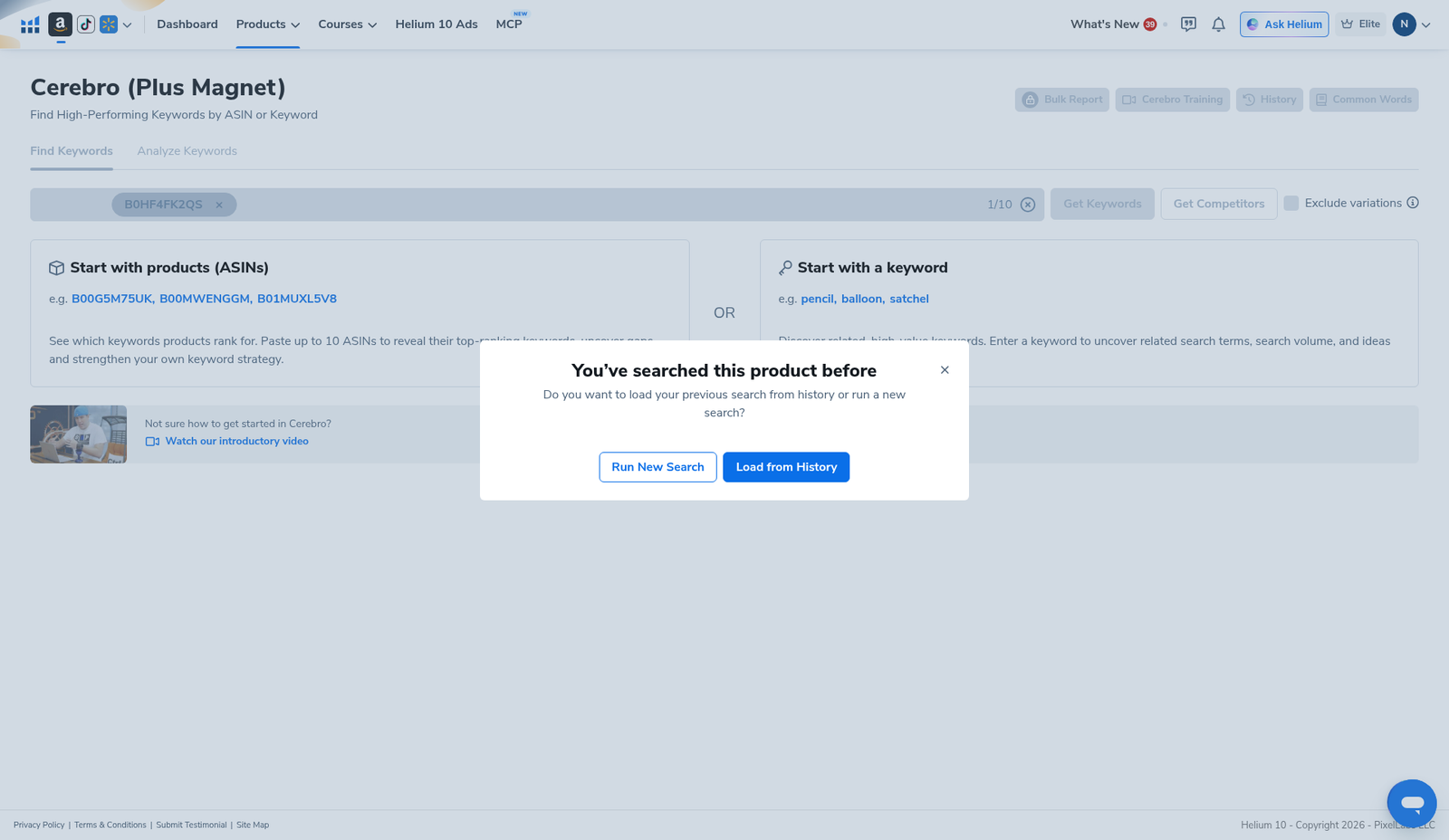
If you searched this ASIN before, Cerebro asks whether to Load from History or Run New Search. Beginners on Platinum should default to Load from History when the old pull is recent enough—fresh searches cost quota. We used history for this capture after a prior pull on the same ASIN.
Step 4 — Read search volume and open filters
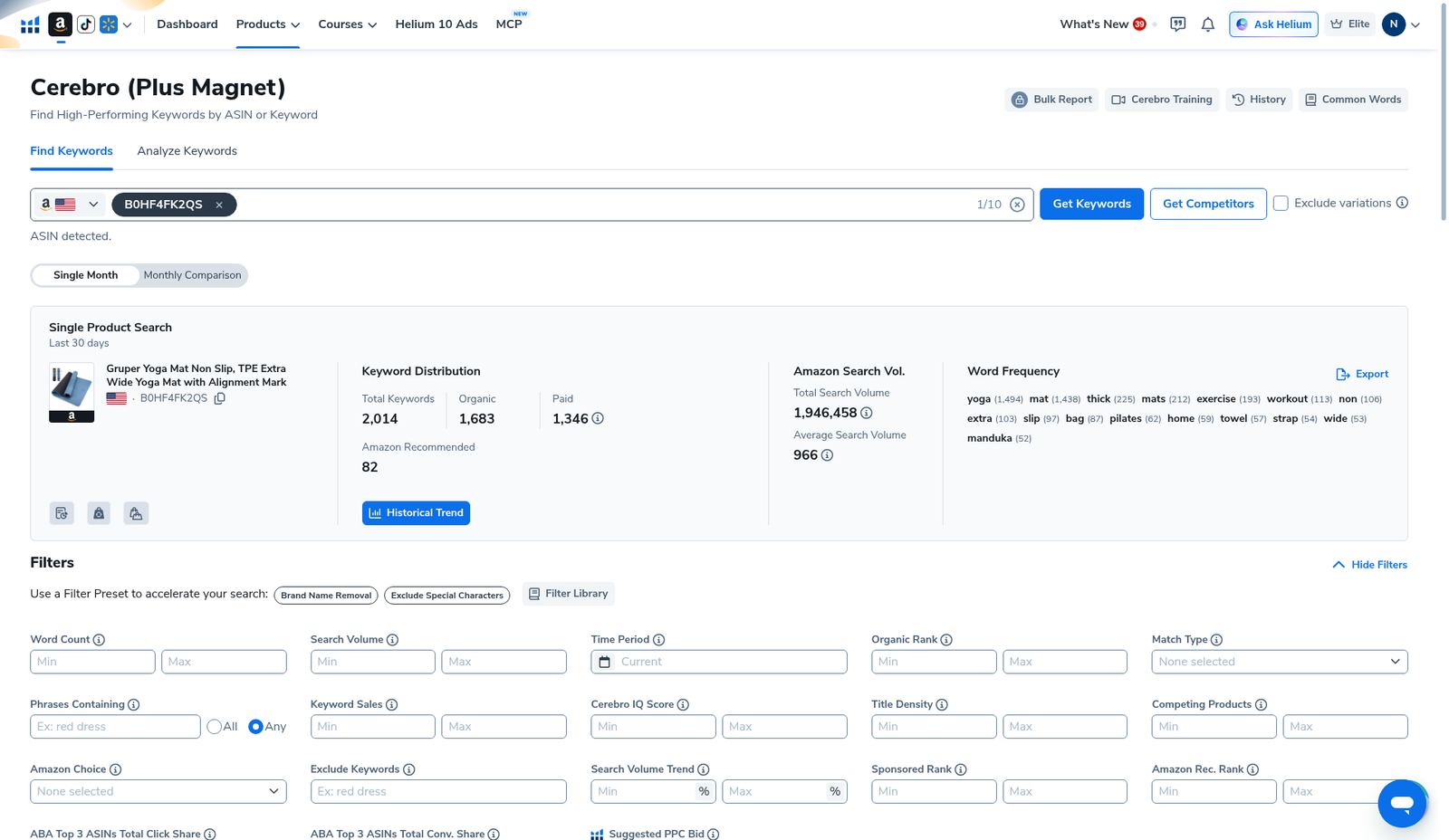
The summary for our yoga-mat ASIN showed 2,014 keywords and total search volume 1,946,458. Expand Filters. Useful beginner controls:
- Search Volume — set a minimum so you ignore dust (exact floor depends on niche; start conservative, then loosen).
- Word Count — drop one-word brand noise if needed.
- Match Type — organic vs paid context.
- Cerebro IQ Score — a Helium composite; use as a sort hint, not gospel.
- Title Density / Competing Products — competition reality checks.
- Presets like Brand Name Removal and Exclude Special Characters — turn on early.
Step 5 — Work the keyword table (export before you burn another search)
Table header: 2,014 Filtered Keywords. Actions include Add to Keyword Tracker, Add to Ads Campaign, Add to My List, Translate, Customize, and Export Data…. Columns you will actually use as a beginner: Keyword Phrase, Search Volume, Cerebro IQ Score, Suggested PPC Bid, Competing Products, Match Type. Some ABA share columns were blurred on our view—we do not invent them. AI Filter showed monthly uses 0/1,000 on Diamond; your meter will differ by plan.
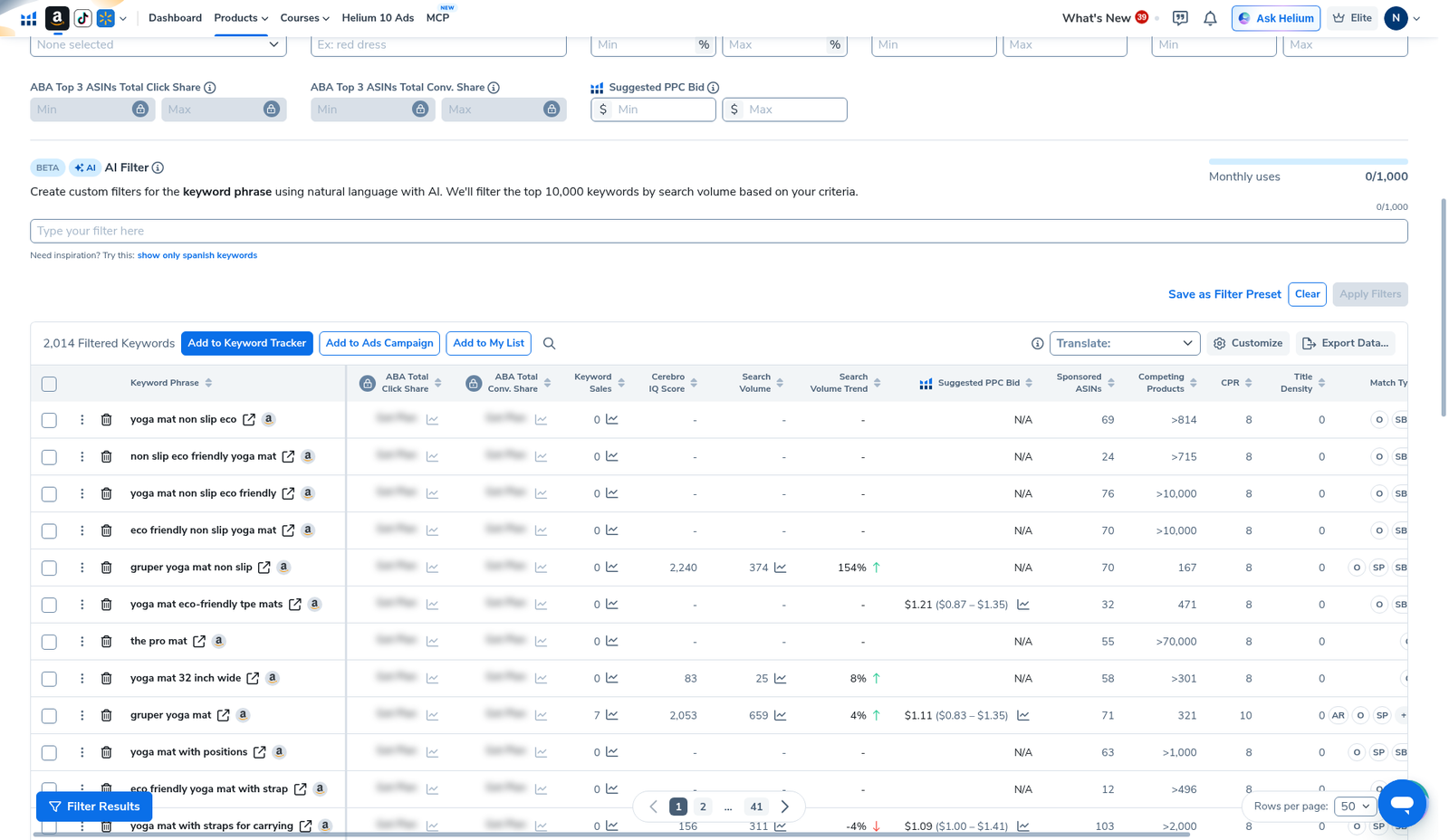
Beginner workflow after the table: export CSV → highlight 20–50 phrases that match your product honestly → park them for Listing Builder / ads later → track only the ones you care about in Keyword Tracker. Do not re-hit Get Keywords for the same ASIN tomorrow “just to see.”
Plan limits honesty: Platinum vs Diamond (when to upgrade)
Screenshots on this page are from a Diamond account. If you are on Platinum, expect tighter Cerebro search allowances. Practical rules we follow:
- Prefer Load from History over Run New Search.
- Reverse one ASIN deeply before spraying ten.
- Export once; analyze offline.
- Upgrade when you routinely hit the search wall mid-research week—not because a blog said Diamond is “required.” Pricing notes: Helium 10 Cost and coupon codes (AIPILOTDAILY20 monthly / AIPILOTDAILY10 annual notes via https://i.helium10.com/jR0Z10).
Common beginner mistakes
- Starting with ten ASINs — quota dies, priorities blur. Master one reverse ASIN first.
- Copying every high-SV phrase into the title — Amazon titles are not keyword stuffing contests; relevance wins.
- Ignoring filters — raw 2,000-row tables look impressive and teach nothing.
- Re-running searches instead of exporting — especially painful on Platinum.
- Skipping the advanced reverse-ASIN write-up — once this beginner path feels easy, read Helium 10 Reverse ASIN Lookup for the tighter operator view of the same tool.
What I tested vs what I did not claim
Tested (2026-10-29, English UI, Diamond): Cerebro home; entered B0HF4FK2QS; history modal; loaded results with 2,014 keywords / 1,946,458 total SV; opened Filters; scrolled keyword table with Export / Tracker actions.
Did not claim: that Platinum has the same search headroom as Diamond; invented blurred ABA cells; that IQ Score alone picks winners; that every phrase belongs in your listing; Ads campaign creation. Affiliate only https://i.helium10.com/jR0Z10.
FAQ
Is Cerebro the same as reverse ASIN lookup?
Yes in practice: reverse ASIN is Cerebro’s ASIN mode—paste a competitor ASIN to harvest ranking keywords and volumes. Keyword mode is the seed-phrase path. Deeper walkthrough: reverse ASIN article.
Can a beginner start on Platinum?
Yes for learning the UI and pulling a few ASINs. Be quota-aware: history loads, exports, and one-ASIN focus matter more on Platinum. We shot this tutorial on Diamond so more columns/meters were available—your blur state may differ.
What should I do after Cerebro?
Shortlist phrases → optimize listing → track ranks. Next reads: Reverse ASIN, Keyword Tracker, Listing Analyzer.
Do I need the Chrome extension for this tutorial?
No. This beginner path is all inside Cerebro on members.helium10.com. Extension / Xray is a separate workflow.
Which coupon should I use?
Checkout via https://i.helium10.com/jR0Z10. Our verified notes: AIPILOTDAILY20 for monthly (20% off for 6 months on our test) and AIPILOTDAILY10 for annual (~10% forever on our annual test). Always confirm on your own summary page: coupon notes.
CTA
Run one reverse ASIN in Cerebro today, filter by search volume, export the keepers, and only then expand to more competitors. When you outgrow Platinum search limits, check Cost before upgrading. Start here: https://i.helium10.com/jR0Z10 with AIPILOTDAILY20 / AIPILOTDAILY10. Next read: Helium 10 Reverse ASIN Lookup.

Leave a Reply