INDEPENDENT HELIUM 10 RESEARCH
Use this hub to choose the right Helium 10 workflow, see paid-account screenshots and understand what each metric can—and cannot—tell an Amazon seller. Start with your current decision, not with the biggest feature list.
Updated September 23, 2026
Choose the right starting point
New to H10? Begin with the free workflow. Comparing paid plans? Check current pricing. Evaluating Diamond for AI access? Review MCP requirements and permissions before upgrading.
Choose your research job
One sample, three different data questions
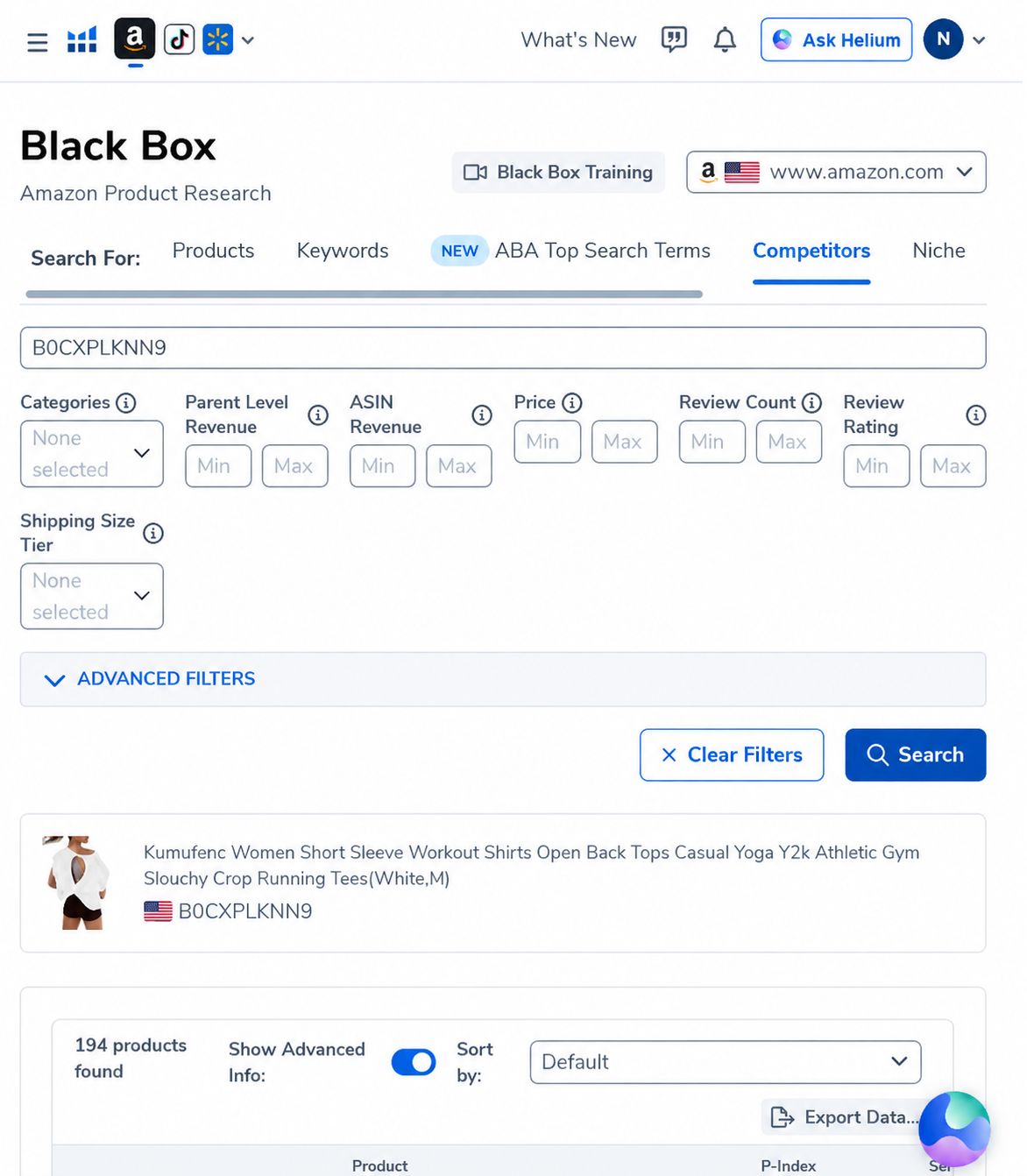
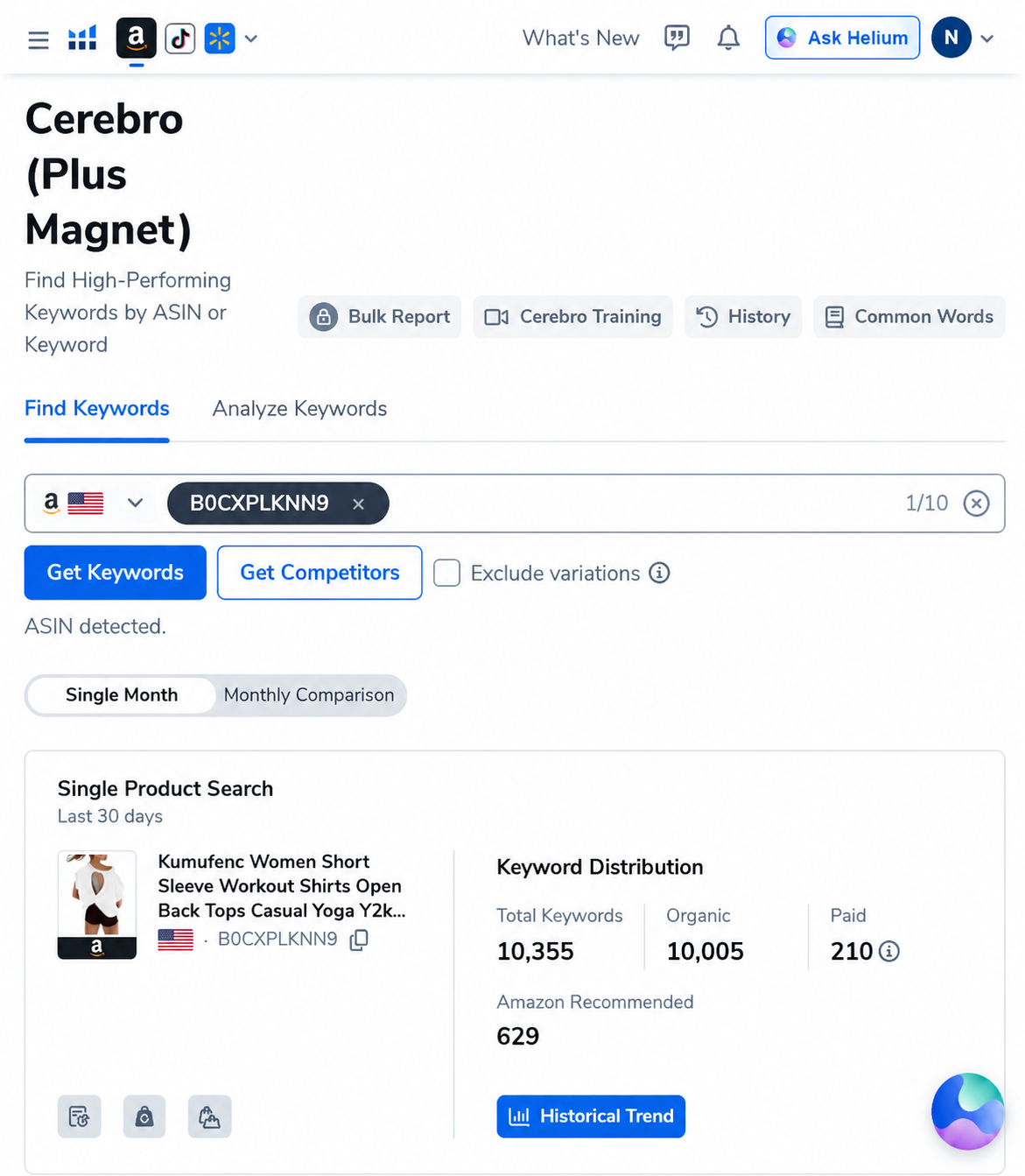
Our captured workflow used a competitor ASIN that returned 194 products in Black Box Competitors and 10,355 total keywords in Cerebro before filtering. Those totals describe the size of two datasets; neither number alone proves demand, profitability or ranking difficulty.
Find product candidates
Search by constraints, competitor or niche, then build a shortlist.
Reverse-engineer competitors
Start with ASINs and inspect ranking, paid and recommended keywords.
Expand a seed keyword
Discover buyer vocabulary, filter it and validate the survivors.
A practical four-stage path
Build candidates in Black Box.
Inspect the live market with Xray.
Run competitor ASINs in Cerebro.
Use Magnet, then apply relevance and economics.
Commercial guides
Choosing by seller model? Our Helium 10 vs Keepa guide separates private-label keyword work from wholesale, OA, price-history and offer-tracking needs.
Pricing and overall fit
Who should buy, who should skip and the limitations to consider.
Helium 10 vs Jungle Scout
Compare workflow coverage rather than counting features.
Verified coupon codes
See checkout evidence, duration and eligibility language.
Which Helium 10 tool should you open first?
| Question | Start with | Next validation |
|---|---|---|
| What products fit my constraints? | Black Box | Run relevant Amazon results through Xray |
| What keywords does this competitor rank for? | Cerebro reverse-ASIN research | Compare several genuinely similar ASINs |
| What related phrases do shoppers use? | Seed-keyword workflow formerly associated with Magnet | Validate suggestions against competitor rankings |
| Can the product economics work? | Profitability Calculator plus supplier assumptions | Stress-test fees, ads, freight and returns |
How to use this content cluster
Begin with the guide closest to your immediate decision. Each walkthrough records the input, visible output and limitations before linking to the next research stage. The hub is designed to prevent a common mistake: treating one attractive metric as a complete product or keyword decision.
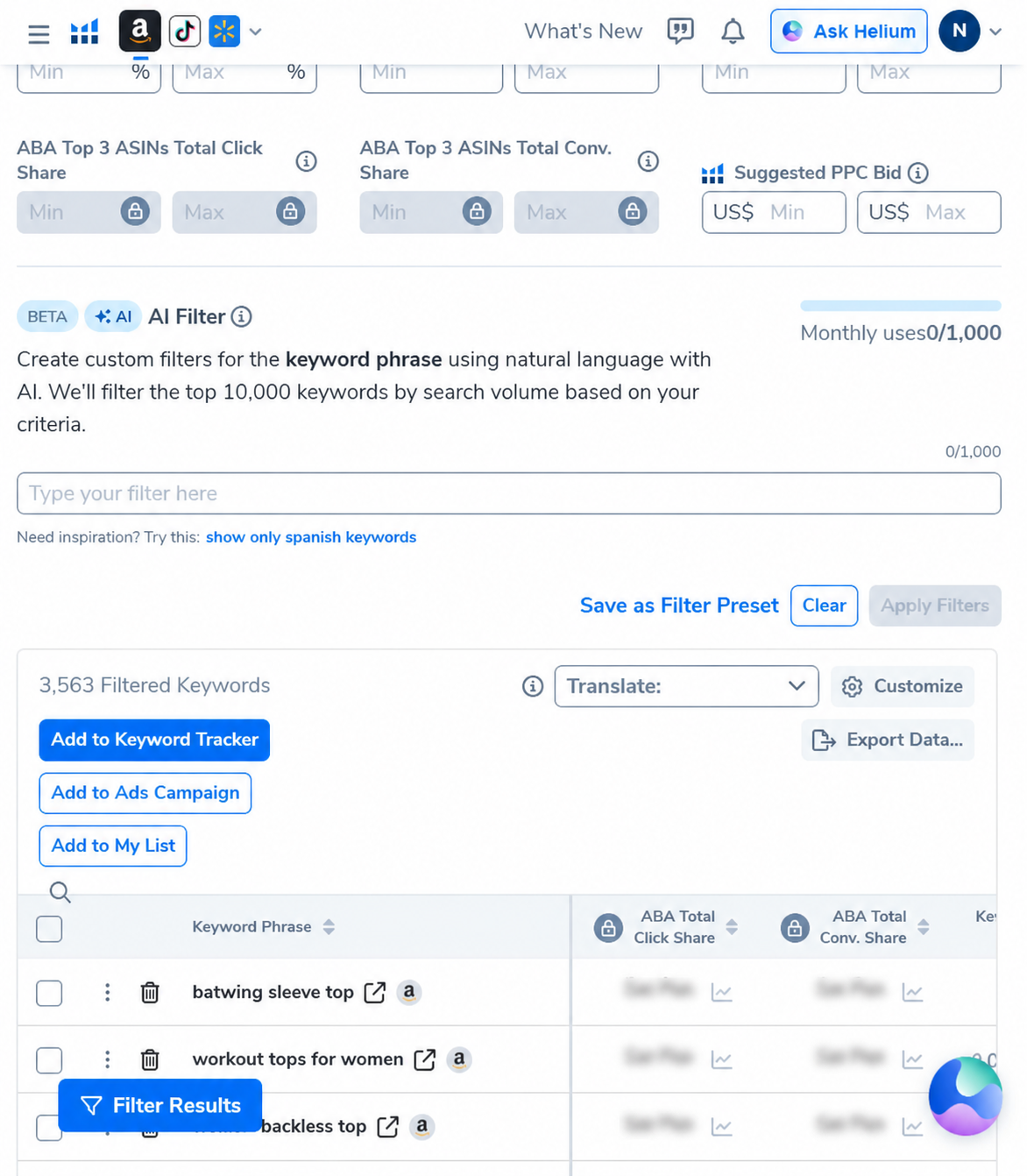
Our current paid-account examples use a real Amazon ASIN and dated captures. The Cerebro case records 10,355 unfiltered keywords and a reduction to 3,563 after applying a three-word minimum and a 500-search-volume floor. The Black Box case records 194 competitor results from one seed ASIN. These figures demonstrate the workflow; they do not guarantee demand, profitability or achievable ranking for another seller.
Important 2026 interface note
Helium 10 states that Magnet has been integrated into Cerebro. Older articles across the web may still describe a separate Magnet menu. On AI Pilot Daily, “Magnet” refers to the seed-keyword discovery and analysis job inside the current combined workflow, while “Cerebro” commonly refers to reverse-ASIN research. Interface labels can vary by account and rollout.
What Helium 10 data can and cannot prove
Useful evidence
Estimated demand, competitor keyword visibility, result-page structure, price and review context, and a reproducible shortlist.
Still requires judgment
Literal product relevance, differentiation, which phrases belong in copy and which candidates deserve deeper validation.
Not guaranteed
Future sales, profit, conversion rate, rank, sourcing quality, compliance or the accuracy of every marketplace estimate.
Frequently asked questions
Is Helium 10 only for established sellers?
No, but the subscription is easier to justify when several workflows will be used repeatedly. A beginner with one simple research task should compare the plan cost with smaller or free alternatives.
Should I use the 20% or 10% code?
The observed 20% code applies for a limited initial period on eligible monthly billing, while the observed 10% code is designed for ongoing eligible monthly savings. Compare the total cost over the period you realistically expect to subscribe and verify checkout terms.
Are the screenshots proof that a product is profitable?
No. They prove that an input and output were visible in the account on the stated date. Profitability requires costs, fees, advertising, returns and real conversion evidence.
New H10 usage and workflow guides
Plan-specific limits and tool outputs change; these guides state what Helium 10 documents, show dated account evidence where relevant, and explain what the data cannot prove.
AI Pilot Daily reader discounts
AIPILOTDAILY20 — 20% off the first 6 months of eligible monthly billing.
AIPILOTDAILY10 — 10% off eligible monthly billing on an ongoing basis.
Affiliate disclosure: we may earn a commission, at no extra cost to you. Confirm final plan eligibility and pricing at checkout.
How we test and update this topic
Our walkthroughs use a paid Helium 10 account, named inputs and dated screenshots. We distinguish platform estimates from verified business outcomes, link to official documentation for feature behavior and state when a workflow was not independently run. See how we review tools and our affiliate disclosure.
Cerebro reading path
Turn a reverse-ASIN export into decisions
Keyword clustering: Use Cerebro Word Frequency to organize recurring product language.