
Last verified: 2026-10-30 · Author: Alexander Vance · Human review
Affiliate disclosure: We may earn a commission if you buy Helium 10 through our links, at no extra cost to you. Helium 10 UI notes and screenshots come from our logged-in Helium 10 members account (English UI, Cerebro / Plus Magnet captures 2026-10-29 / verified 2026-10-30). New-customer checkout figures for AIPILOTDAILY20 / AIPILOTDAILY10 come from our 2026-10-28 tests via https://i.helium10.com/jR0Z10 (no payment completed). Always trust the columns and entitlements on your account—labels and plan gates can change.
Quick answer
Helium 10 Cerebro Amazon Recommended Rank (ARR): in Cerebro results, Amazon Recommended is a match-type bucket for keywords where the ASIN shows up in Amazon’s recommended / related placements (not the same thing as organic search-page rank). On our Gruper Yoga Mat reverse (B0HF4FK2QS), the summary card broke keywords into Organic 1,683 · Paid 1,346 · Amazon Recommended 82 out of 2,014 total. Use the Amazon Rec. Rank min/max filter (and Match Type) to isolate that slice, then sort the keepers by search volume—do not treat ARR as a substitute for organic rank or as proof a phrase belongs in your title.
| Field | What we saw (English UI) |
|---|---|
| Tool | Cerebro (Plus Magnet) → Find Keywords |
| Demo ASIN | B0HF4FK2QS (Gruper Yoga Mat) |
| Keyword mix | 2,014 total · Organic 1,683 · Paid 1,346 · Amazon Recommended 82 |
| Volume card | Total SV 1,946,458 · avg SV 966 |
| ARR controls | Filters → Amazon Rec. Rank (min/max) · Match Type · summary “Amazon Recommended” count |
| Related columns | Organic Rank · Sponsored Rank · Competing Products · Title Density · Cerebro IQ Score |
Honest takeaway: ARR is a narrow secondary signal. Eighty-two Amazon Recommended keywords on a 2,014-row pull is useful for spotting “also recommended” adjacency—not a listing blueprint. Pair it with organic rank, competing products, and a volume floor, then export once.
Related: Cerebro for beginners · Cerebro History (save Platinum uses) · Competing Products filter · keyword hub · Black Box beginners · coupon.
Pick your Helium 10 plan, then enter your AI Pilot Daily code.
Confirm eligibility, duration, renewal terms and the final amount on your checkout. Existing subscriptions usually cannot apply these codes.
What “Amazon Recommended” means in Cerebro
On the English UI summary card, Cerebro splits the reverse-ASIN universe into three visible piles: Organic, Paid, and Amazon Recommended. That last pile is the ARR story. Helium 10 is telling you the ASIN appears in Amazon’s recommended / related product context for those phrases—not that it is ranking #1 on the search results page for them.
Amazon Rec. Rank (the filter field) is the numeric rank inside that recommended placement when Cerebro has it. Lower usually means closer to the front of the carousel / module for that keyword context. It is not interchangeable with:
- Organic Rank — position on the main search results page
- Sponsored Rank — paid ad placement rank
- CPR / IQ Score — Helium 10’s composite / estimate columns
If you conflate ARR with organic rank, you will over-index on “also bought / similar” adjacency and under-build the phrases that actually drive browse-node search.
Step 1 — Reverse one ASIN (History first)
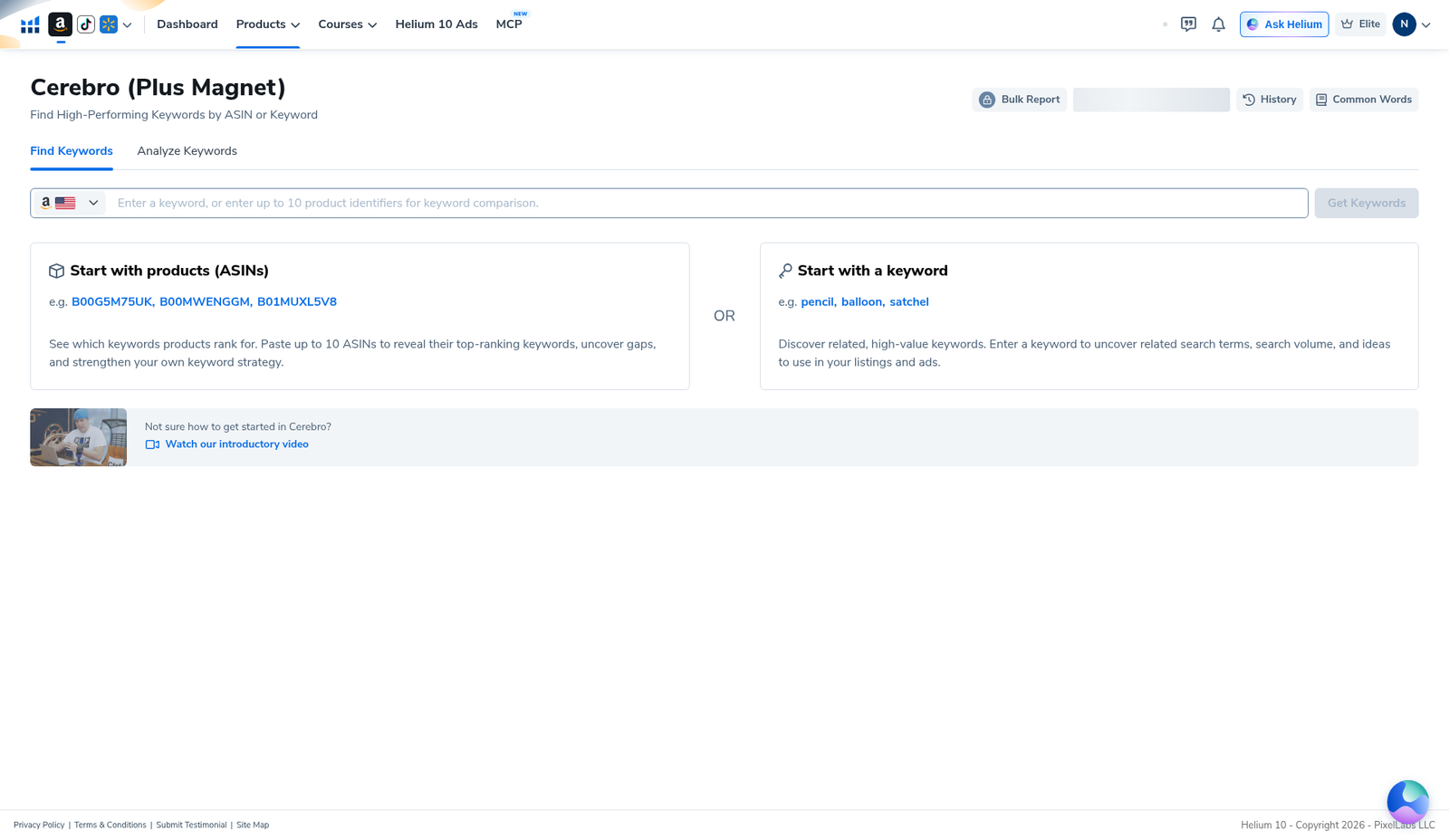
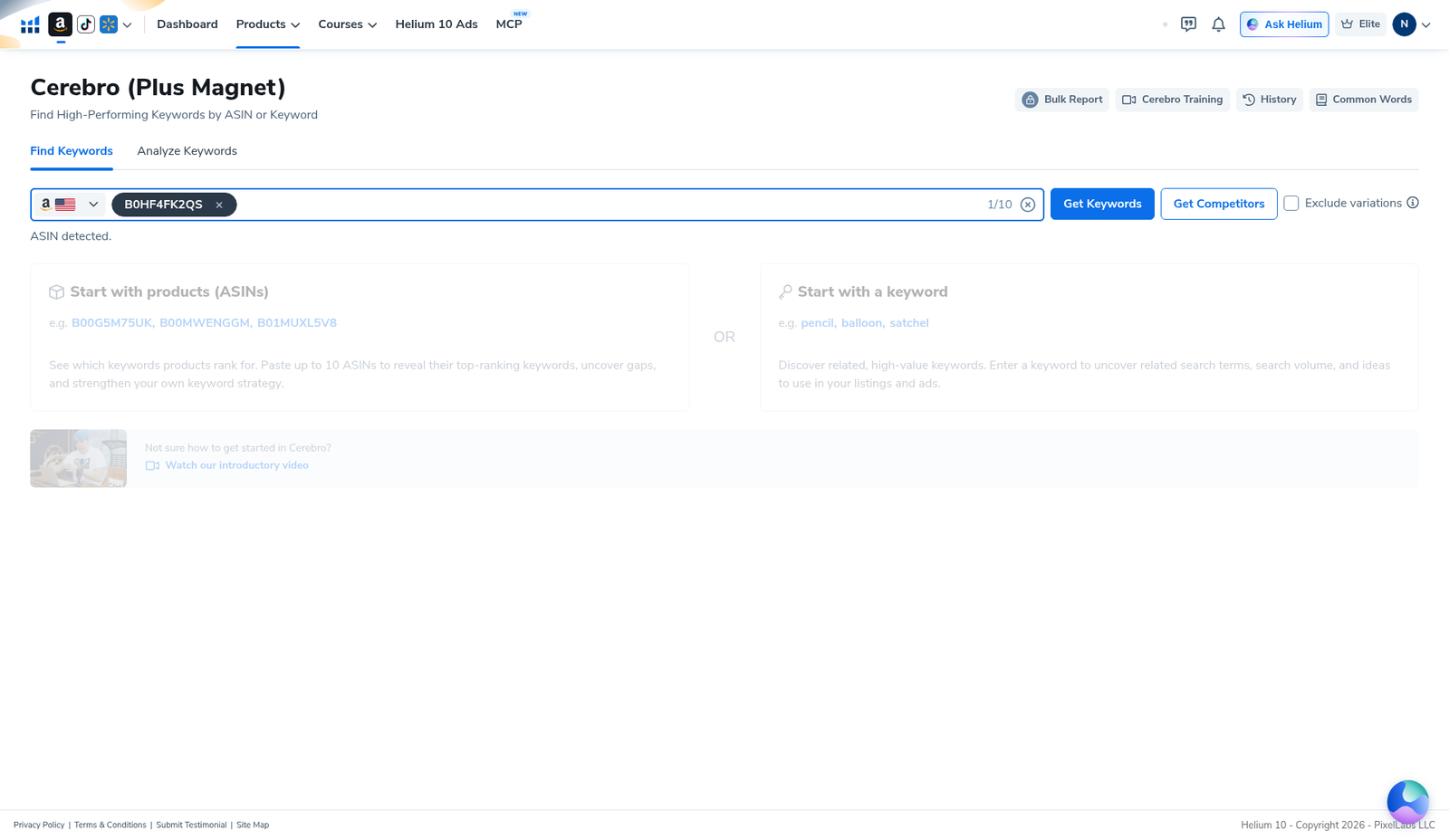
Open Cerebro (Plus Magnet) → Find Keywords. Paste one competitor ASIN (our demo: B0HF4FK2QS). Prefer Load from History when the modal appears so you do not burn a Platinum Cerebro use just to re-read columns—full walkthrough: Cerebro History reuse searches.
Step 2 — Read the summary: Amazon Recommended count
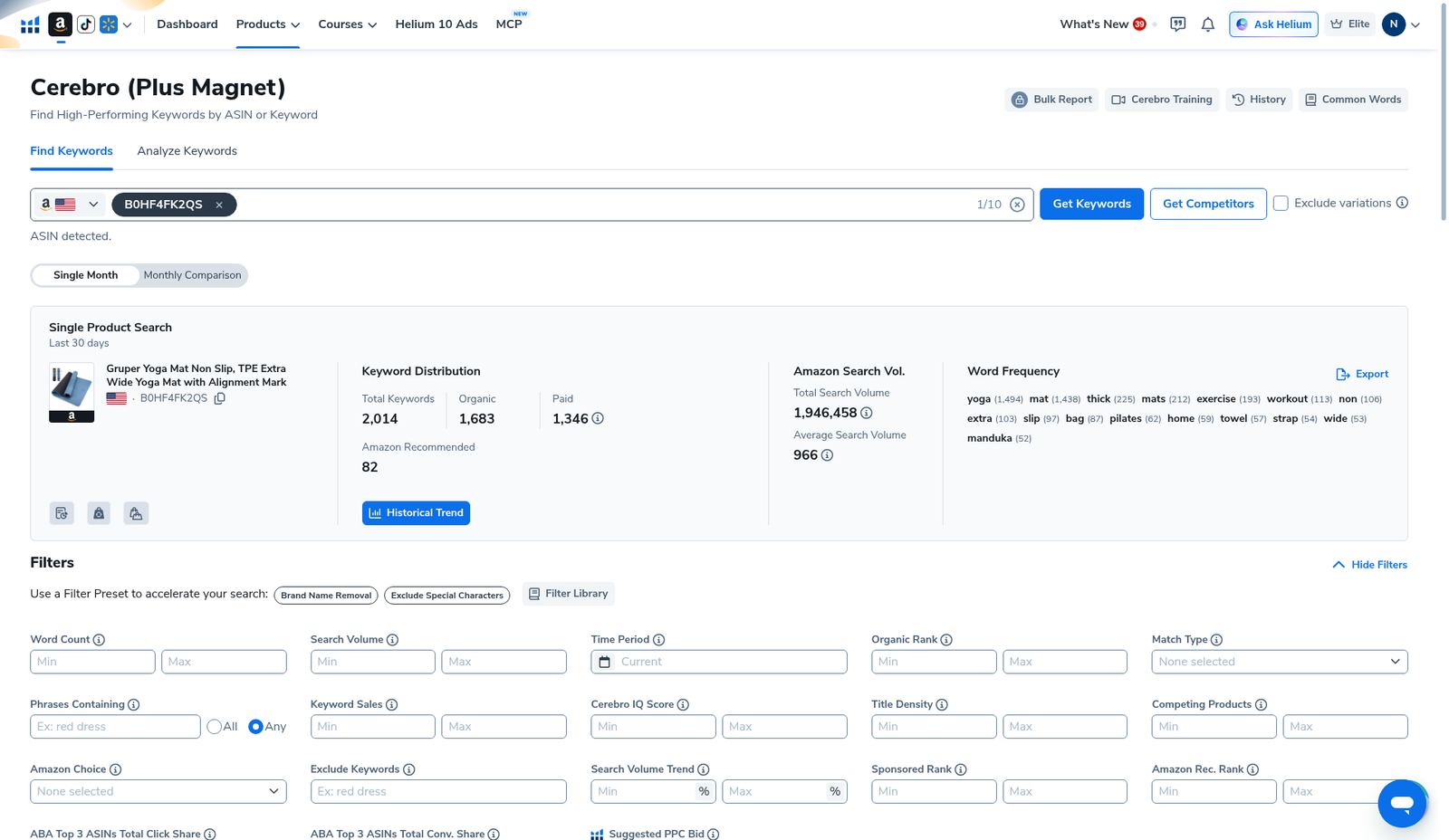
After the pull loads, read the single-product overview before you touch filters. Our yoga-mat ASIN showed:
- 2,014 total keywords
- Organic 1,683 · Paid 1,346 · Amazon Recommended 82
- Total Amazon search volume 1,946,458 · average 966
That 82 is your ARR candidate pool size for this ASIN. It is small on purpose—most of the value for listing + PPC still lives in Organic / Paid. ARR is the “where else does Amazon associate this ASIN?” check.
Step 3 — Sort / filter with Amazon Rec. Rank
Expand Filters. The English UI exposes numeric min/max for Amazon Rec. Rank alongside Organic Rank, Sponsored Rank, Competing Products, Title Density, Cerebro IQ Score, Search Volume, and Word Count. Practical operator sequence we use:
- Match Type — isolate Amazon Recommended when you only want that bucket (or leave Match Type open and use the ARR field alone).
- Amazon Rec. Rank max — start loose (e.g. top of the module: try a low max such as 10–20 if the field returns rows; tighten only if the list is still noisy). We document the control from the UI—we do not invent a universal “perfect ARR” cutoff that works for every niche.
- Search Volume floor — drop zero-volume junk so ARR does not drag in empty phrases.
- Competing Products max (optional) — see sibling guide: Competing Products filter.
- Apply Filters → scan the table → Export Data… once.
If Amazon Rec. Rank cells are blank or gated on your plan view, lean on the summary’s Amazon Recommended count + Match Type, and do not invent ranks you cannot see.
Step 4 — Work the keyword table without over-fitting ARR
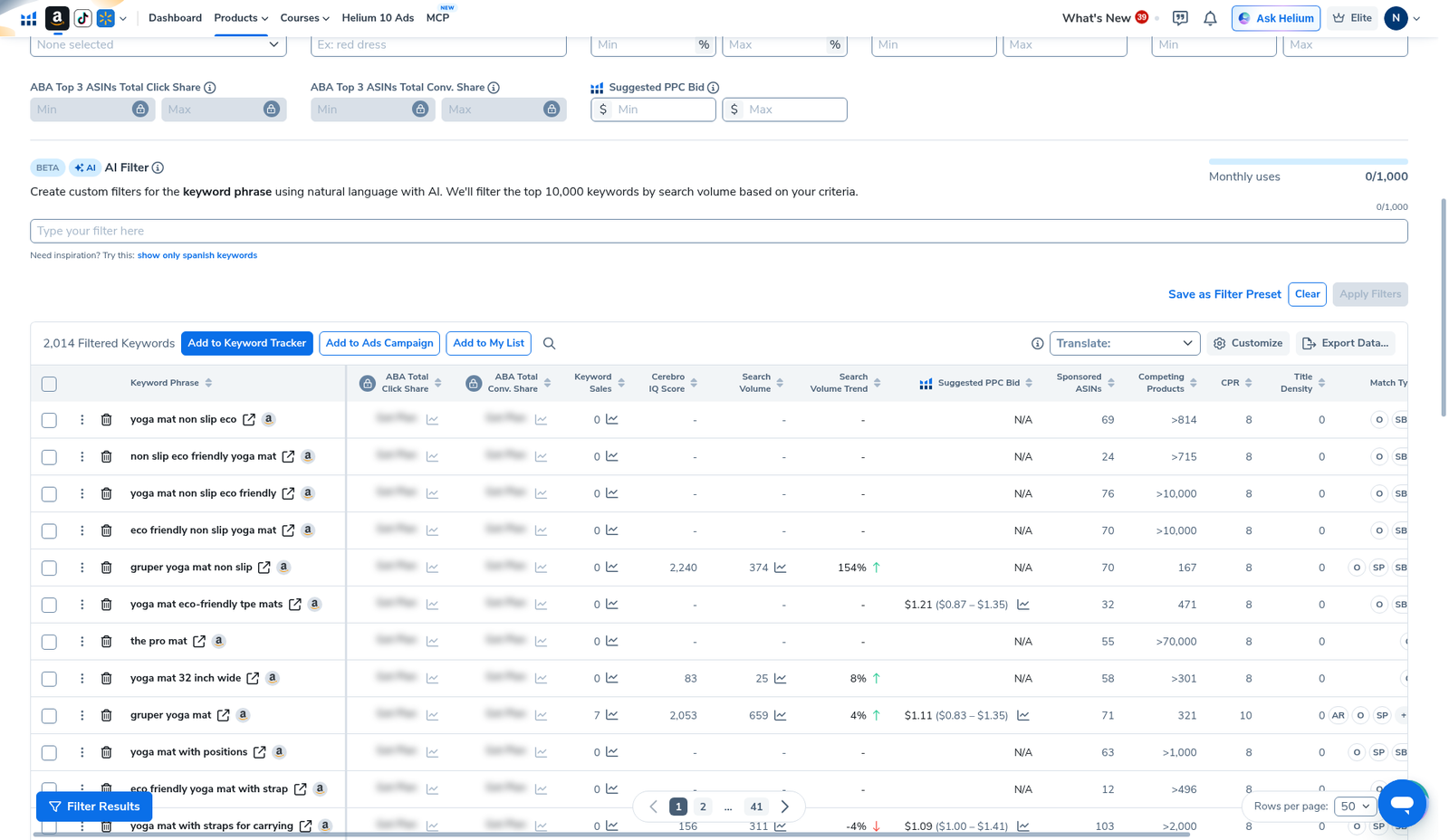
The keyword table is where you keep or kill phrases. Columns we actually used on this pull: Keyword Phrase, Cerebro IQ Score, Search Volume, Suggested PPC Bid, Competing Products, Title Density, Match Type (Organic / Smart / Broad markers on our capture). Some ABA share cells were blurred—we leave them undisclosed.
Operator rules for ARR rows:
- Keep if ARR is strong and SV is real and the phrase matches how shoppers search (not a random brand string).
- Park if ARR looks good but Competing Products is extreme and organic rank is missing—treat as adjacency research, not a primary target.
- Ignore if you only care about main SERP conquest; build those from Organic Rank + volume instead.
Honest limits (do not skip)
- ARR ≠ organic rank. Winning a recommended module does not mean page-one organic.
- Small slice. 82 / 2,014 on our demo—useful, not the whole keyword strategy.
- Plan / UI variance. Column visibility and blurred ABA cells differ by account. Screenshot what you see.
- Stale History. ARR can move when Amazon’s modules change. Reload with Run New Search only when you need fresh ranks—default to History for re-reading: History guide.
- No invented cells. We do not publish individual ARR integers we did not capture in a dedicated sorted column shot for this draft.
Where ARR fits in the weekly workflow
- Shortlist products in Black Box (beginners).
- Reverse winners in Cerebro (beginners path).
- Primary targets from Organic + volume; secondary adjacency from Amazon Recommended / ARR.
- Competition sanity via Competing Products filter.
- Export → Listing Builder / Keyword Tracker → PPC bank. Suite context: keyword hub.
What we tested vs what we did not claim
Tested (English UI, Cerebro, B0HF4FK2QS): Find Keywords home; ASIN entered; results summary with Amazon Recommended 82; Filters panel showing Amazon Rec. Rank min/max next to Organic Rank / Sponsored Rank / Competing Products; keyword table with Match Type and Competing Products columns; Export actions present.
Did not claim: that ARR equals organic SERP rank; a universal ARR cutoff that “always wins”; invented individual ARR cell values; that the 82 Amazon Recommended phrases should all go in your title; that blurred ABA shares were readable. Affiliate only https://i.helium10.com/jR0Z10.
Frequently asked questions
What is Amazon Recommended Rank in Helium 10 Cerebro?
It is Cerebro’s rank signal for Amazon Recommended / related placements tied to a keyword, exposed as the Amazon Rec. Rank filter and as the summary’s Amazon Recommended count. It is separate from Organic Rank and Sponsored Rank.
Is Amazon Recommended the same as organic ranking?
No. Organic Rank tracks the main search results page. Amazon Recommended tracks recommended / related module adjacency. Use both, and do not swap the labels.
How do I filter only Amazon Recommended keywords?
Open Filters → use Match Type and/or Amazon Rec. Rank min/max → Apply Filters → export the keepers. Start from a History load when you already reversed the ASIN.
Why did our demo only show 82 Amazon Recommended keywords?
Because that is what Cerebro returned for B0HF4FK2QS on our English-UI capture (2,014 total). Your ASIN will differ. A small Amazon Recommended pile is normal.
Which Helium 10 code should I use?
AIPILOTDAILY20 for monthly (Diamond test due $287.20); AIPILOTDAILY10 for annual or long stays (~10% ongoing). Start at https://i.helium10.com/jR0Z10.
Bottom line
- Amazon Recommended / ARR = recommended-placement signal, not organic SERP rank.
- Our demo: 82 Amazon Recommended keywords inside a 2,014-row Cerebro pull.
- Filter with Amazon Rec. Rank + volume; export once; keep ARR in the “adjacency” bucket of your sheet.
Next steps: Cerebro beginners → History → Competing Products filter → export → keyword hub · Black Box beginners · PPC hub → worth it → review → coupon → checkout https://i.helium10.com/jR0Z10.
Last verified: 2026-10-30 · Author: Alexander Vance
