
Last verified: 2026-10-30 · Author: Alexander Vance · Human review
Affiliate disclosure: We may earn a commission if you buy Helium 10 through our links, at no extra cost to you. Helium 10 UI notes and screenshots come from our logged-in Helium 10 members account (English UI, Cerebro / Plus Magnet captures 2026-10-29 / verified 2026-10-30). New-customer checkout figures for AIPILOTDAILY20 / AIPILOTDAILY10 come from our 2026-10-28 tests via https://i.helium10.com/jR0Z10 (no payment completed). Cerebro keyword rows are research inputs for listing copy—not auto-written titles. Always trust the columns on your account.
Quick answer
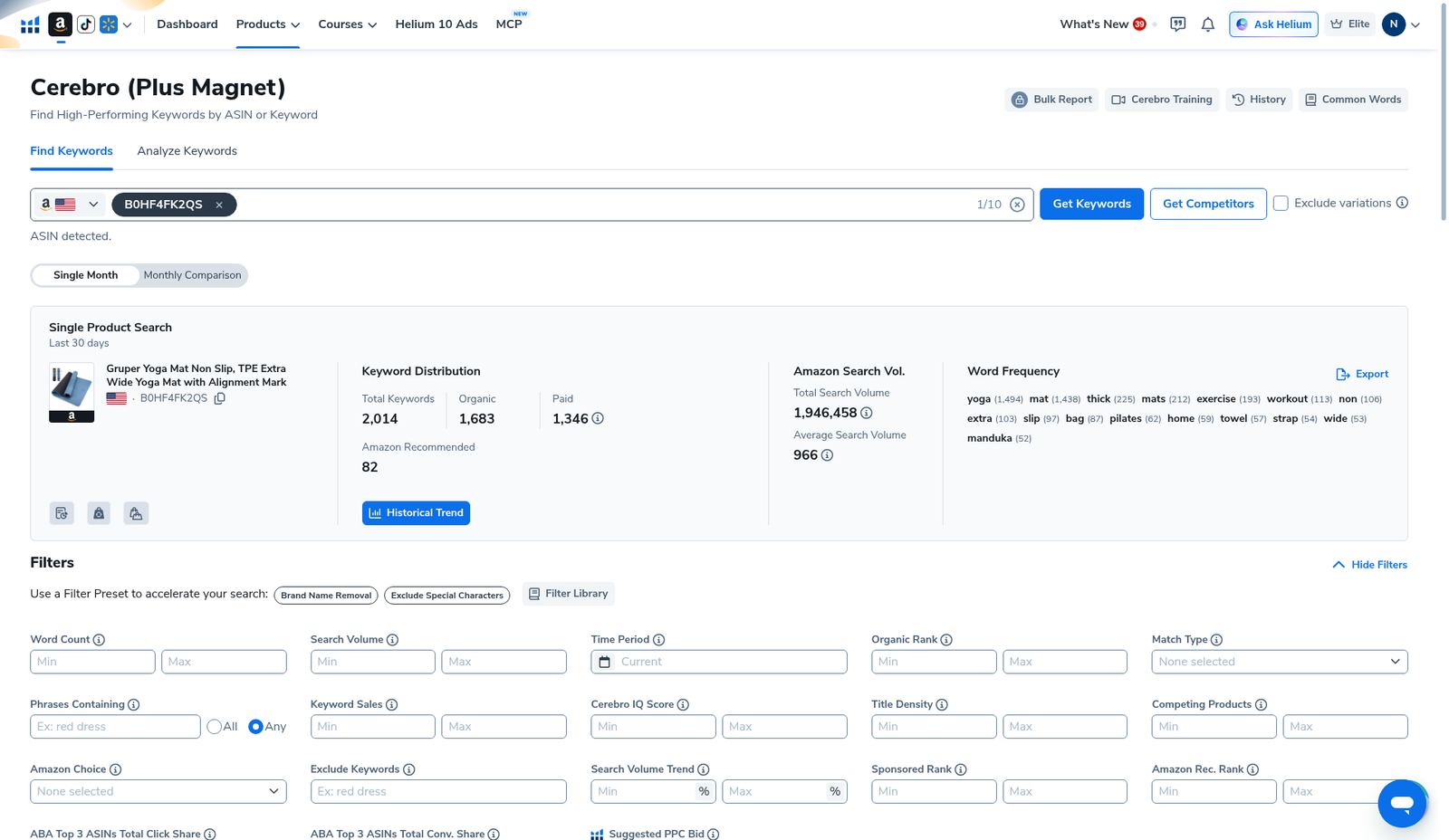
Helium 10 Cerebro for listing optimization: reverse one strong competitor ASIN, shrink the dump with Search Volume + Competing Products (+ Title Density / Match Type), then map keepers into four buckets—title, bullets, backend search terms, and PPC-only—before you open Listing Builder. On our English-UI reverse of Gruper Yoga Mat (B0HF4FK2QS) Cerebro returned 2,014 keywords (Organic 1,683 · Paid 1,346 · Amazon Recommended 82) with total SV 1,946,458. That is a research pile, not a paste-into-title pile. Filter once, export once, write the listing from the sheet.
| Field | What we saw (English UI) |
|---|---|
| Tool | Cerebro (Plus Magnet) → Find Keywords → Filters → Export |
| Demo ASIN | B0HF4FK2QS (Gruper Yoga Mat) |
| Pull size | 2,014 keywords · SV 1,946,458 · avg SV 966 |
| Listing-relevant columns | Search Volume · Competing Products · Title Density · Match Type · Organic Rank · Cerebro IQ Score |
| Filter presets nearby | Brand Name Removal · Exclude Special Characters · Exclude Keywords · Phrases Containing |
| Sibling guides | Competing Products · ARR · Irrelevant keywords filter |
Honest takeaway: Cerebro does not “optimize” your listing. You do—by refusing to stuff every high-SV phrase into the title and by parking brand spam / off-niche rows before copy starts.
Related: Cerebro History · Competing Products filter · Amazon Recommended Rank · keyword hub · Black Box beginners · coupon.
Pick your Helium 10 plan, then enter your AI Pilot Daily code.
Confirm eligibility, duration, renewal terms and the final amount on your checkout. Existing subscriptions usually cannot apply these codes.
What “listing optimization with Cerebro” actually means
Operators who get value from Cerebro treat it as a keyword triage step between product research and copy:
- Shortlist ASINs in Black Box (beginners).
- Reverse winners in Cerebro (History first—see History reuse).
- Cut junk with filters (Competing Products, Exclude Keywords, Brand Name Removal).
- Assign survivors to title / bullets / backend / PPC-only.
- Export once → write or paste into Listing Builder → track ranks later.
If you skip step 3–4 and dump 2,000 phrases into a title draft, you get keyword salad—not conversion.
Step 1 — Reverse one ASIN (History before Run New Search)
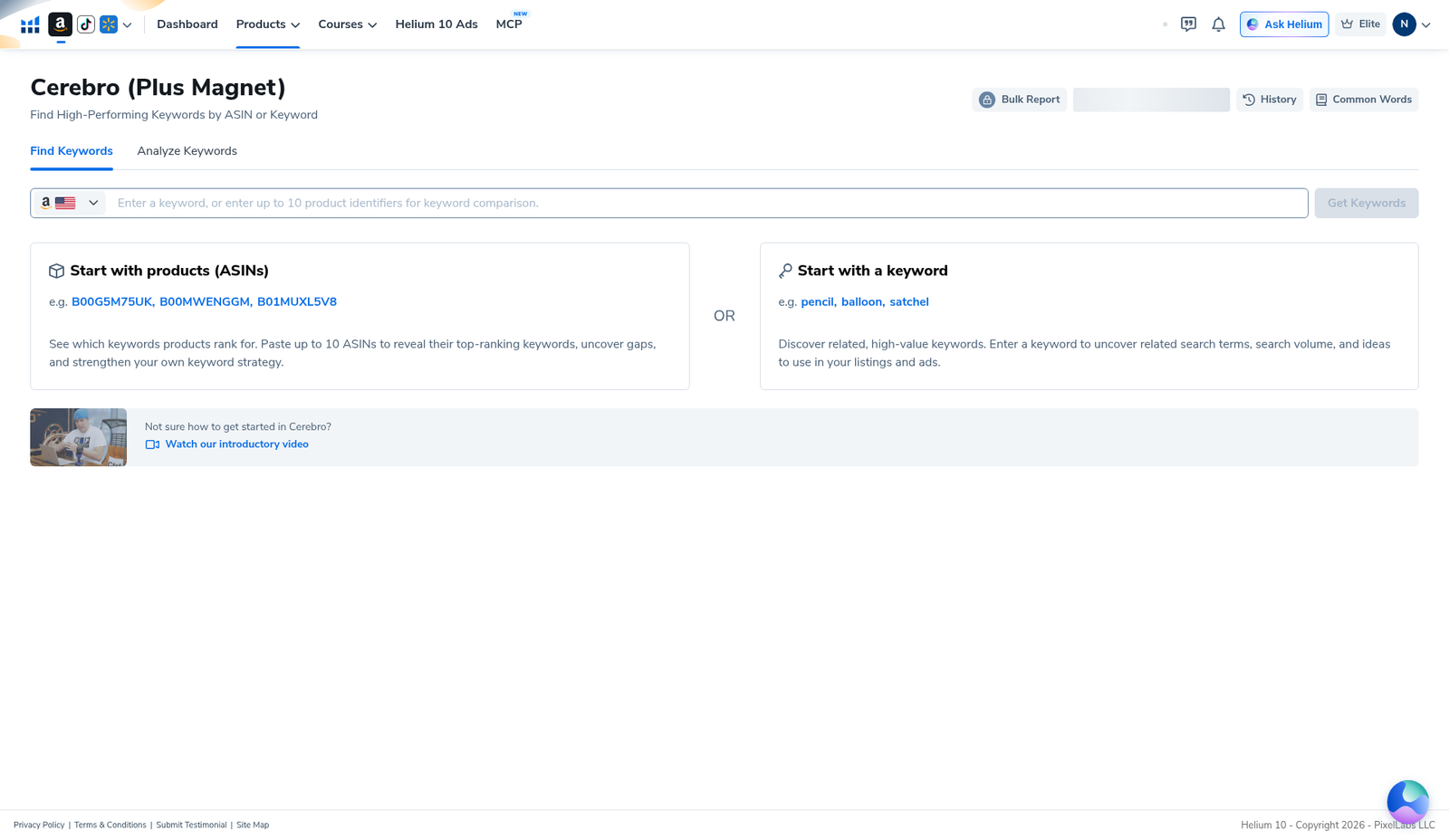
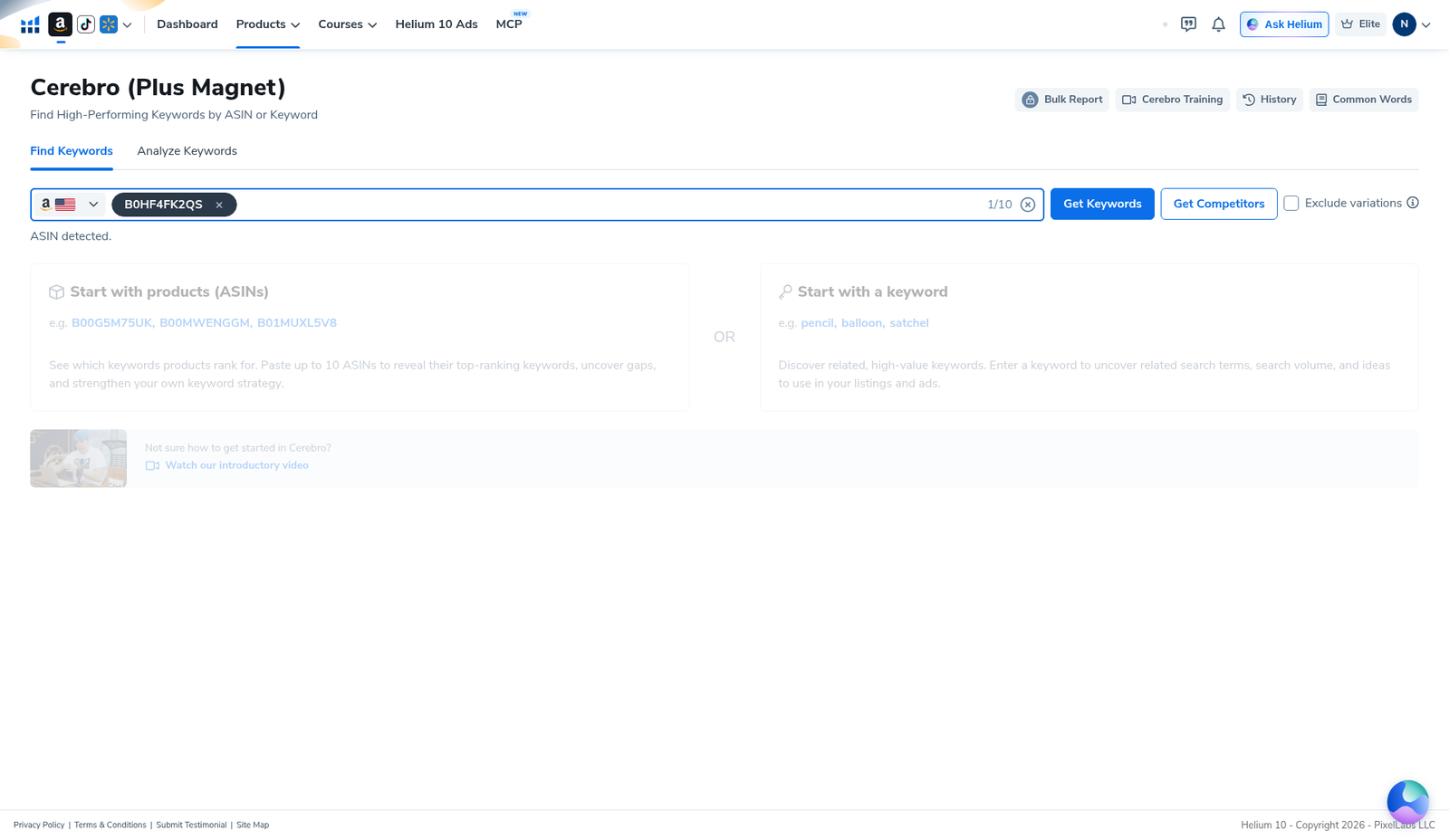
Open Cerebro (Plus Magnet) → Find Keywords. Paste one competitor ASIN (demo B0HF4FK2QS). Prefer Load from History when the modal appears so Platinum’s Cerebro (Plus Magnet) monthly uses stay alive. Beginners path: Cerebro tutorial for beginners.
Step 2 — Read the summary before you write copy
Our yoga-mat pull showed 2,014 total keywords · Organic 1,683 · Paid 1,346 · Amazon Recommended 82 · total SV 1,946,458. Word Frequency on the same card highlighted head tokens like yoga (1,494) and mat (1,438)—useful for “do we even cover the obvious nouns?” checks, not for stuffing every token into position one of the title.
Step 3 — Shrink the pile before Listing Builder
Expand Filters. Operator sequence we use for listing work (tighten one control at a time):
- Brand Name Removal + Exclude Special Characters (presets on the Filters bar).
- Exclude Keywords — drop competitor brand strings, gift-card spam, and obvious off-niche tokens (full irrelevant workflow: irrelevant keywords filter).
- Search Volume min — kill zero-intent / empty rows.
- Competing Products max — cut stratosphere head terms you will never own organically (Competing Products filter).
- Title Density — see how many page-one titles already own the phrase.
- Optional: Amazon Rec. Rank / Match Type for adjacency research only (ARR explained).
- Apply Filters → skim the table → Export Data… once.
Step 4 — Map keepers to title / bullets / backend / PPC
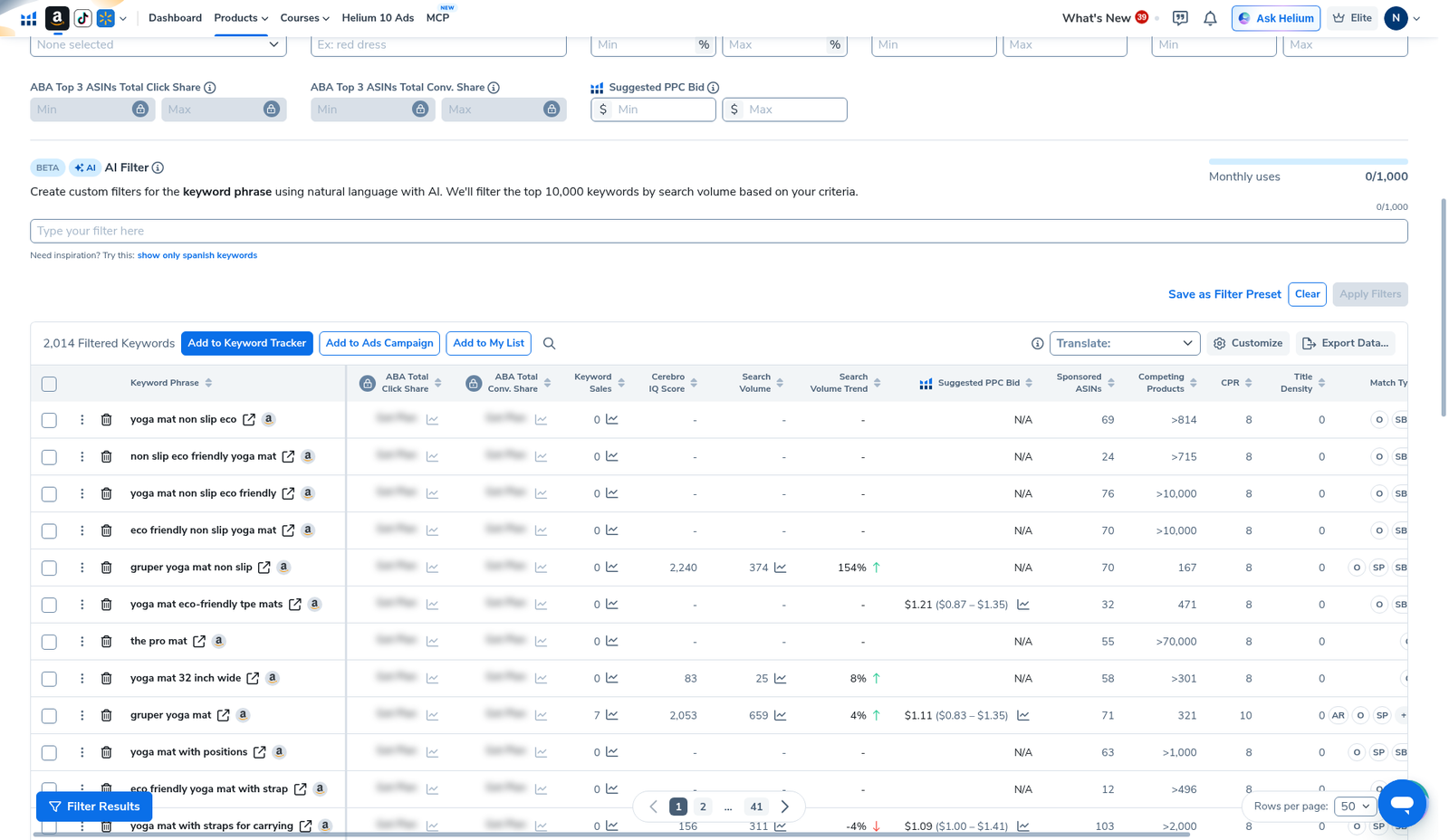
The keyword table is where listing decisions happen. Columns we actually used: Keyword Phrase, Cerebro IQ Score, Search Volume, Suggested PPC Bid, Competing Products, Title Density, Match Type. Blurred ABA share cells stay undisclosed.
Four-bucket sheet (copy this into your export):
| Bucket | What goes here | Cerebro signals we weight |
|---|---|---|
| Title (primary) | 1–3 high-intent phrases shoppers actually type; readable English first | Real SV · clean Match Type · Title Density not already maxed · Competing Products not absurd for your niche |
| Bullets | Benefit + secondary phrases; still human sentences | Mid SV · relevant long-tails · Word Frequency nouns you must cover |
| Backend search terms | Synonyms, misspellings, leftover relevant phrases (no commas drama—follow Amazon’s current backend rules) | Relevant but awkward in title · low Title Density survivors |
| PPC-only | High SV / high Competing Products heads you will buy, not rank overnight | High SV · Competing Products like >10,000 on our demo language · strong Suggested PPC Bid |
Kill bucket: competitor brands, gift / coupon bait, wrong-category phrases, nonsense strings. Do not “optimize” those into anything.
Step 5 — Write once, then stop re-pulling
After export: draft title + five bullets offline (or in Listing Analyzer / Listing Builder if that is your stack). Re-filter the CSV instead of clicking Get Keywords again. Platinum math is unforgiving—History and exports are how you keep Cerebro alive for the month (History guide). Suite context: keyword research tools hub.
Honest limits
- Cerebro ≠ Listing Builder. It finds and scores phrases; it does not write a compliant, converting title for you.
- High SV in title ≠ conversion. Readable benefits still win the click.
- ARR is adjacency, not a title mandate. Our demo only had 82 Amazon Recommended keywords inside 2,014—secondary research.
- Plan / blur variance. ABA share cells were blurred on our capture; do not invent them.
- No universal density cutoffs. Yoga-mat >10,000 Competing Products rows are normal for broad phrases—your niche will differ.
What we tested vs what we did not claim
Tested (English UI, Cerebro, B0HF4FK2QS): Find Keywords home; ASIN entered; summary with 2,014 / SV 1,946,458 / Amazon Recommended 82; Filters with Brand Name Removal, Exclude Special Characters, Exclude Keywords, Phrases Containing, Competing Products, Title Density, Search Volume; keyword table with Match Type + Competing Products examples (>814, >10,000, 167); Export / Tracker actions present.
Did not claim: that Cerebro auto-writes Amazon-compliant titles; a universal “put top 10 SV in title” rule; that every Amazon Recommended phrase belongs on-page; invented ABA shares. Affiliate only https://i.helium10.com/jR0Z10.
Frequently asked questions
How do I use Helium 10 Cerebro for listing optimization?
Reverse a competitor ASIN → filter junk → export → map keepers to title / bullets / backend / PPC-only → write human copy. Do not paste the raw 2,000-row dump into the title.
Should every high search-volume keyword go in the title?
No. Title space is scarce. Put the highest-intent, readable phrases up front; park secondary and awkward phrases in bullets / backend; buy the impossible heads with PPC.
Do filters burn a Cerebro use?
No. Filters run on the pull you already loaded. Uses burn on Get Keywords / Run New Search. Prefer History when re-opening an ASIN.
Where does Competing Products fit in listing work?
As a density dial so you do not waste title slots on phrases with >10,000 competing products unless you have a deliberate PPC plan. Details: Competing Products filter.
Which Helium 10 code should I use?
AIPILOTDAILY20 for monthly (Diamond test due $287.20); AIPILOTDAILY10 for annual or long stays (~10% ongoing). Start at https://i.helium10.com/jR0Z10.
Bottom line
- Cerebro for listing optimization = triage → bucket → write, not dump → paste.
- Our demo: 2,014 keywords / 1,946,458 SV on B0HF4FK2QS—filter before copy.
- Title / bullets / backend / PPC-only buckets beat keyword salad every time.
Next steps: irrelevant keywords filter → Competing Products → ARR → History → export → keyword hub · Black Box beginners · PPC hub → worth it → review → coupon → checkout https://i.helium10.com/jR0Z10.
Last verified: 2026-10-30 · Author: Alexander Vance
