
Last verified: 2026-10-30 · Author: Alexander Vance · Human review
Affiliate disclosure: We may earn a commission if you buy Helium 10 through our links, at no extra cost to you. Helium 10 UI notes and screenshots come from our logged-in Helium 10 members account (English UI, Cerebro / Plus Magnet captures 2026-10-29 / verified 2026-10-30). New-customer checkout figures for AIPILOTDAILY20 / AIPILOTDAILY10 come from our 2026-10-28 tests via https://i.helium10.com/jR0Z10 (no payment completed). “Irrelevant” is an operator judgment for your niche—Cerebro presets help, they do not replace a human skim. Trust the filters on your account.
Quick answer
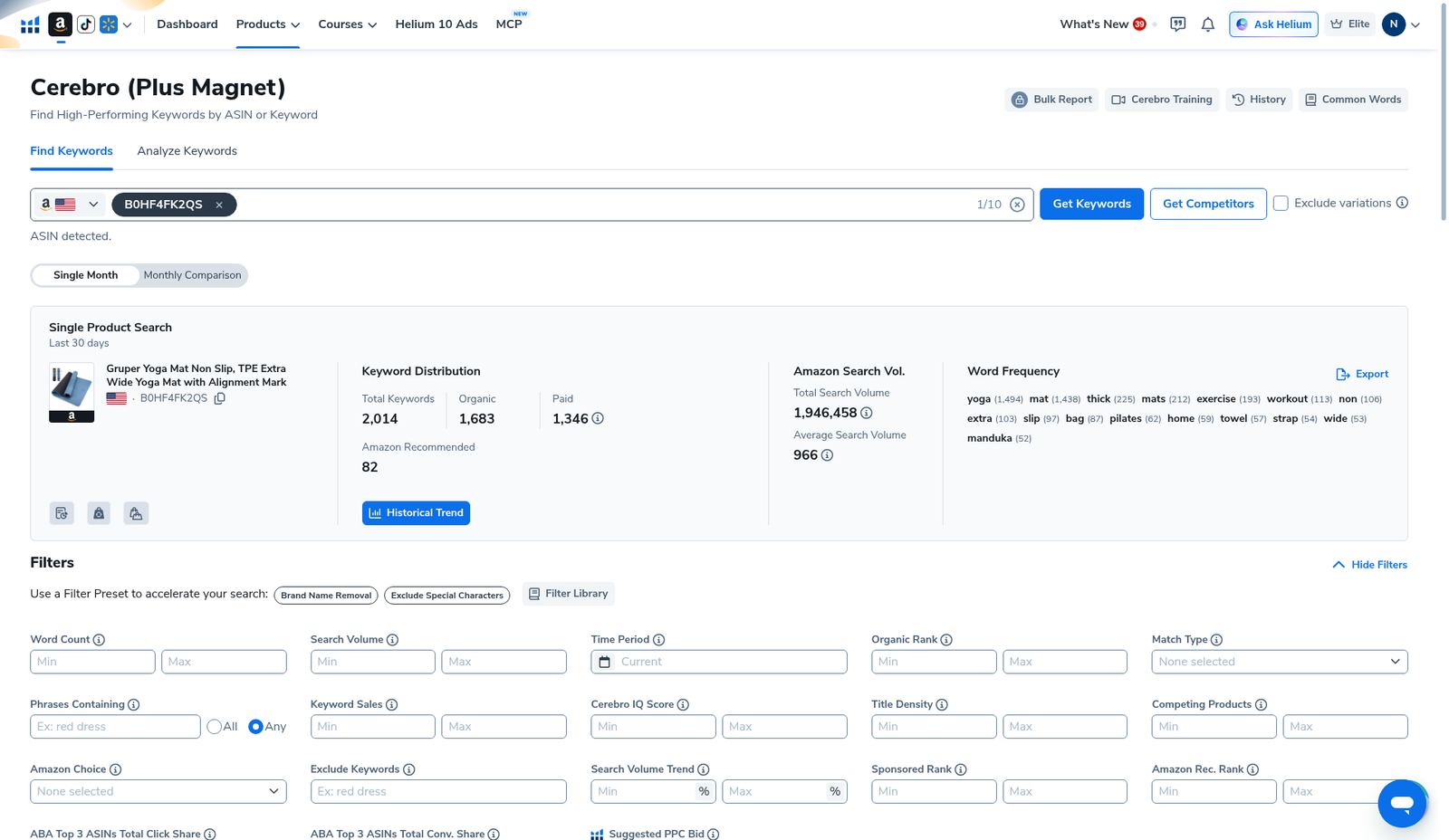
Helium 10 Cerebro irrelevant keywords filter: there is no single magic “Irrelevant” toggle that auto-deletes every bad row. On the English UI Filters bar you combine Brand Name Removal, Exclude Special Characters, Exclude Keywords, Phrases Containing, Match Type, Word Count, and a Search Volume floor—then hand-kill leftover off-niche phrases in the table. Our Gruper Yoga Mat reverse (B0HF4FK2QS) started at 2,014 Filtered Keywords (SV 1,946,458). Without an irrelevant pass, listing and PPC sheets fill with competitor brands, special-character junk, and wrong-intent strings.
| Control | Where it sits (English UI) | What it is for |
|---|---|---|
| Brand Name Removal | Filters presets | Strip common brand-name rows from the pull |
| Exclude Special Characters | Filters presets | Drop phrase noise with odd characters |
| Exclude Keywords | Filters text box | Your deny-list (competitor brands, gift bait, wrong category) |
| Phrases Containing | Filters text + Any radio | Keep only rows that include a must-have token (e.g. yoga) |
| Match Type | Filters dropdown | Isolate Organic / Paid / Amazon Recommended slices |
| Word Count / Search Volume | Numeric min/max | Favor real multi-word phrases with volume |
| Filter Library / AI Filter (Beta) | Presets + AI Filter box | Saved presets; AI Filter exists (usage meter on UI)—we did not invent applied AI results for this draft |
Honest takeaway: irrelevant cleanup is a stacked filter + human skim. Presets get you 70% there; the last 30% is you rejecting “gruper yoga mat” brand spam and off-niche gift phrases before export.
Related: Cerebro for listing optimization · Competing Products filter · Amazon Recommended Rank · History · keyword hub · Black Box beginners · coupon.
Pick your Helium 10 plan, then enter your AI Pilot Daily code.
Confirm eligibility, duration, renewal terms and the final amount on your checkout. Existing subscriptions usually cannot apply these codes.
What counts as “irrelevant” in a Cerebro pull
On a reverse-ASIN dump, irrelevant usually means one of these:
- Competitor / own brand strings you will not (or must not) target in organic copy
- Wrong-intent phrases (gift cards, coupons, unrelated categories that co-occur in Amazon’s graph)
- Special-character / garbage tokens
- Zero-volume noise that only wastes spreadsheet rows
- Language / marketplace mismatches when you only sell US English
Cerebro surfaces those rows because Amazon’s keyword graph is messy—not because every phrase belongs on your listing. Your job is to deny-list aggressively before listing optimization or PPC harvest.
Step 1 — Load the reverse (do not re-burn uses)
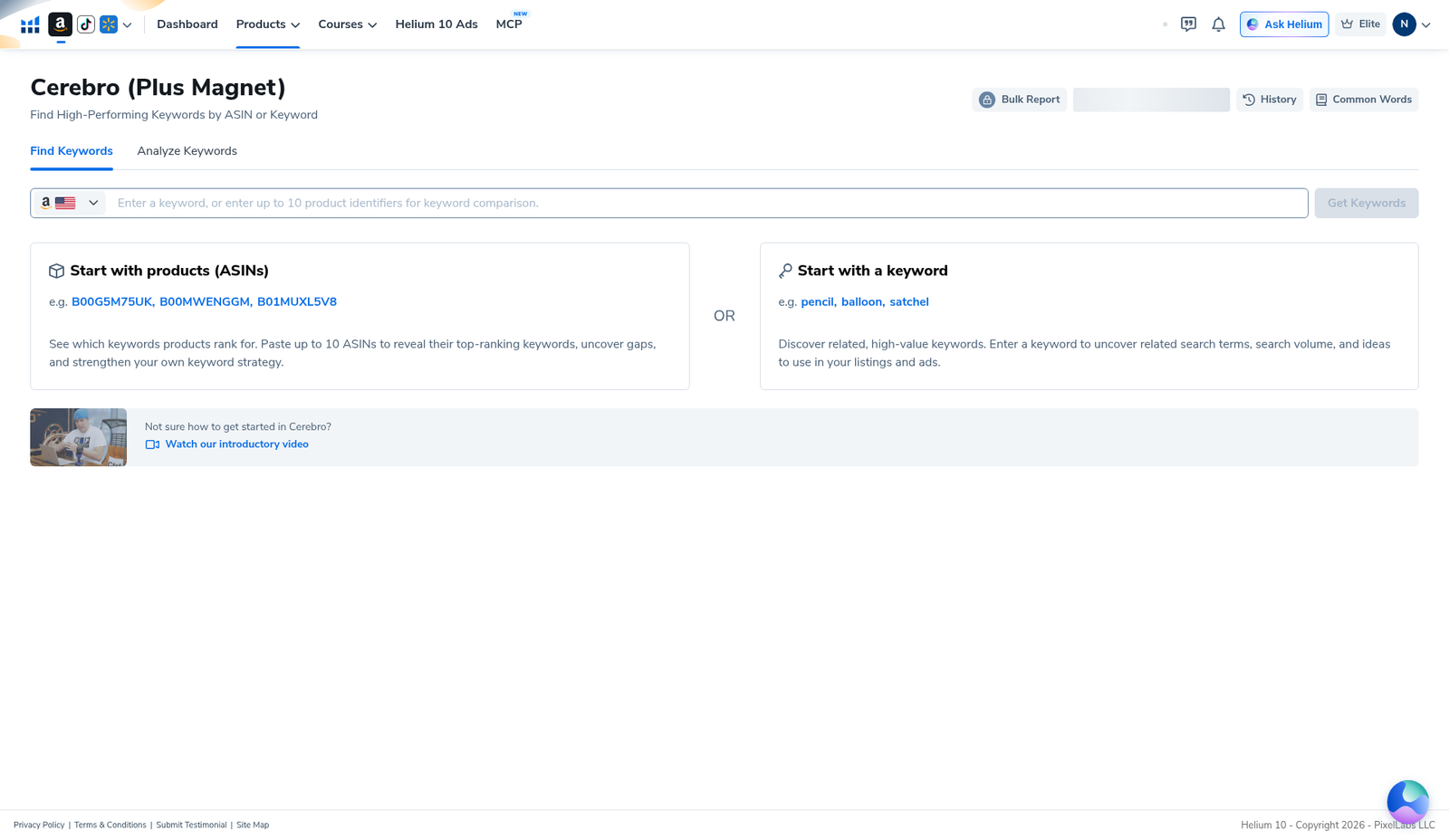
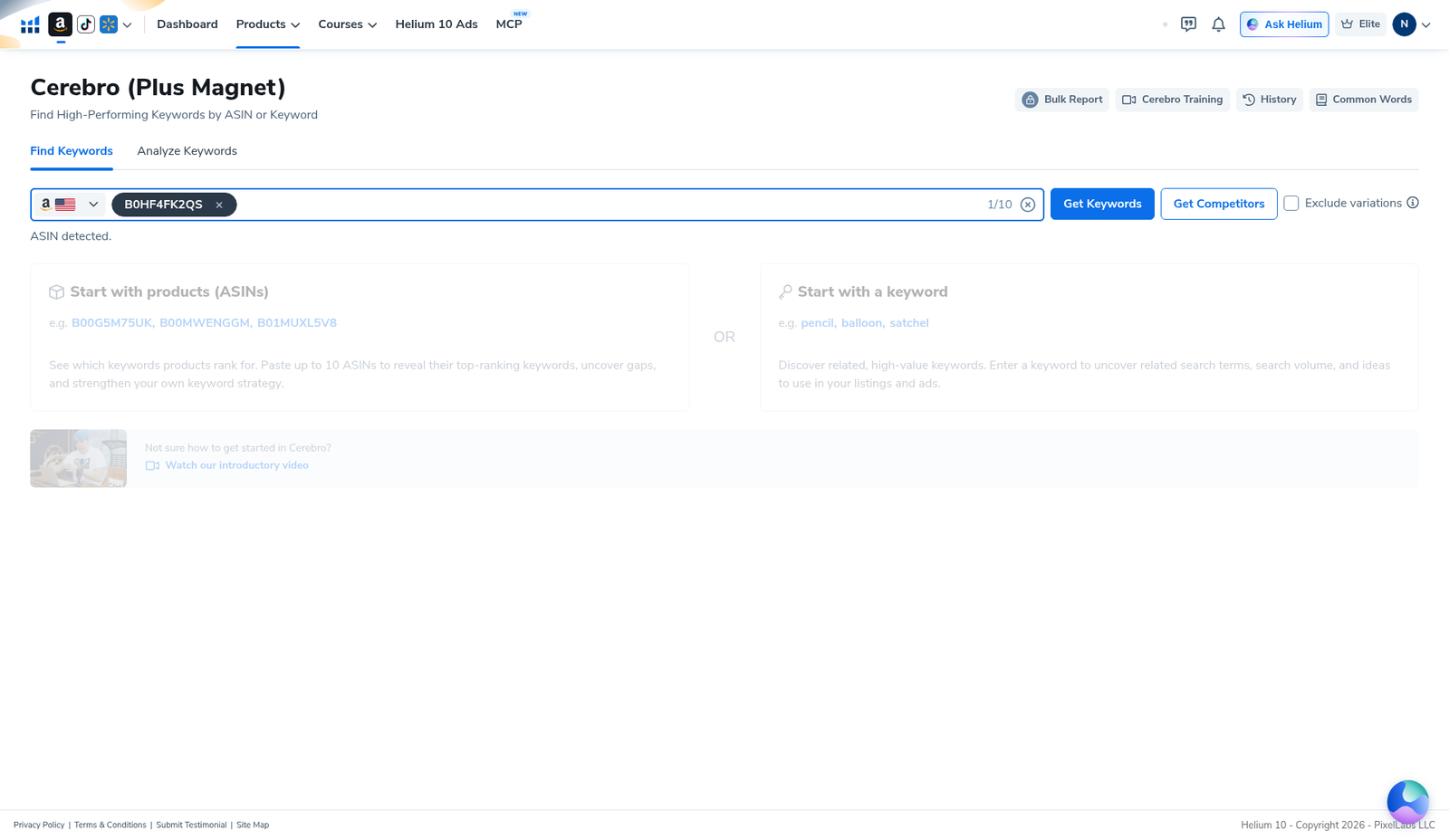
Open Cerebro → Find Keywords → enter the ASIN (demo B0HF4FK2QS). If you already pulled it, choose Load from History. Platinum sellers: History is how you keep Cerebro (Plus Magnet) uses alive—see Cerebro History reuse searches. Beginners overview: Cerebro tutorial for beginners.
Step 2 — Open Filters: presets first
On the results overview, expand Filters. Top of the English Filters bar shows presets: Brand Name Removal, Exclude Special Characters, Filter Library. Hit Brand Name Removal and Exclude Special Characters before you hand-type a deny list—they are the fastest irrelevant cut.
Step 3 — Operator workflow (deny-list + must-have tokens)
- Brand Name Removal + Exclude Special Characters (presets).
- Exclude Keywords — paste a deny list: competitor brands, “gift card”, coupon bait, wrong-category tokens you already know pollute this niche.
- Phrases Containing (optional) — set a must-have token (e.g. yoga) with Any when the pull is drowning in off-niche adjacency. Do not over-constrain or you nuke valid long-tails.
- Search Volume min — drop empty rows.
- Word Count min (optional) — favor 3–4+ word phrases for long-tail listing / PPC banks.
- Competing Products max (optional density dial)—sibling guide: Competing Products filter.
- Match Type — isolate Organic vs Paid vs Amazon Recommended when you only want one slice (ARR for the recommended bucket).
- Apply Filters → skim Keyword Phrase column by hand → kill leftovers → Export Data… once.
AI Filter (Beta): the English UI also shows an AI Filter box with a monthly uses meter. We document that it exists on the capture; we do not invent natural-language filter outputs we did not apply and screenshot for this draft. Prefer the deterministic Exclude Keywords + presets when you need reproducible sheets.
Step 4 — Hand-skim the table (the last 30%)
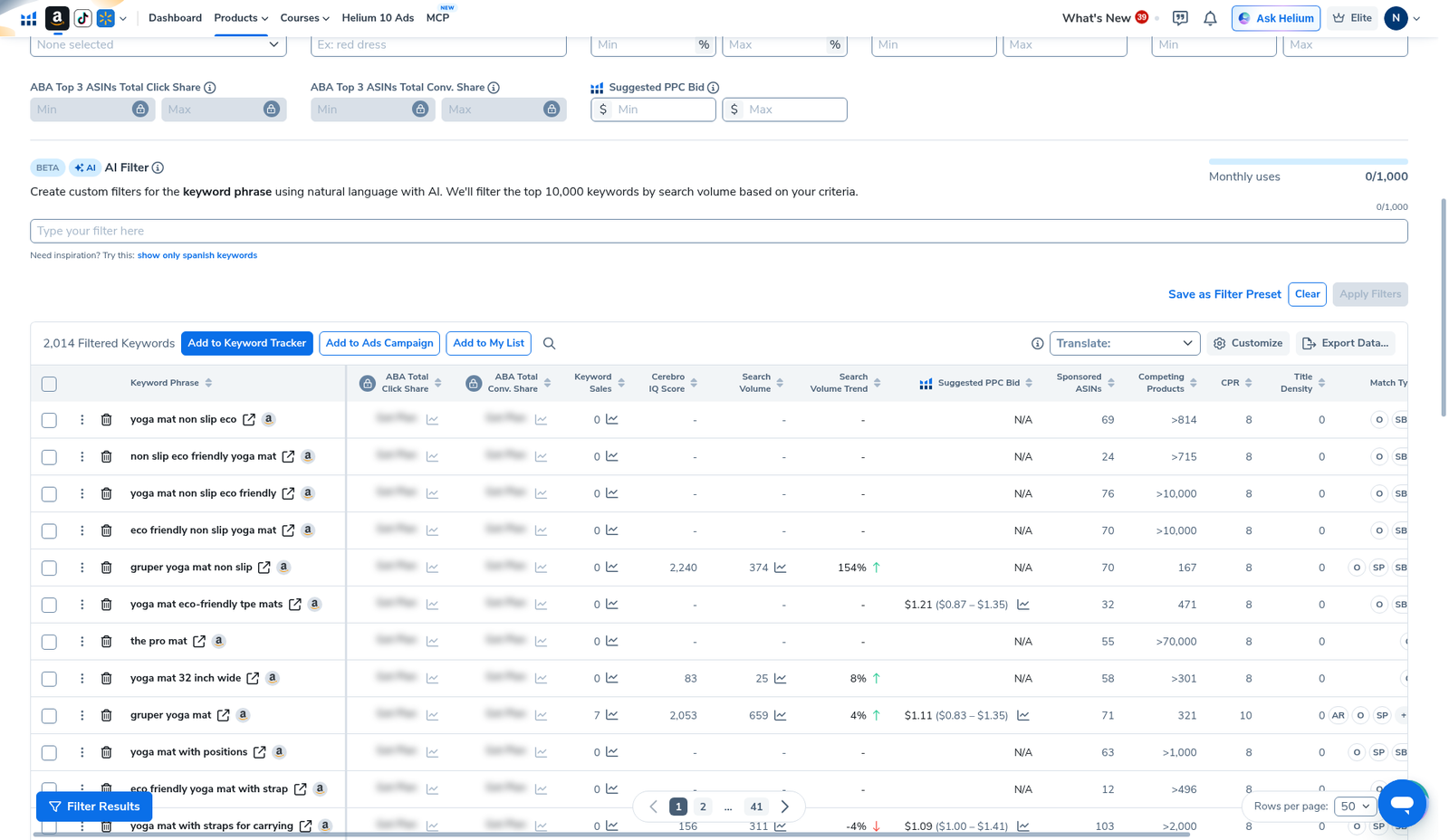
Table header on our pull: 2,014 Filtered Keywords. Even after presets, you will still see brand-ish phrases (our capture included rows like “gruper yoga mat”) and crowded Competing Products values (>814, >10,000, 167). Hand-reject anything that fails the “would I put this on my listing or bid on it?” test.
Three buckets after the irrelevant pass:
- Keep for listing — relevant, readable, real SV → feed listing optimization
- Keep for PPC only — relevant but too competitive for organic title slots
- Kill — brand, junk, wrong intent, empty SV
Honest limits
- No single “Irrelevant” button. Cerebro gives presets + Exclude Keywords; you still skim.
- Brand Name Removal is not perfect. Niche / private-label brands still leak—add them to Exclude Keywords.
- Phrases Containing can over-cut. A must-have token helps a dirty pull; it can also hide valid synonyms.
- Filters do not burn Cerebro uses. Re-opening with Run New Search does—use History.
- AI Filter (Beta) is not a free infinite cleanup. Respect the usage meter on your account; we did not publish invented AI filter results.
What we tested vs what we did not claim
Tested (English UI, Cerebro, B0HF4FK2QS): Find Keywords; 2,014-keyword / 1,946,458 SV summary; Filters bar showing Brand Name Removal, Exclude Special Characters, Filter Library, Exclude Keywords, Phrases Containing (Any), Match Type, Word Count, Search Volume, Competing Products; keyword table with brand-ish phrases and Competing Products examples; Export actions present; AI Filter (Beta) UI visible with usage meter.
Did not claim: that Brand Name Removal removes 100% of brands; invented Exclude Keywords result counts after Apply; invented AI Filter outputs; that irrelevant cleanup alone equals a finished listing. Affiliate only https://i.helium10.com/jR0Z10.
Frequently asked questions
How do I filter irrelevant keywords in Helium 10 Cerebro?
Use Filters presets (Brand Name Removal, Exclude Special Characters), fill Exclude Keywords with your deny list, optionally constrain Phrases Containing, set a Search Volume floor, Apply Filters, then hand-skim and export.
Is there an “Irrelevant Keywords” button?
Not as a single one-click control on our English capture. The closest built-ins are Brand Name Removal, Exclude Special Characters, Exclude Keywords, and Phrases Containing—plus Match Type / Word Count / Search Volume.
Will Exclude Keywords burn a Cerebro search?
No. Filtering the current pull does not spend a Get Keywords use. Burning happens on new reverse searches—prefer History.
Should I use AI Filter instead of Exclude Keywords?
Use Exclude Keywords + presets when you need a reproducible deny list. AI Filter (Beta) exists on the UI with a monthly uses meter; we do not claim it replaces a written deny list without your own verified runs.
Which Helium 10 code should I use?
AIPILOTDAILY20 for monthly (Diamond test due $287.20); AIPILOTDAILY10 for annual or long stays (~10% ongoing). Start at https://i.helium10.com/jR0Z10.
Bottom line
- Irrelevant cleanup = presets + Exclude Keywords + hand skim—not one magic toggle.
- Our demo started at 2,014 rows; brand / junk / wrong-intent phrases still need a human kill list.
- Filter on the loaded pull → export once → then do listing / PPC work.
Next steps: listing optimization → Competing Products → ARR → History → export → keyword hub · Black Box beginners · PPC hub → worth it → review → coupon → checkout https://i.helium10.com/jR0Z10.
Last verified: 2026-10-30 · Author: Alexander Vance
