
Last verified: 2026-10-30 · Author: Alexander Vance · Human review
Affiliate disclosure: We may earn a commission if you buy Helium 10 through our links, at no extra cost to you. Helium 10 UI notes and screenshots come from our logged-in Helium 10 members account (English UI, Cerebro / Plus Magnet captures 2026-10-29 / verified 2026-10-30). New-customer checkout figures for AIPILOTDAILY20 / AIPILOTDAILY10 come from our 2026-10-28 tests via https://i.helium10.com/jR0Z10 (no payment completed). Competing Products values are Helium 10 estimates for the keyword row—confirm odd outliers on Amazon before you bet a launch on one cell.
Quick answer
Helium 10 Cerebro Competing Products filter: after a reverse-ASIN pull, open Filters and set Competing Products min/max to cut phrases where too many ASINs already fight for the term. On our English-UI table for B0HF4FK2QS, the Competing Products column showed real rows like >814, >10,000, and 167—head yoga-mat language is crowded; long-tails can look saner. Combine a Competing Products ceiling with a Search Volume floor, then export. Low competing alone does not mean “easy rank.”
| Field | What we saw (English UI) |
|---|---|
| Tool | Cerebro (Plus Magnet) → Find Keywords → Filters |
| Demo ASIN | B0HF4FK2QS (Gruper Yoga Mat) · 2,014 keywords · SV 1,946,458 |
| Filter control | Competing Products min / max (same Filters row as Word Count, Search Volume, Organic Rank, Title Density, Amazon Rec. Rank) |
| Table column | Competing Products (examples on-screen: >814 · >10,000 · 167) |
| Presets nearby | Brand Name Removal · Exclude Special Characters · Filter Library |
| Sibling metric | Amazon Recommended Rank for recommended-placement adjacency |
Honest takeaway: Competing Products is a density dial. Use it to shrink a 2,000-row dump into a sheet you can finish, not as a green light that the niche is “unowned.”
Related: Cerebro for beginners · Cerebro History · Amazon Recommended Rank · keyword hub · Black Box beginners · coupon.
Pick your Helium 10 plan, then enter your AI Pilot Daily code.
Confirm eligibility, duration, renewal terms and the final amount on your checkout. Existing subscriptions usually cannot apply these codes.
What Competing Products means in Cerebro
On each keyword row, Competing Products is Helium 10’s estimate of how many products compete for that phrase. Head terms often show ceilings like >10,000. More specific phrases can land in the hundreds (our table included 167 and >814 on yoga-mat language). It is a relative density signal—useful for triage—not a guarantee of ranking difficulty by itself.
Do not confuse it with:
- Title Density — how many of the top results already put the phrase in the title
- Sponsored ASINs — how crowded the paid shelf looks
- Seller count on a Black Box product row — that is product-level, not keyword-level
Step 1 — Load a Cerebro reverse (do not re-burn uses)
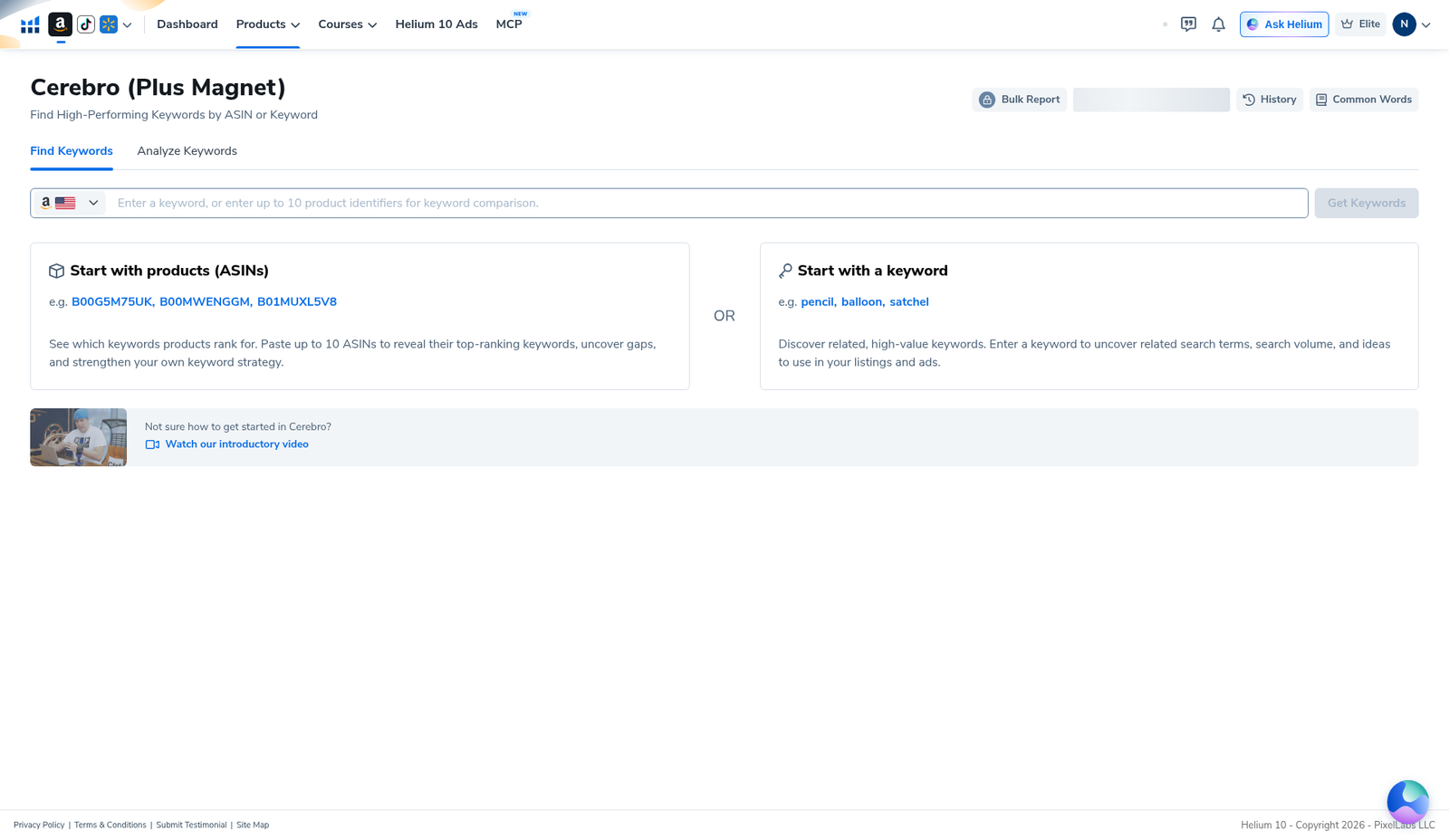
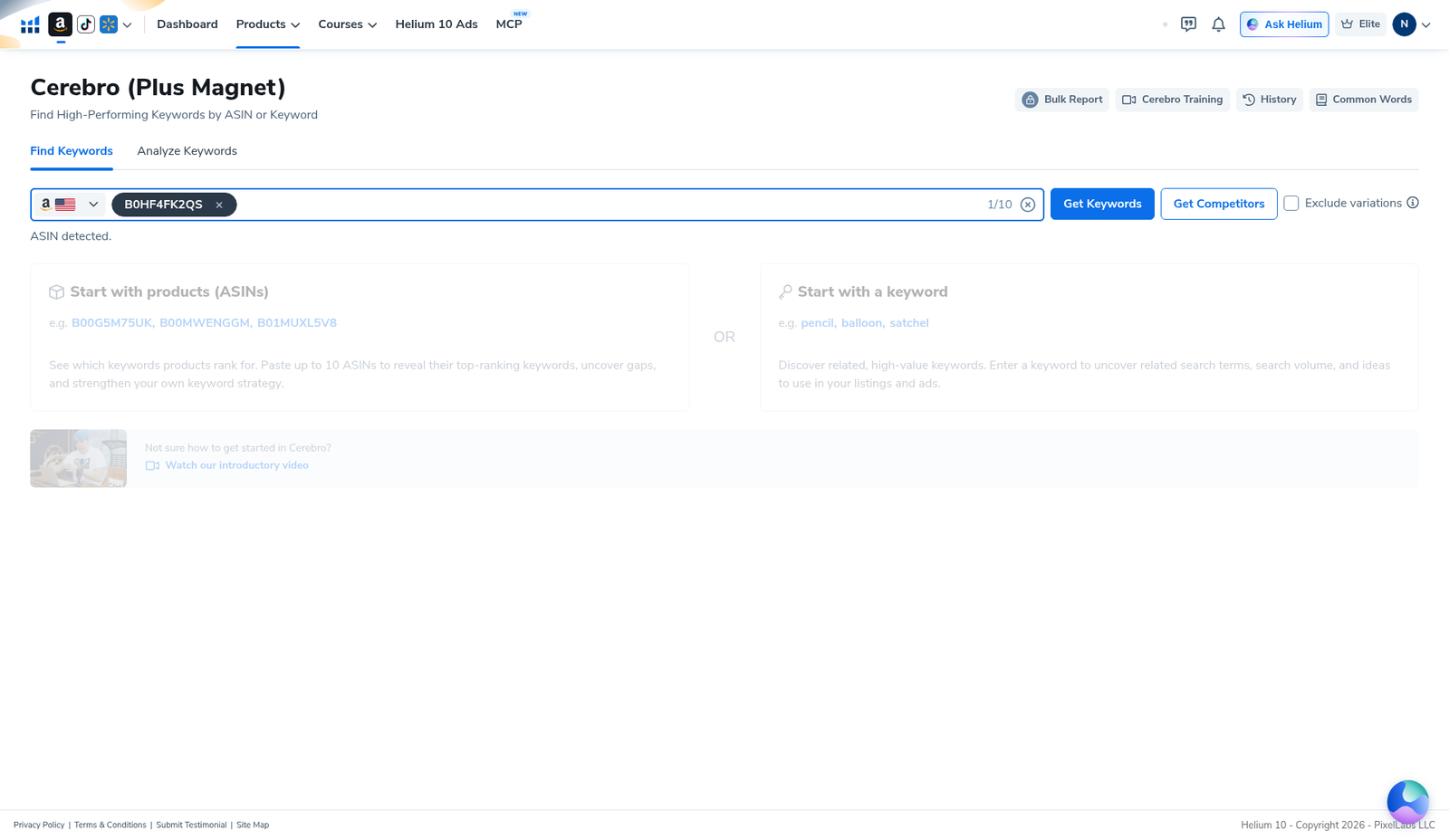
Open Cerebro → Find Keywords → enter the ASIN (demo B0HF4FK2QS). If you already pulled it, choose Load from History. Platinum sellers: History is how you keep the ~100 Cerebro (Plus Magnet) uses / billing month alive—see Cerebro History reuse searches. Beginners overview: Cerebro tutorial for beginners.
Step 2 — Open Filters and find Competing Products
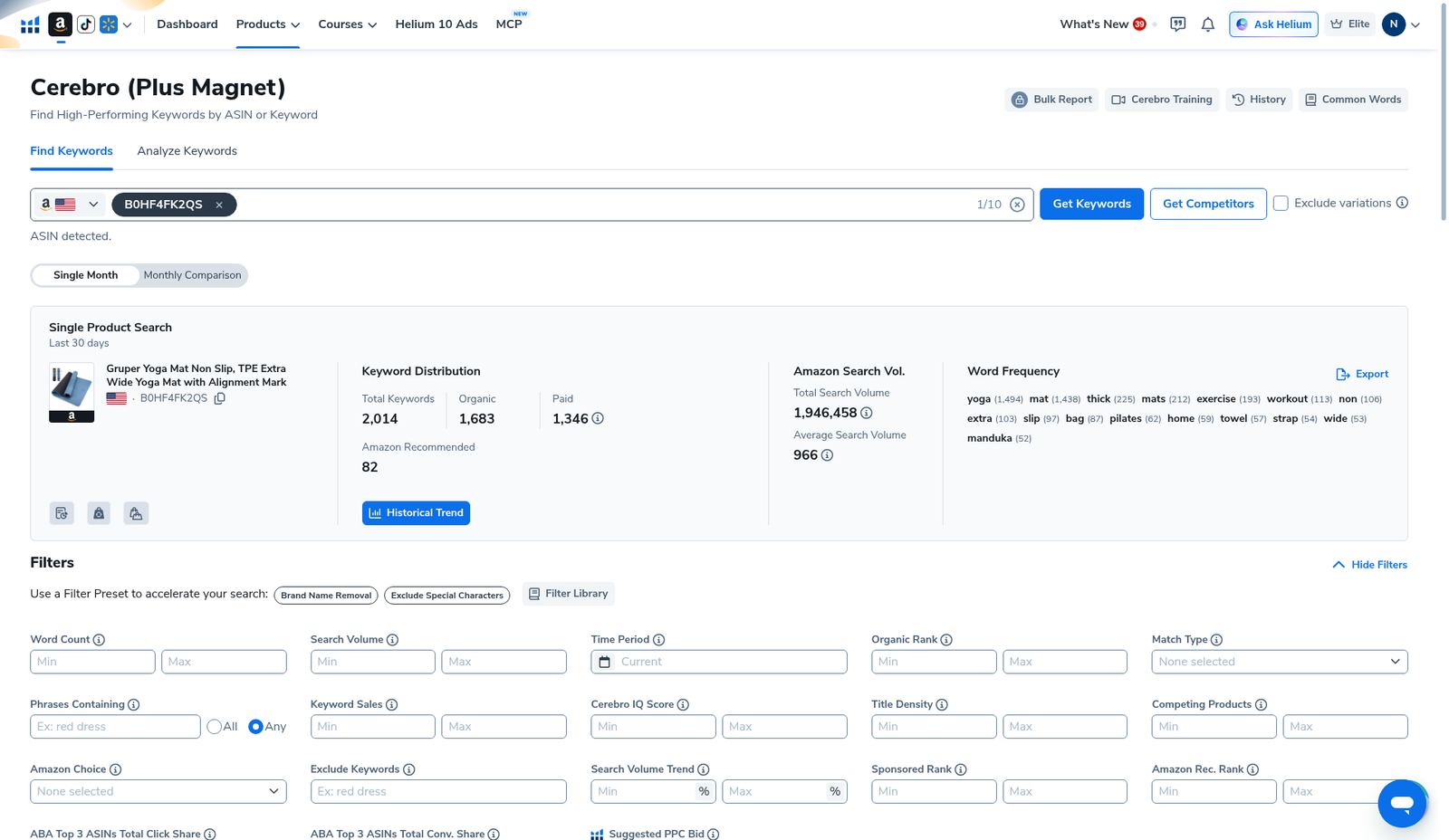
On the results overview, expand Filters. Competing Products sits with the other numeric min/max fields: Word Count, Search Volume, Organic Rank, Keyword Sales, Cerebro IQ Score, Title Density, Sponsored Rank, Amazon Rec. Rank. Match Type, Amazon Choice, Phrases Containing, Exclude Keywords, ABA share fields, and Suggested PPC Bid sit nearby. Presets: Brand Name Removal, Exclude Special Characters, Filter Library.
Step 3 — Operator workflow (ceiling + volume floor)
There is no universal “under 500 competing” rule that works for every category. The workflow that does work:
- Set Search Volume min first so you are not polishing zero-volume junk (example starting point many sellers use: a few hundred+ on US—tune to your niche, do not copy blindly).
- Set Competing Products max to cut the worst head-term pileups. On yoga-mat language, >10,000 rows are normal for broad phrases—those are usually PPC / brand-defense problems, not easy organic wins.
- Optional: Word Count min (favor 3–4+ word phrases), Brand Name Removal, Exclude Special Characters.
- Optional adjacency: Amazon Rec. Rank / Match Type if you also care about recommended placements—guide: Amazon Recommended Rank.
- Apply Filters → skim Match Type + IQ + PPC bid → reject brand spam and off-niche phrases by hand.
- Export Data… once. Re-filter offline instead of burning another Get Keywords click.
If the list collapses to near-zero, loosen Competing Products max before you panic-upgrade the plan. Empty filters usually mean the ceiling was fantasy for that niche.
Step 4 — Read the Competing Products column on the table
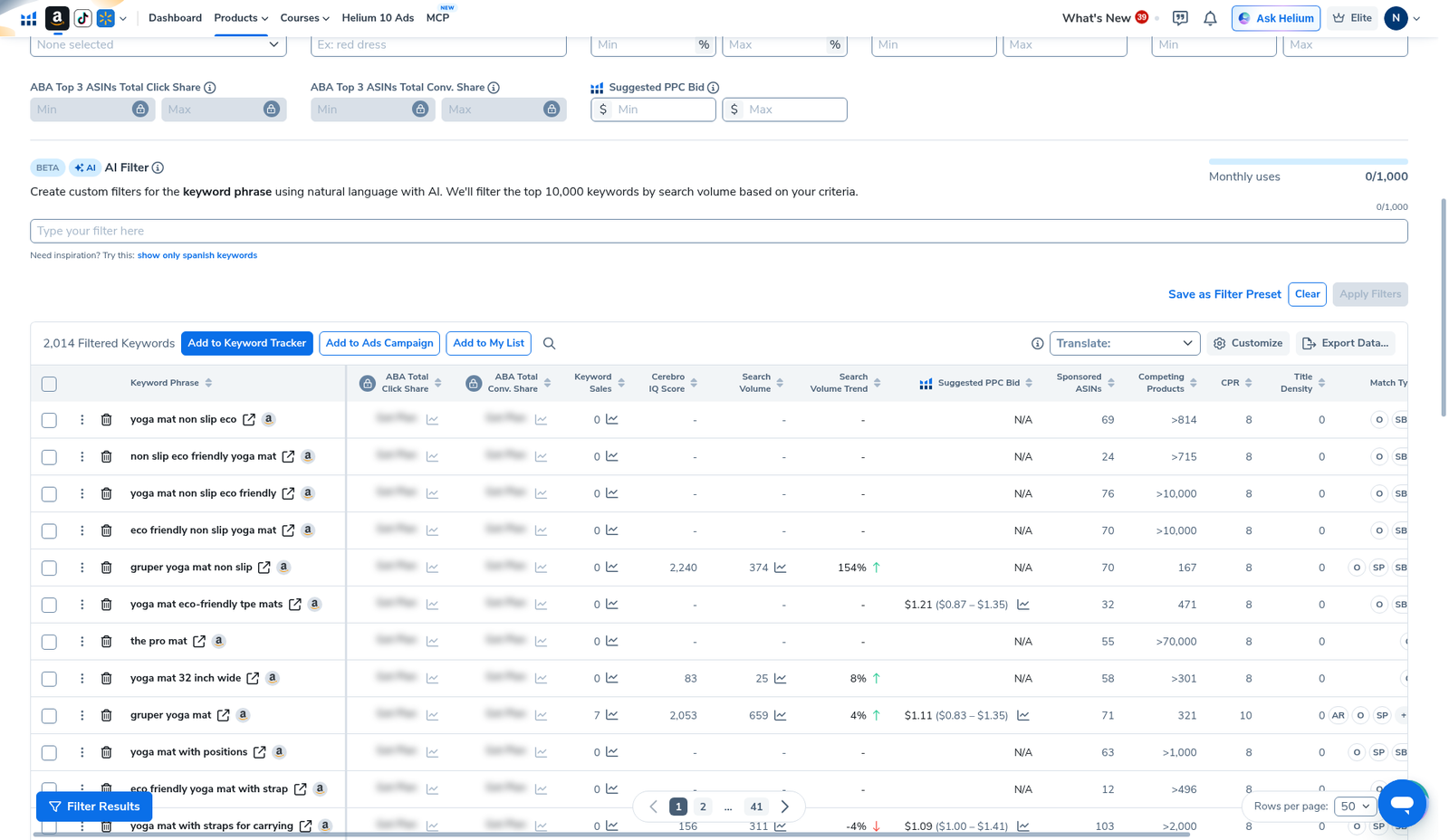
Table header on our pull: 2,014 Filtered Keywords. Competing Products appears as its own column beside Sponsored ASINs, CPR, Title Density, and Match Type. Examples visible on the English capture included >814, >10,000, and 167. Use the column to sanity-check the filter—not to autogenerate a product idea.
Keep a three-bucket sheet:
- Primary — decent SV + tolerable Competing Products + clean Match Type
- Secondary / PPC only — high SV but Competing Products in the stratosphere
- Kill — brand names, nonsense, or zero-intent strings
Honest limits
- Estimate, not census. Helium 10’s Competing Products cell can show ceilings (>10,000). Spot-check weird outliers on Amazon.
- Low competing ≠ easy. Tiny competing with tiny SV is a dead phrase, not a gift.
- Title Density still matters. A mid competing number with every page-one title already stuffed is still hard.
- Do not stack ten filters to zero. Tighten one control at a time—same discipline as Black Box beginners.
- History first on re-opens so Platinum’s Cerebro allowance survives the month.
What we tested vs what we did not claim
Tested (English UI, Cerebro, B0HF4FK2QS): Find Keywords; results with 2,014 keywords / 1,946,458 total SV; Filters panel with Competing Products min/max; keyword table showing Competing Products values including >814, >10,000, and 167; Export / Tracker actions present.
Did not claim: a universal Competing Products max that works for every niche; that >10,000 means “impossible”; that low competing guarantees page-one; invented ABA share cells. Affiliate only https://i.helium10.com/jR0Z10.
Frequently asked questions
What is the Competing Products filter in Cerebro?
It is a min/max control in Cerebro Filters that keeps keyword rows whose Competing Products estimate falls inside your range. Use it with a Search Volume floor to shrink large reverse-ASIN dumps.
What Competing Products number is “good”?
There is no universal good number. Broad US head terms often show >10,000. Judge relative to your niche and your volume floor—not a guru’s screenshot from another category.
Competing Products vs Title Density—which first?
Start with Competing Products + Search Volume to cut the list. Use Title Density to see whether survivors already own the SERP titles. Both are reality checks, not auto-picks.
Will filtering Competing Products burn a Cerebro use?
No. Filters run on the pull you already loaded. Burning uses happens on Get Keywords / Run New Search—not on re-filtering. Prefer History when re-opening an ASIN.
Which Helium 10 code should I use?
AIPILOTDAILY20 for monthly (Diamond test due $287.20); AIPILOTDAILY10 for annual or long stays (~10% ongoing). Start at https://i.helium10.com/jR0Z10.
Bottom line
- Competing Products filter = density dial on Cerebro keyword rows.
- Our table showed values like >814, >10,000, 167 on a 2,014-row yoga-mat reverse.
- Ceiling + volume floor → hand-reject junk → export once → leave.
Next steps: Cerebro beginners → History → ARR → export → keyword hub · Black Box beginners · PPC hub → worth it → review → coupon → checkout https://i.helium10.com/jR0Z10.
Last verified: 2026-10-30 · Author: Alexander Vance
